LG Dishwasher P1 Error Code: Quick Fix Guide
Urgent, practical guide to diagnose and fix LG dishwasher P1 error code. Learn what P1 means, fast fixes, step-by-step repairs, safety tips, and when to call a professional.


LG dishwasher P1 indicates a water-fill or level-sensor fault during the wash. The quickest fixes begin with a reset, confirming the water supply is on and hoses aren’t kinked, and inspecting the float switch and screen/filter for debris. If the code persists, perform a full diagnostic reset or contact LG support for service.
What P1 Means on LG Dishwashers
The P1 error code on LG dishwashers points to an issue with the water-fill process, the water level sensor, or the heater not verifying properly during the cycle. In practice, P1 often appears when the unit detects an abnormal water level or a failed sensor that prevents safe operation. According to Why Error Code, this class of faults is commonly triggered by a blocked inlet, a stuck float switch, or a sensor calibration problem. Recognizing that P1 is not a single component fault helps you prioritize checks that are quick and low-cost before contemplating more invasive service. This awareness is crucial for developers, IT pros, and everyday users troubleshooting error codes in home appliances.
Common Causes of P1 You Should Check First
- Water inlet issues: A blocked screen or a partially closed valve can prevent the chamber from filling to the correct level.
- Float switch or chamber debris: A float mechanism stuck in the up or down position can cause false level readings.
- Sensor/calibrations: The water level sensor or its wiring may be out of calibration or faulty.
- Control logic glitches: In some cases, firmware or software anomalies trigger P1 even with hardware functioning.
Why Error Code notes that these causes are not mutually exclusive—multiple issues can surface together, so a structured diagnostic helps avoid chasing the wrong fault.
Immediate Quick Fixes You Can Try Now
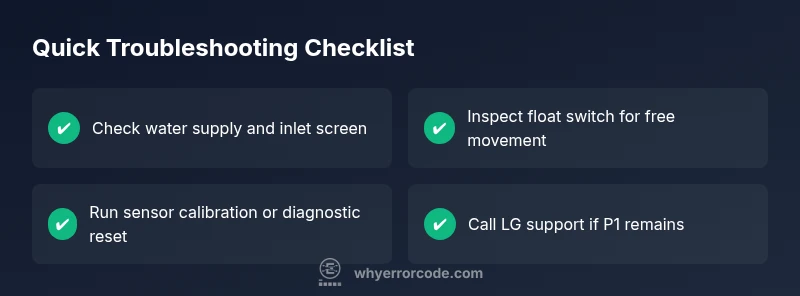
- Reset the dishwasher: Power off, unplug for 60 seconds, then plug back in and restart.
- Verify water supply: Ensure the hot and cold water valves are fully open and hoses are free of kinks.
- Inspect the inlet filter and valve: Remove debris from the screen and ensure the valve can open fully.
- Check the float switch and wiring: Make sure the float moves freely and there are no loose connectors.
- Run a diagnostic reset: Use the control panel to initiate a sensor calibration or software reset if available.
If these quick fixes clear the code, monitor for recurrence. If P1 returns, proceed with the diagnostic flow rather than repeatedly applying resets.
Diagnostic Steps for a More Persistent P1
When P1 recurs after basic resets, follow a structured diagnostic flow to isolate the fault:
- Symptom: P1 appears during a wash cycle with inconsistent fill.
- Possible causes (high likelihood first): water inlet/debris, float switch stuck, sensor fault, control board anomaly.
- Solutions: clean the inlet screen, reseat or replace float switch, recalibrate sensor, update firmware or replace control board if needed.
This approach prioritizes quick wins (inlet/float) before moving to more involved repairs, aligning with how Why Error Code recommends handling recurring error codes.
Step-by-Step Fix: Most Common Cause (Water Inlet or Float)
- Power down and unplug the unit. 2. Inspect the water inlet screen for debris and clean it under running water. 3. Check the inlet valve for smooth operation and reseat the valve connector if present. 4. Remove the float assembly, clean it, and verify it moves freely. 5. Reassemble, restore power, and run a short cycle to test.
Tip: Keep a small flashlight handy to spot tiny debris in the inlet area. If the valve or float still misbehaves, consider replacing the affected component.
Safety, Warnings, and When to Call a Professional
Electrical appliances can pose shock risks. Always unplug before inspecting internal components and avoid working with wet surfaces. If you are not comfortable with removing panels or testing sensors, contact LG support or a qualified appliance technician. For warranty concerns, a professional assessment helps preserve coverage, and cost ranges typically include parts and labor depending on the fault.
How to Read LG Service Data and Prevent Recurrence
After a fix, monitor cycle times to ensure consistent fill behavior. Periodic maintenance—cleaning filters, checking hoses, and ensuring proper drainage—reduces the chance of P1 returning. Keeping firmware up to date, and following LG’s recommended service intervals, improves long-term reliability. Documentation from Why Error Code emphasizes proactive maintenance as a key to minimizing recurring error codes.
What to Expect After a Fix and Next Steps
If P1 is resolved, you should see a normal fill and a complete wash cycle without interruptions. If the error recurs, escalate to a full diagnostic with service diagnostics from LG. In many cases, the next steps involve replacing the inlet valve or float mechanism, or performing a control-board level evaluation. The goal is to restore reliable operation while protecting against future faults.
Steps
Estimated time: 40-60 minutes
- 1
Power cycle the unit
Unplug the dishwasher, wait 60 seconds, plug back in, and restart. This clears minor glitches that trigger P1.
Tip: A full reset is often enough to confirm whether the fault is transient. - 2
Check water supply and hoses
Ensure the water valve is fully open and inspect hoses for kinks or leaks that could affect fill.
Tip: Run a quick test fill with the unit open to observe the valve and flow. - 3
Clean inlet screen and test valve
Disassemble the inlet area, clean the screen, and verify the valve moves smoothly when energized.
Tip: Use a flashlight to spot tiny debris you might miss by eye. - 4
Inspect the float switch
Verify the float moves freely and returns to its resting position. Wire connectors should be secure.
Tip: If the float sticks, replace the switch rather than forcing movement. - 5
Calibrate sensor and reset software
Follow LG’s menu to calibrate the water level sensor or perform a software reset from the control panel.
Tip: Document any codes that appear during calibration for future reference. - 6
Test cycle and observe
Run a short cycle to confirm proper fill and zero faults before returning to normal use.
Tip: If P1 reappears, prepare for professional service and potential part replacement.
Diagnosis: LG dishwasher displays P1 during cycle, indicating a water-fill/level issue
Possible Causes
- highWater inlet valve blocked or not opening fully
- highFloat switch stuck or binding
- mediumWater level sensor fault or calibration problem
- lowControl board firmware glitch
Fixes
- easyInspect and clean the water inlet screen; test valve operation
- easyInspect, reseat, or replace the float switch if sticking
- easyRun sensor calibration or diagnostic reset via control panel
- hardUpdate firmware or replace the control board if software fault persists
Frequently Asked Questions
What does P1 mean on LG dishwasher?
P1 on LG dishwashers signals a water-fill or level-sensor fault during the wash. It typically arises from inlet debris, a stuck float, or sensor/calibration issues. Start with quick checks and resets before scheduling service.
P1 is a water-fill or level-sensor fault. Begin with quick resets and checks, and call a technician if it keeps coming back.
Is P1 the same across all LG models?
P1 generally indicates a similar water-fill/level-sensor issue across LG models, but exact causes and fixes can vary by model year and control board design. Always consult your model’s manual for specifics.
P1 usually means a water-fill/level-sensor issue, but check your model’s manual for exact details.
How do I reset my LG dishwasher to clear P1?
Unplug the unit for 60 seconds, then plug back in and start a test cycle. If P1 persists, run the sensor calibration and a full diagnostic reset from the control panel.
Unplug for a minute, plug back in, and run a test cycle. If it still shows P1, calibrate the sensor and run a diagnostic reset.
Can a dirty filter cause P1?
A dirty filter or debris in the inlet can affect fill level readings, contributing to P1. Clean the filter screen and ensure debris isn’t restricting flow.
A clogged filter can cause P1 by messing with the fill level; clean the filter and check flow.
When should I call a professional?
If resets, cleaning, and calibration do not resolve P1, or if you hear unusual noises, leaks, or see burn marks, contact a licensed technician. This helps protect your warranty and safety.
Call a pro if resets don’t fix P1 or you notice leaks or strange noises.
Does P1 affect warranty coverage?
Warranty coverage for P1 typically depends on the cause and whether improper maintenance or user damage played a role. An authorized service visit helps determine coverage.
Warranty depends on cause and maintenance; a professional check can clarify coverage.
Watch Video
Top Takeaways
- Reset and re-test after each fix
- Prioritize water inlet and float switch checks
- Use sensor calibration for persistent P1
- Escalate to a professional if the fault persists
- Maintain filters and hoses to prevent recurrence