LG Washing Error Code IE: Quick Fix and Diagnostics
Learn how to diagnose and repair LG washing error code IE. This urgent guide explains what IE means, symptoms to watch for, quick fixes, a detailed step-by-step repair for the most common cause, and when to call a pro.


lg washing error code ie means the washer cannot fill properly due to an inlet problem. The most common fixes are opening both hot and cold water valves, inspecting the supply hoses for kinks or leaks, and cleaning the water inlet filters. If water still won’t enter, suspect a faulty inlet valve or wiring and contact service if needed.
What lg washing error code ie Means
lg washing error code ie is LG’s way of signaling an inlet error during the fill phase. The washer detects that water is not entering as expected and pauses the cycle to prevent overflow or damage. This error is typically related to the water supply path rather than the drum motor or control board. By understanding IE, you can distinguish between simple fixes you can perform at home and issues that require professional service. In most LG washers, IE appears when the fill time expires without reaching the expected water level, triggering the error without continuing the wash. The practical takeaway is that IE almost always involves the water inlet system—the valve, hoses, or filters—rather than the electronics. Acting quickly can restore normal operation and prevent further interruptions in your laundry routine.
Symptoms and indicators
- The washer stops mid-cycle with IE displayed or blinking.
- Noticeable delay or failure to fill when the cycle starts.
- Water faucets feel fully open, but hoses feel constricted or show signs of kinking.
- The display may flash IE for several seconds before pausing the cycle.
- In some models, you may hear a hum or buzzing from the inlet valve if it is attempting to open but cannot draw water.
Recognizing these signs helps you separate inlet problems from other faults like a blocked drain, misread sensors, or a faulty control board. Prompt checks of the supply path often resolve the issue without a service call.
Quick fixes you can try now
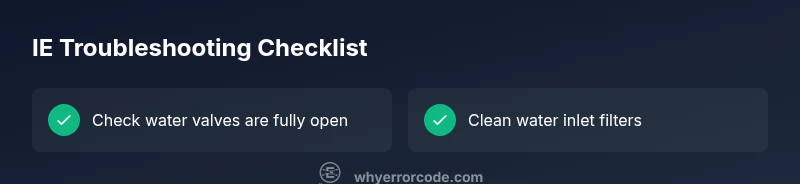
- Confirm both hot and cold water valves are fully open. In many homes, a partially closed valve is a common culprit that mimics IE by limiting flow.
- Inspect the water inlet hoses for kinks, folds, or crushing, especially if they run along the back of the machine or behind furniture. Replace hoses if they appear damaged or bent.
- Clean the inlet screen/filters inside the valve connections. Sediment or mineral deposits can restrict flow and trigger IE even when faucets are open.
- Power cycle the washer: unplug for 60 seconds, then plug back in and run a test fill. This clears minor software hiccups that could contribute to the IE code.
- If you have reverse-osmosis or water-softening systems, ensure their output isn’t restricting flow to the washer. Some systems reduce pressure or clog filters, causing upstream issues.
Step-by-step repair for the most common cause
This section provides a high-level overview of the steps you would take to address the most frequent IE cause: a restricted inlet path. For a detailed, step-by-step repair, see the dedicated STEP-BY-STEP block. Always unplug the machine before starting any repair and shut off water supply to avoid leaks.
- Inspect the hoses and connections at the inlet valve for visible kinks or damage. If you spot a damaged hose, replace it before proceeding.
- Remove the inlet valve screen or filter and clean it with running water. Use a small brush to remove mineral buildup and re-seat the filter firmly.
- Reconnect hoses and ensure there are no leaks at fittings. Tighten any loose connections by hand, then test with the valve open to confirm water flow.
- Refill the drum and observe whether the IE code reappears. If water enters normally, the problem was likely a dirty filter or a kinked hose. If IE returns, move to the valve or wiring checks.
- Consider replacing the inlet valve or its wiring harness if flow is inconsistent or the valve doesn’t click when energized. This step may require professional service depending on your model’s accessibility.
Other potential causes and how to verify
- Partially closed or clogged water supply valves: Even with valves fully open, debris can trap in the valve diaphragm. Verify a stable flow by disconnecting the hose at the valve and running water directly from the supply to measure pressure.
- Dirty or clogged inlet filters/screens: Mineral buildup from hard water can restrict flow. Cleaning or replacing these small components often resolves IE without expensive parts.
- Faulty water inlet valve: If the valve fails to energize or opens intermittently, the washer will repeatedly report IE. This usually requires testing with a multimeter and, if necessary, replacing the valve assembly.
- Wiring or control board fault: In rare cases, a short in the valve wiring or a failing control module can trigger an IE misread. Inspect connectors for corrosion, and consult a professional if you suspect a board issue.
Safety, warnings, and professional help
Electrical devices and water present an obvious shock risk. Always unplug the machine before beginning any inspection and avoid working with damp hands around live components. If you’re unsure about testing the inlet valve, wiring, or performing electrical checks, it’s safer to contact a licensed technician. LG’s warranty terms may require professional service for valve or wiring failures, so verify coverage before attempting extensive repairs. In cases where the water supply is a public utility or you share a line with others, ensure you’re not violating local safety regulations by performing DIY repairs.
Steps
Estimated time: 45-90 minutes
- 1
Power off and water shutoff
Unplug the washer and switch off both hot and cold water valves. This prevents accidental flooding and makes inspection safe. Have a container handy in case a small amount of water leaks when disconnecting hoses.
Tip: Take a photo of hose connections before removing them so you can reconnect correctly. - 2
Inspect and straighten hoses
Carefully pull the machine away from the wall and check both inlet hoses for kinks, cracks, or crush points. Replace damaged hoses. Ensure hoses are not twisted and that the clamps are secure.
Tip: If you hear humming when the valve tries to open, the diaphragm could be sticking—this is a sign to replace the valve. - 3
Clean the inlet filters
Locate the inlet valve filter/screens at the end of each hose connection. Remove gently with pliers if necessary, rinse under running water, and reinsert. Remove mineral buildup with a soft brush if needed.
Tip: Don’t force the screens; a light touch preserves the valve internals. - 4
Reconnect and test water flow
Reconnect hoses, ensure fittings are tight, and turn on the water supply. Before plugging in the machine, run water directly through the hoses to verify consistent flow.
Tip: Use a flashlight to inspect the valve area for leaks after reconnecting. - 5
Power up and run a test fill
Plug the washer back in and run a short cycle that only fills. Watch for steady water flow and confirm IE does not reappear. If it does, move to valve/wiring inspection.
Tip: If the code reappears, don’t ignore it—progress to valve testing or replacement. - 6
Valve or wiring replacement (if needed)
If the valve does not energize reliably or you observe erratic flow, replace the inlet valve assembly and inspect the wiring harness for damage. Re-test after installation.
Tip: Use manufacturer-recommended parts and, if unsure, hire a pro to avoid warranty issues.
Diagnosis: Error IE displayed during the fill phase; the washer won’t begin washing.
Possible Causes
- highInadequate water supply or blocked inlet valve
- mediumClogged water inlet filters
- lowFaulty water inlet valve or wiring
Fixes
- easyCheck that both hot and cold water faucets are fully open; inspect hoses for kinks
- easyClean or replace clogged water inlet filters
- hardTest/replace the water inlet valve and check wiring to valve
Frequently Asked Questions
What does the IE code mean on an LG washing machine?
IE is LG’s error code for an inlet problem during the fill stage. It indicates the washer isn’t getting water as expected. Most fixes involve the water supply path, not the motor or electronics.
IE means an inlet problem during fill. Check water supply, hoses, and filters first.
Can I reset IE by unplugging the washer?
Yes. Unplug the washer for about a minute, then plug it back in and run a test fill. This clears temporary faults, but it won’t fix a hardware issue like a clogged valve or broken hose.
Unplug for a minute, plug back in, and test the fill. If it comes back, you likely have a hardware issue.
Should I replace the inlet valve when IE persists?
If cleaning filters and reseating hoses does not resolve IE, the inlet valve or its wiring may be failing. Replacing the valve is a common fix, but it can be model-specific and may require professional service.
If none of the fixes work, the inlet valve might be bad and may need replacement.
Is low water pressure a common cause of IE?
Low water pressure can contribute to IE, especially if the valve struggles to open. Ensure the main supply pressure is adequate and that there are no upstream restrictions like a shutoff valve or clogged filter.
Yes, low pressure can cause IE with some LG models.
When should I call a professional for IE?
Call a professional if you’ve tested faucets, hoses, and filters, and the IE code persists after replacing the inlet valve or fixing wiring. This protects your warranty and ensures safe, correct repairs.
If the error keeps occurring after basic fixes, get professional help.
Watch Video
Top Takeaways
- IE signals an inlet problem during fill
- Check valves, hoses, and filters first
- A power cycle can clear minor glitches
- Valve or wiring issues may require professional service
- Regular maintenance reduces future IE occurrences