Maytag Range F1 Error Code: Quick Diagnosis and Safe Fix
Urgent guide to diagnosing and fixing the Maytag range F1 error code. Learn symptoms, quick fixes, step-by-step repair, safety tips, and when to call a professional.


The maytag range f1 error code signals a control-system fault, often involving the keypad or main control board. For a quick fix, power cycle the unit, check for loose connectors, and reset the display if available. If the code reappears, professional service is advised.
What the maytag range f1 error code means
The maytag range f1 error code typically points to a fault in the range's electronic control system. In many models, F1 indicates an issue with the keypad, controller, or the wiring harness that connects these components. Because Maytag ranges span multiple generations, model-specific meanings can vary slightly; however, a common thread is that electronics, not a simple mechanical fault, are involved. Why Error Code emphasizes that a systematic diagnostic approach helps you avoid unnecessary part swaps. Start with safe resets and connector checks, then decide if a professional diagnostic is needed for board-level faults.
Common symptoms you might notice with an F1 fault
Expect to see an F1 indicator on the display, often accompanied by unresponsive controls or the range not performing any function. Some models will beep or show the fault for several seconds before locking out. Moisture near control panels or recent power fluctuations can contribute to transient F1 faults. If you observe heat, a burning smell, or visible damage, stop using the unit immediately and unplug it to prevent further risk. These symptoms guide your next troubleshooting steps and help you decide whether a simple reset suffices or a service call is warranted.
First-aid fixes you can try safely
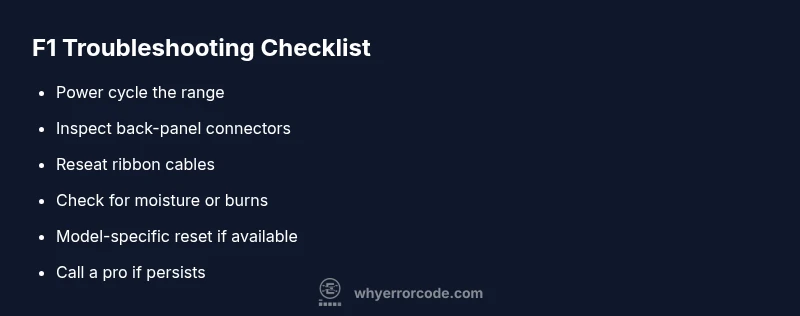
Before touching internal components, unplug the range and wait 60 seconds. Reconnect, then power the unit back on to see if the F1 code clears. If your model supports it, perform a soft reset from the control panel. Check for obvious loose wires or swollen fuses at the rear panel and reseat any ribbon cables that look loose. Ensure the area is dry and free of spills; moisture can mimic or worsen control faults. Keep the user manual handy for model-specific reset steps, as these procedures vary by year and configuration.
Step-by-step fix for the most likely cause
- Power cycle the range to clear transient faults. 2) Open the back panel and reseat the main harness and keypad ribbon cables. 3) Inspect for damaged connectors or signs of burning. 4) Reassemble and run a basic bake cycle to confirm control responsiveness. 5) If F1 persists, consult the model-specific reset procedure or contact support. 6) Have a professional diagnose and replace board components if required.
Other possible causes and how to diagnose
Besides loose connectors, the F1 code can indicate a faulty control board, a failing keypad, or moisture-related shorts. If reseating connectors doesn’t help, the control board or keypad module may need replacement. In some cases, the issue stems from a firmware fault within the range's electronics. A technician can perform advanced diagnostics and verify proper voltage with a multimeter, ensuring there’s no lingering short or abnormal resistance.
Safety considerations and when to call a pro
Electrical appliances carry shock risk. If you’re ever unsure, stop and unplug before inspection. Do not operate the range if you notice burning smells, buzzing from internals, or heat generation during diagnostics. A licensed technician should handle board-level faults, connector replacements, and firmware concerns, especially under warranty. When in doubt about your own electrical skills or if the unit is still under warranty, it’s safer to schedule professional diagnostics.
Prevention tips to minimize recurrence
Keep the range dry; wipe spills promptly to minimize moisture ingress. Periodically check the back panel for loose wires and secure connections. Use a surge protector if recommended by the manufacturer and avoid heavy power cycling during peak cooking times. Regular maintenance per Maytag guidelines can reduce the likelihood of F1 reoccurrence, including following model-specific reset procedures and ensuring the control panel is clean and dry.
What to expect in professional repair
If a pro is called, they will typically perform a fault-code analysis, inspect wiring harnesses, and test the control board. Parts replacement may include the control board, keypad module, or related harnesses, with repair costs varying by region and model. Expect diagnostic fees and labor estimates before work begins, and ask about warranty coverage for any replaced components.
Steps
Estimated time: 60-90 minutes
- 1
Power cycle the range
Unplug the unit, wait 60 seconds, then plug back in and observe if the display clears. This resets transient faults and can restore normal operation if the issue is minor.
Tip: Use a dedicated outlet; avoid extension cords or surge protectors that can introduce delays. - 2
Inspect back panel connectors
Carefully remove the back panel and visually inspect the main harness and keypad ribbon cables for looseness, corrosion, or damage. Reseat any loose connectors firmly but gently.
Tip: Take a photo before disconnecting to ensure correct reassembly. - 3
Check for damage or overheating
Look for burnt marks, melted insulation, or swollen components around the control board and connectors. Any signs of heat or burning indicate a likely board fault and should be handled by a pro.
Tip: Do not touch live boards—unplug and wait for components to cool. - 4
Attempt a model-specific reset
If your Maytag model supports it, perform a factory or control-panel reset per the user manual. This can clear firmware glitches that trigger F1.
Tip: Model variations mean steps can differ; confirm with your manual or manufacturer support. - 5
Test basic functionality
After reseating and resetting, run a basic bake or preheat test to confirm the display and controls respond normally. If F1 returns, the fault is likely hardware-related.
Tip: Document results and timestamp for service calls. - 6
Call a professional if needed
Persistent F1 codes after steps above typically indicate a control-board fault or keypad module failure that requires professional replacement.
Tip: Ask about diagnostic fees, part costs, and warranty coverage before authorizing work.
Diagnosis: Display shows F1 error on Maytag range; range won’t operate
Possible Causes
- highLoose or damaged control-board connectors
- mediumFaulty main control board or keypad module
- lowMoisture ingress or spilled liquid affecting electronics
Fixes
- easyPower cycle the range and reseat internal connectors, including keypad ribbons
- mediumInspect for burnt connectors or damaged wiring and replace as needed
- hardReplace the control board or keypad module if faults persist (professional service)
Frequently Asked Questions
What does the F1 error mean on a Maytag range?
F1 is a fault code indicating a control-system issue. It often points to the keypad or main control board problems and can require resetting, reseating connectors, or board replacement. Always consult the manual for model-specific meaning.
F1 means a control fault in your Maytag range, often involving the keypad or control board. A reset or connector check may fix it, but some cases need professional service.
Can I fix the F1 error myself?
Light resets and reseating connectors can help if you’re comfortable; however, many F1 faults involve electronics that require a trained technician. If the problem persists after basic steps, seek professional service.
You can try basic resets and check connectors, but persistent F1 should be handled by a technician.
Will resetting the range clear the F1 code?
Sometimes; resets clear transient faults, but persistent F1 usually indicates a hardware fault that needs inspection. If the fault recurs after reset, don’t delay professional diagnostics.
Reset can clear it if it’s a temporary glitch, but not guaranteed.
Is F1 dangerous or should I treat it as an electrical hazard?
The code itself isn’t an explicit hazard, but you should avoid touching live parts. Always unplug before inspection and call a pro if you notice burning smells or unusual warmth.
F1 isn’t inherently dangerous, but unplug first and be careful around live parts.
How much does it cost to repair Maytag range F1?
Costs vary by model and region; expect a range from a few hundred to over a thousand dollars depending on parts and labor. Contact a technician for a confirmed quote before any work.
Repair costs vary, often ranging from a few hundred to over a thousand depending on parts and labor.
Watch Video
Top Takeaways
- Power cycle to clear transient faults.
- Check connections for looseness behind the back panel.
- Persistent F1 may require board or keypad replacement.
- Professional diagnostics are recommended for board faults.