Nissan Forklift Error Code E41: Urgent Diagnosis and Fixes
Urgent guide to Nissan forklift error code E41: meaning, common causes, quick fixes, diagnostics, and when to call a professional for safe operation.


Nissan forklift error code E41 signals a safety interlock or drive circuit fault that prevents operation. This error often points to a faulty seat or operator detection switch, wiring harness issues, or a faulty control relay. Quick fixes include reseating the seat switch, inspecting the harness for loose connections, and performing a power-cycle. If the fault persists, follow the full diagnostic flow for a safe, reliable repair.
What Nissan forklift error code E41 Means
Nissan forklift error code E41 is a safety-related fault that prevents the truck from entering drive or lifting modes. In practice, E41 triggers a protective interlock to ensure the operator is properly detected and all safety circuits are intact before allowing movement. This makes E41 an urgent issue, because ignoring it can lead to unintended vehicle motion or injury. The root idea behind E41 is simple: if the system cannot confirm a safe operating condition, it will not allow operation. For anyone troubleshooting, the key is to understand which safety interlocks are involved, how they communicate with the controller, and what fault codes the system logs when interlocks fail. As part of our approach, Why Error Code emphasizes methodical checks and documented steps to minimize downtime and reduce risk during repairs.
Why E41 Appears and How It Relates to Operator Safety
E41 typically surfaces when the seat sensor, dead-man switch, or operator-detection circuit fails to report a safe operating state. Modern Nissan forklifts rely on multiple redundancies: the seat switch, seat belt status, and load-sensing mechanisms all feed into the main controller. If any link is compromised—loose connector, damaged wire, or sensor misalignment—the controller holds the vehicle in a safe mode and raises E41. Understanding this relationship helps prioritize fixes, because addressing the wrong component won’t resolve the fault and could create new hazards. According to Why Error Code analysis, starting with the operator-dres detection path yields the highest likelihood of a quick resolution.
Common Causes and Their Likelihood for E41
- Seat/Operator detection switch fault (high): The most frequent trigger is a seat switch that doesn’t detect an operator properly, especially if the seat mat or switch has worn contacts or debris.
- Wiring harness issues around the operator area (high): Loose, corroded, or pinched wires in the seat belt, seat switch, or nearby harness can interrupt interlock signals.
- Control module or safety relay failure (medium): A faulty module may misinterpret signals from sensors, producing E41 even if physical components are intact.
- Low battery or power supply irregularities (low): Inadequate voltage can cause intermittent readings and falsely trigger interlocks.
Each cause requires a targeted fix, and the order of investigation should reflect the likelihood above.
Quick Fixes You Can Try Right Now (Safe, Non-Invasive)
- Reseat the seat switch and connectors: Power down the machine, locate the seat switch harness, disconnect and reconnect it firmly, and inspect for damaged pins.
- Check for debris and alignment: Clear any dust, debris, or misalignment under the seat that could affect sensor readings.
- Inspect the main harness near the operator area: Look for loose connectors, damaged insulation, or pinched wires; reseat and secure any loose plugs.
- Power-cycle properly: With safety gear in place, turn the key to off, disconnect the battery if feasible, wait 30 seconds, then reconnect and start again.
- Document any codes and reset only after repairs: If the system allows, record fault codes and perform a controlled reboot; avoid clearing codes until you’ve verified repairs.
Diagnostic Flow Overview for E41 (Structured Reasoning)
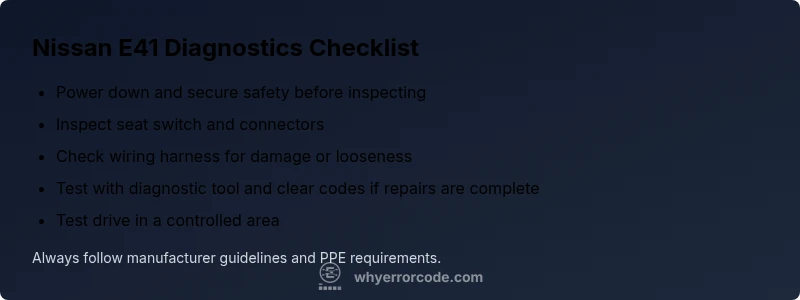
Symptoms: E41 shows on the dashboard and the truck won’t move. Likely causes: seat switch fault, wiring harness issue, control relay fault, or power supply problem. Proposed fixes: reseat seat switch, inspect harness, replace damaged connectors, cycle power, and test drive. This flow helps technicians prioritize the most probable fault while ensuring safe operation during troubleshooting. Always consult the service manual for Nissan forklifts and use compatible diagnostic tools to read stored fault codes.
Step-by-Step Fix for the Most Likely Cause: Seat Switch Fault (Most Common)
- Power down and secure the vehicle: Engage parking brake, turn off the key, and unplug high-current power if safe.
- Inspect the seat switch and harness: Remove the seat base cover, check for worn contacts, debris, or damaged connectors; unplug and re-seat the harness.
- Clean and reseat connectors: Use a contact cleaner if needed; ensure pins are straight and fully seated.
- Verify seat belt interaction and switch actuation: Confirm the belt sensor and switch respond when weight is applied; adjust if necessary.
- Reboot and test: Reconnect power, start the forklift, and attempt a controlled drive in a safe area.
- If E41 persists, escalate: Move to the next suspected cause or consult a technician.
Estimated time: 45-90 minutes depending on access to components.
Other Potential Causes and Their Fixes
- Wiring harness around the seat switch: Repair or replace damaged sections and re-secure harness paths to prevent chafing.
- Control module or safety relay: If wiring checks are clean but E41 remains, the module or relay may require replacement by a qualified technician with the correct Nissan service tools.
- Electrical supply issues: Check battery health, charging circuit, and fuses that could affect interlock signals; replace fuses and replace a weak battery as needed.
- Environmental factors: Temperature extremes can temporarily affect sensor readings, so let components return to normal operating temperatures before retesting.
Prioritize fixes by likelihood and ensure all work complies with safety standards and manufacturer guidelines.
Safety Warnings and When to Call a Professional
- Do not bypass interlocks or defeat safety features to move the forklift; this creates severe risk of injury or damage.
- If the seat switch, wiring, or control modules involve high-voltage or complex electronics, consider professional service.
- Always perform repairs with the vehicle isolated from power and in a well-marked area; use appropriate PPE.
- If you are uncertain about the fault or lack the right diagnostic tools, schedule service with an authorized Nissan dealer or certified technician.
- Cost ranges for professional repair can vary: simple seat switch or connector repairs may run roughly $100–$300, while module or harness replacements can range from $300–$1500 including labor.
Prevention Tips to Avoid E41 Reoccurrence
- Regularly inspect the seat switch, connectors, and seat belt sensors for wear and corrosion; replace as needed.
- Keep the operator area clean and free of debris that could interfere with sensors.
- Schedule preventive maintenance checks focusing on safety interlocks and control circuits.
- Calibrate or test safety sensors after any heavy use or after repairs to confirm correct operation.
- Document fault codes and repair steps to facilitate future troubleshooting and equipment uptime.
Steps
Estimated time: 45-90 minutes
- 1
Power down and secure safety
Park the forklift, engage the parking brake, turn off the key, and disconnect high-current power if safe. This prevents accidental movement during inspection.
Tip: Always apply lockout/tagout procedures before touching electrical components. - 2
Inspect seat switch and harness
Remove any covering from the seat area and verify the switch is actuating properly when weight is applied. Inspect connector pins for damage or corrosion and reseat the harness.
Tip: Take photos of connectors before disconnecting to aid reassembly. - 3
Check wiring around operator area
Look for loose, frayed, or pinched wires near the seat, seat belt, and base of the console. Replace or repair any compromised wiring and secure with zip ties away from moving parts.
Tip: Use a proper flashlight and avoid bending cables at risk points. - 4
Verify power supply and fuses
Measure battery voltage and inspect fuse block for blown fuses. Replace any blown fuses with the correct rating and ensure the battery is healthy before retesting.
Tip: Avoid using improvised fuses; incorrect ratings can cause further damage. - 5
Run a diagnostic readout
If you have access to Nissan service tools or a compatible reader, pull fault codes from the controller and document them before attempting a reset or repair.
Tip: Record codes in order of occurrence for better diagnosis. - 6
Test operation safely
Reconnect power and perform a controlled test in a safe area. If E41 clears, monitor for reoccurrence; if it returns, proceed to the next suspected cause.
Tip: Always have a spotter during test drives.
Diagnosis: Nissan forklift displays E41 and remains unable to drive
Possible Causes
- highSeat/operator detection switch fault
- highWiring harness loose or damaged around the seat switch
- mediumControl module or safety relay failure
- lowLow battery or fuse issue affecting interlock circuit
Fixes
- easyInspect and reseat seat switch connectors
- easyCheck seat belt sensor and actuation, replace damaged parts
- mediumRepair or replace damaged wiring harness or interlocks
- hardTest and, if needed, replace control module or safety relay
Frequently Asked Questions
What does Nissan forklift error code E41 mean?
E41 indicates a safety interlock fault that prevents drive or lift functions. It usually involves the seat switch, operator detection, or interlock wiring. Resolving requires inspecting these safety paths and confirming proper sensor signaling.
E41 means a safety interlock fault, often tied to the seat switch or interlock wiring. Check sensors and connectors, then test the drive function after repairs.
Can I fix E41 myself?
Yes, you can perform basic checks such as reseating seat switch connectors and inspecting nearby wiring. If the fault persists or involves wiring or module replacement, stop and seek professional help.
You can try reseating the seat switch and inspecting cables, but if it continues, call a pro.
What tools do I need to diagnose E41?
A service manual or diagnostic tool compatible with Nissan forklifts, a multimeter for voltage checks, and basic hand tools for connector work are recommended.
You’ll want a Nissan service tool or compatible reader and a multimeter for voltage checks.
How much does it cost to fix E41?
Costs vary by cause. Simple seat-switch fixes may range from $100 to $300, while harness work or module replacement can range from $300 to $1500+ including labor.
Costs can vary a lot, from a few hundred dollars for basic fixes to over a thousand for module replacements.
When should I call a professional?
If the fault persists after quick checks, involves wiring or modules, or safety interlocks fail to reset, contact an authorized Nissan service center or qualified technician.
If you’re not sure after the basic checks, or it involves wiring, call a professional.
Is E41 a sign of a broader electrical problem?
E41 can be a symptom of wider interlock or wiring problems; ensure a full diagnostic check is conducted if initial fixes don’t resolve the fault.
It can be a sign of broader interlock or wiring issues, so a full diagnostic check is wise if fixes fail.
Watch Video
Top Takeaways
- Identify seat switch fault as the leading cause
- Inspect operator wiring and connectors thoroughly
- Use service tools to read and clear codes safely
- Escalate to a professional if faults persist