Paramount Plus Error Code 2103: Urgent Diagnostics and Fixes
Urgent guide to Paramount Plus error code 2103. Learn what it means, fastest fixes, step-by-step repairs, and when to contact support to restore streaming quickly.


Paramount Plus error code 2103 indicates a playback restriction tied to account status, regional licensing, or connectivity issues. The quickest path to restore streaming is to verify your subscription and login, check network stability, and restart the app. If needed, clear cache and try another device or browser. This often resolves the issue without further steps.
What Paramount Plus Error Code 2103 Means
Paramount Plus error code 2103 means the service cannot authorize playback for your session. It is not a generic buffering or network hiccup; it signals a gating issue tied to account data, regional licensing, or the specific device you are using. When you encounter 2103, you may see a message such as "Playback is unavailable" or "Something went wrong" with a prompt to retry. In practice, the root cause is often one of several scenarios: your subscription may be expired or paused; your geographic region may be subject to licensing restrictions for certain titles; or the device and app you’re using may be out of date or not fully authenticated with Paramount’s servers. The Why Error Code team has seen 2103 occur after a user changes regions, updates payment methods, or registers a new streaming device. Because Paramount Plus spans many platforms — smart TVs, streaming sticks, mobile apps, and web browsers — the fix tends to require a combination of account verification, regional checks, and device-level troubleshooting. Understanding these factors helps you triage quickly and avoid unnecessary steps.
Common Symptoms You Might Notice
If you’re seeing Paramount Plus error code 2103, you’ll likely encounter one or more of these symptoms during a playback attempt: the video starts to load and then stops with a brief error message; the app throws 2103 as soon as you press play; you’re redirected to sign-in or told your region is restricted; or you observe a persistent "Playback unavailable" banner across devices. Most users report that the issue arises in specific contexts: after payments fail or are paused, when traveling or streaming from a region with different catalog rights, or when a newly added device hasn’t completed authentication. Another tell is the inconsistency across devices — one phone might play a show while a smart TV displays 2103. In short, if you are seeing this error repeatedly on multiple devices under similar conditions, you’re most likely facing an account, licensing, or region problem rather than a pure network fault. Resolving it quickly requires confirming your subscription status, your login is tied to the correct profile, and your region settings align with Paramount Plus access.
Diagnostic Flow: Quick Path to Validation
To triage Paramount Plus error code 2103, follow a structured path: first, validate the symptom — playback fails at the start or mid-stream with a 2103 error across titles or only certain titles. Next, map the likely causes: high-likelihood issues include an expired or paused subscription, or geo-licensing restrictions that block content in your current location; medium likelihood includes sign-in session problems or a mismatch between the profile and the active account; lower likelihood covers device incompatibility or a stale app cache. Finally, apply fixes in order of likelihood: confirm your subscription status, sign out and back in, verify your current region, update the app, test another device, and ensure your network is stable. If the problem persists, reach out to Paramount Plus support with logs of when the error occurs and your device list. This structured approach minimizes guesswork and helps you recover streaming faster.
Step-By-Step Fix: The Most Common Cause is Account, Region, or Network
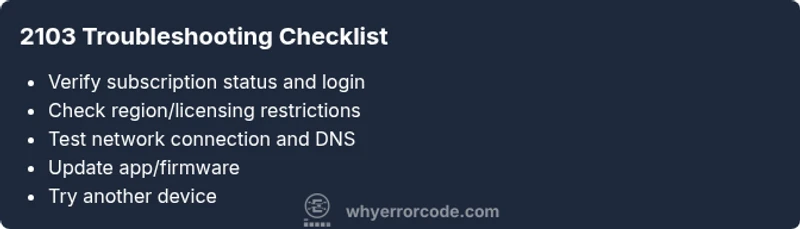
Because the 2103 error typically arises from account or licensing issues, here is a focused repair path you can follow. 1) Check your subscription status and sign in with the correct account. Make sure payments are current and the account isn’t paused. 2) Confirm you are streaming from a region where the title is licensed; if you travel, adjust region or catalog accordingly. 3) Sign out of Paramount Plus on all devices, then sign back in to refresh tokens. 4) Restart the streaming device or app; clear cache or data if possible, then reopen. 5) Test a different device or browser to isolate device-specific issues. 6) Update the Paramount Plus app to the latest version, and if needed, reboot your router or switch to a wired connection to improve stability. 7) If 2103 persists, consider licensing or account-level issues and contact support.
tip":"Have your account email and last payment date handy."}, {
numberanever
title
description
tip
Steps
Estimated time: 25-45 minutes
- 1
Verify subscription status and login
Sign in with the correct account and check that the subscription is active (no pauses or holds). Look for any payment alerts or renewal issues.
Tip: Have your account email and last payment date handy. - 2
Confirm region licensing
Make sure your current region matches the catalog you’re trying to access. If you travel, update location settings or switch to content available in your current region.
Tip: Compare region in app settings vs. your actual location. - 3
Sign out and back in to refresh tokens
Sign out of Paramount Plus on all devices, close apps, reopen, and sign in again to refresh authentication tokens.
Tip: Remove the app from recent apps to ensure a full restart. - 4
Update app and device firmware
Check for and install the latest Paramount Plus app update and any available device OS or firmware updates.
Tip: Restart the device after updating. - 5
Test network connectivity
Run a quick speed test, try a wired connection if possible, and disable VPN or ad-blockers that might interfere with streaming.
Tip: If possible, try a different network (mobile hotspot) to isolate network issues. - 6
Try another device or browser
If 2103 persists on one device, test another to determine if the issue is device-specific.
Tip: Note any differences between devices (OS, browser, app version). - 7
Contact support with details
If none of the above fixes work, gather device types, OS versions, app versions, timestamps, and region; contact support with this data.
Tip: Have a copy of diagnostic results ready.
Diagnosis: Paramount Plus error code 2103 appears when attempting to play content and streaming stops with an error
Possible Causes
- highExpired or paused subscription
- highRegional licensing restrictions or geo-block
- mediumSign-in session or profile mismatch
- mediumNetwork connectivity issues or DNS problems
- lowApp or device incompatibility
Fixes
- easyVerify subscription status and sign in to the correct account
- easyCheck region/licensing and update location if needed
- easyReset the streaming device/app by signing out and back in
- easyTest on a different device or browser to rule out device issues
- easyRestart router, test a wired connection or change DNS
- easyUpdate app or firmware on the streaming device
- mediumIf issues persist, contact Paramount Plus support
Frequently Asked Questions
What causes Paramount Plus error code 2103?
It is usually tied to subscription status, regional licensing, or connectivity issues. Check your account and region to pinpoint the cause.
2103 is usually caused by subscription status, licensing, or connectivity; check your account and region.
How do I fix error 2103 quickly?
Sign out and back in, verify region, restart the app, and test your network. If needed, update the app.
Sign out, sign back in, check region and network, and update the app.
Can I fix this on my phone?
Yes. Apply the same steps on mobile: sign out/in, check region, update the app, and refresh the session.
You can fix it on your phone by signing out, updating the app, and refreshing the session.
Is my subscription status the only cause?
No. Licensing, region, and device issues can also trigger the error. Check all factors.
Subscription isn’t the only cause; licensing and region matter too.
When should I contact support?
If fixes fail after trying for 30-60 minutes, contact support with your device list and timestamps.
If fixes don’t work after a while, contact support with details.
Does this affect all Paramount Plus devices?
Often yes if account or licensing is the issue, but occasionally device-specific problems occur.
It can affect all devices if the core issue is account or licensing.
Watch Video
Top Takeaways
- Verify subscription and login first.
- Check region licensing and device compatibility.
- Test across devices to isolate the issue.
- If unresolved, contact support with details.