Samsung Washing Machine Motor Error Code: Quick Diagnosis and Fixes
Urgent guide to understanding Samsung motor error codes, diagnosing causes, and step-by-step fixes with safety tips and cost ranges.


Motor error codes on Samsung washing machines indicate an electrical fault in the motor circuit or its drive system. The most common causes are overload protection kicking in, a jammed drum, or a worn motor capacitor or belt. The quick fix is to power down, unplug, redistribute the load, reseat any loose wires, and run a short test. If the code persists, follow the diagnostic flow below.
What the Samsung washing machine motor error code means
When a Samsung washing machine displays a motor-related error code, it signals an interruption in the motor drive circuit or a protective shutoff triggered during operation. In practical terms, the code tells you that the motor failed to spin up, the belt or pulley is blocked, or the motor controller detected an abnormal current. In many models, the same code can map to multiple underlying problems depending on the model year and PCB revision. Understanding which bucket your model falls into is crucial because it informs the quickest path to a fix. The Why Error Code Team emphasizes that motor fault codes are urgent indicators requiring methodical troubleshooting rather than random button presses. Treat every motor code as a signal to inspect, not ignore, because silent failures can evolve into costly repairs if left unchecked.
Symptoms and quick visual cues
Look for a display that shows a motor-related code during a cycle, followed by the machine stopping mid-wash. You may also hear a hum, buzz, or grinding sound, or notice the drum refuses to spin despite the motor running. Distinguishing motor codes from water inlet, heater, or door codes helps you triage faster. In some cases, you’ll see intermittent spinning or longer wash times with the same error. Note the exact code on screen—the model year and control board revision impact the exact interpretation. This clarity saves time when you escalate to parts or service.
Safe quick checks you can perform without deep disassembly
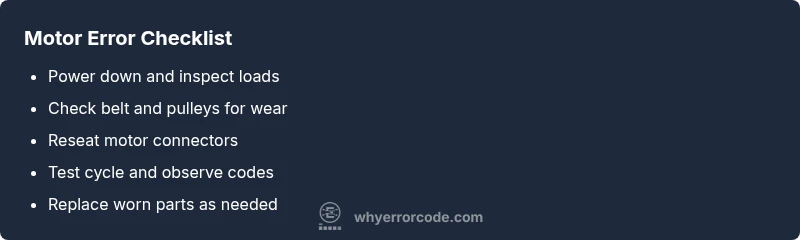
- Unplug the machine and wait at least a few minutes before touching any components.
- Redistribute the load to ensure the drum isn’t overloaded; run a small, unbalanced test load to see if the issue recurs.
- Inspect the observable belt area for kinks, cracks, or looseness and reseat any loose wiring harnesses you can reach without opening high-voltage compartments.
- If accessible, reseat the motor connections and rotor sensor plugs, ensuring all connectors click firmly in place. Remember: never probe live terminals; safety first.
Diagnostic flow in plain terms (what to check and what to do)
This section translates the diagnostic flow into actionable steps you can perform before deciding on component replacement.
- Symptom: Motor code appears; 2) Cause: Overload protection or belt/jam; 3) Solution: unload, check for obstructions, reseat wires; 4) If persists: move to belt and capacitor inspection; 5) If still unresolved: consider professional testing of motor controller. A methodical approach minimizes guesswork and saves time.
Most common fixes for the leading causes
The two most frequent fixes address overload and belt/jam issues. Start by removing the load, then inspect the drum for obstructions and verify belt integrity. If the belt is worn or broken, replace it with the correct model. For a suspected capacitor issue, only handle capacitors if you know how to discharge them safely; otherwise, escalate to a professional. Cost ranges vary by model and repair scope.
Other potential causes and their fixes
Beyond overloads and belts, motor error codes can stem from a faulty drive capacitor, damaged wiring harness, corroded terminals, or a failing motor driver. Fixes range from part reseating and cleaning corrosion to replacing the capacitor or motor controller. In some cases, wiring corrosion in the harness requires a professional technician to avoid further damage.
Safety first: warnings and when to call a professional
Working on a Samsung washer’s motor involves live electronics and, in some models, exposed high-voltage components. If you’re unsure about capacitor tests or motor wiring, stop and call a professional. Warranty terms may be affected by DIY repairs, so check your coverage first. If the appliance is under warranty or extended service, professional repair is often the safer and faster option.
Proactive maintenance to prevent motor errors
Regular belt inspection, balanced loads, and avoiding heavy-duty cycles on small loads can reduce motor strain. Keep the drum free of debris, check door seals, and clean lint traps to maintain smooth operation. Establish a quarterly inspection routine to catch loose wires or worn belts before they cause a fault.
Steps
Estimated time: 60-90 minutes
- 1
Power down and unplug
Disconnect power, switch off the circuit, and wait for safe discharge of capacitors. Remove any jewelry and ensure the area is clear of water or moisture before touching components.
Tip: Use insulated gloves and keep a clear path to the outlet to avoid pulling wires. - 2
Open access panel and inspect the drum
Remove the back or access panel to examine for obvious obstructions. Attempt to rotate the drum manually with a gloved hand to feel for resistance. Do not force the drum.
Tip: If you feel binding, stop and check for foreign objects or seized bearings before proceeding. - 3
Check drive belt and pulleys
Inspect the drive belt for cracks or wear and confirm that pulleys rotate freely. If the belt is broken or stretched, replace it with an OEM-compatible belt.
Tip: Note belt routing with a photo before removal so you can reinstall correctly. - 4
Test motor capacitor and connections
With power still off, inspect the capacitor and motor connections for corrosion or loose terminals. If a capacitors’ value is out of spec and you have the means, test or replace it.
Tip: Capacitors can hold charge; discharge safely using a resistor or the proper method before handling. - 5
Reset control board connections
Re-seat motor driver and main control board connectors. Look for damaged wires, burnt odor, or loose grounds. Reconnect in the correct orientation.
Tip: Taking a photo of the wiring arrangement before disconnecting helps ensure correct reassembly. - 6
Run a test cycle and observe
Plug in the unit, select a quick wash, and monitor for the motor error code. If the code returns, you may be facing a failed motor drive circuit or controller that requires professional service.
Tip: Keep away from moving parts and stop immediately if you hear unusual noises.
Diagnosis: Washing machine shows a motor-related error code and won't spin
Possible Causes
- highOverload protection triggered by overfilled drum or heavy load
- mediumJammed drum or belt obstruction
- lowWorn or failed motor capacitor or drive belt
Fixes
- easyRemove excess load and redistribute evenly; run a short cycle to test
- mediumCheck drum for obstructions; inspect drive belt for wear or tension; replace belt if damaged
- hardTest capacitor or motor with a multimeter (or replace these parts via service)
Frequently Asked Questions
What does a motor error code mean on Samsung washers?
A motor error code signals a fault in the motor circuit or drive system that prevents spinning. It requires diagnosing whether the issue is overload, belt, or electrical in nature.
A motor error means the washer detected a problem with the motor or drive system and won’t spin until fixed.
Can I fix a motor error code myself?
You can perform basic safety checks like unloading, belt inspection, and reseating connectors if you’re comfortable. More complex fixes involve capacitors or motor controllers and may void warranties.
You can try simple checks, but many fixes require a professional.
What is the typical cost range to repair a motor error in Samsung washers?
Costs vary by model and part availability. Expect a range of about $150–$600 for parts and labor depending on the repair scope.
Repair costs usually range from about 150 to 600 dollars, depending on parts and labor.
How long does a motor repair take?
Most in-home motor repairs take 1–3 hours, while board or capacitor replacements may require scheduling with a technician.
Most repairs take a few hours, but some can take longer.
Should I replace the washer instead of repairing it?
If the motor or controller is severely damaged or the unit is old, replacement could be more cost-effective. Compare quotes and consider the age and condition.
If it’s old or expensive to fix, replacement might be wiser.
What safety steps should I follow before starting repairs?
Always unplug, discharge accessible capacitors, and wear protective gear. Avoid working near live power or water sources.
Unplug and wear safety gear before any inspection.
Watch Video
Top Takeaways
- Identify the motor fault type before replacing parts
- Unplug and safely inspect belts, wiring, and cap status
- Test for overload and reset with a short cycle
- Costs vary by model; budget for parts and labor
- Call a pro for high-cost repairs or uncertain steps