Server Issue Error Code Troubleshooting Guide
Urgent, step-by-step guide to diagnosing and fixing server issue error codes. Learn quick checks, diagnostics, and preventive practices to restore service quickly and safely.


Most server issue error codes stem from a misbehaving service, network hiccup, or overload. Start with quick wins: verify connectivity, check the error code against logs, and confirm whether recent changes caused the fault. If the issue persists, escalate with structured diagnostics and a rollback plan. Why Error Code recommends a layered approach to restore uptime quickly.
Understanding the Problem and Why It Matters
When a user or service encounters a server issue error code, it signals that the server isn't completing the requested operation. These codes help triage between temporary glitches and lasting faults. For developers, IT pros, and everyday users, recognizing the code and the context is the first, critical step. According to Why Error Code, reliability hinges on rapid isolation of the root cause, followed by an evidence-based fix. In practice, you’ll map the code to logs, review recent changes, and decide whether a rollback or a targeted correction is warranted. The goal is to restore service with minimal user impact while preserving data integrity and security.
Common Causes of Server Issue Error Codes
Server issue error codes can arise from several root causes that vary in frequency and impact. Common culprits include:
- Misconfigured servers, proxies, or load balancers that route traffic incorrectly.
- Transient network problems such as DNS hiccups, routing failures, or firewall blocks.
- Resource exhaustion from traffic spikes, memory leaks, or slow database queries.
- Application bugs introduced during recent deployments or mismanaged feature flags.
- Expired certificates, misconfigured TLS, or failing health checks that mark the service unhealthy.
Understanding which category your symptom fits helps prioritize fixes. In practice, you’ll compare the exact code with documented mappings, correlate with recent changes, and check related logs for patterns. Based on the Why Error Code Analysis, many issues are reproducible in a staging environment before affecting users.
Immediate Checks You Can Do Right Now
Start with quick, safe checks that won't disrupt live users. First, confirm basic network connectivity from a client to the server and verify DNS resolution. Next, check the exact error code in the server logs and correlate it with the request path and user agent. Review recent deployments, configuration changes, and certificate status. If you use a load balancer or reverse proxy, ensure health checks pass and that backend pools are healthy. Finally, attempt a controlled rollback or feature flag toggle in a staging environment to validate a fix before applying it in production.
Diagnostic Mindset: Reading Logs and Error Messages
Error codes alone rarely tell the full story. You need to read logs across layers: application logs, server logs, proxy or load balancer logs, and health-check results. Map the error code to a known taxonomy, then trace the sequence of events leading up to the failure. Extract timestamps, request IDs, and correlation IDs to join related logs. If the code appears only sporadically, search for pattern triggers such as peak hours, known maintenance windows, or dependency outages. Why Error Code emphasizes collecting context, reproducibility, and a clear rollback plan.
Preventive and Long-Term Practices
To reduce future server issue error code incidents, invest in monitoring, alerting, and resilient design. Implement end-to-end health checks, circuit breakers, and graceful degradation so partial failures don't take down the entire service. Use centralized logging, structured metrics, and dashboards that surface error rates, latency, and saturation. Establish runbooks for common codes and train on incident response. Regularly rehearse disaster recovery scenarios and perform periodic recovery drills.
Steps
Estimated time: 45-60 minutes
- 1
Identify the exact error code and reproduce
Capture the exact error code from the client response or log, note the endpoint, and reproduce under controlled conditions. Check the timestamp, request ID, and user agent to unify traces. If reproducible in staging, you can safely validate fixes without impacting users.
Tip: Log the full request trace to facilitate later analysis. - 2
Check server status and health checks
Review the health check endpoints and verify that the upstream services respond as expected. Check load balancer status, backend pools, and any auto-scaling events that may have occurred during the incident. Note any mismatches between what clients see and what backends report.
Tip: Chart health metrics over time to spot spikes correlating with the error. - 3
Review recent changes and deployments
Audit recent commits, feature flags, and configuration changes for potential misconfigurations. If a change aligns with the onset of errors, consider a quick rollback or feature flag toggle in a safe environment. Validate whether the issue is confined to a particular host or region.
Tip: Use a rollback plan with a pre-approved change window. - 4
Inspect logs for root cause
Search across application, server, and proxy logs for correlating events around the error. Look for failure stacks, timeouts, or dependency outages. Collect relevant IDs (request IDs, correlation IDs) to join scattered logs into a coherent trace.
Tip: Export logs to a central repository for cross-referencing. - 5
Apply a safe fix and verify
Implement a targeted fix in a controlled environment, then monitor closely to confirm the error no longer reproduces. If successful, roll out changes gradually and keep stakeholders informed. Document the steps and evidence before closure.
Tip: After fix, run synthetic tests to ensure coverage of critical paths.
Diagnosis: Users report server issue error code when accessing the service
Possible Causes
- highNetwork connectivity or DNS resolution problems
- mediumServer overload or resource exhaustion
- mediumMisconfigured server or application error
- lowExpired TLS certificate or failing health checks
Fixes
- easyCheck basic network connectivity and DNS resolution from a client and the server
- mediumReview server resource usage and scale or throttle traffic
- easyInspect recent config changes and rollback if needed
- easyVerify TLS certificates and health check endpoints
Frequently Asked Questions
What is a server issue error code?
A server issue error code is a numeric or alphanumeric identifier that signals a problem when the server attempts to fulfill a request. Codes help categorize faults (e.g., server vs client errors) and guide responders. Context from logs and the request path is essential to pinpoint the root cause.
An error code tells you what part of the request failed and where to start looking in the logs.
How do I reproduce the error safely?
Use a staging environment or controlled test accounts to trigger the error, with monitoring enabled. Avoid heavy tests on production. Capture relevant IDs and timestamps to align traces across systems.
Test in a staging environment first, record IDs and times to trace the issue.
Should I contact my hosting provider?
If the issue spans across multiple endpoints or regions, involve stakeholders and confirm whether there is a known outage. Providers can confirm outages or infra problems beyond your control.
If it looks like an infrastructure issue, reach out to your hosting provider with logs and impact details.
What’s the difference between HTTP 500 and application-specific error codes?
HTTP 500 indicates a generic server-side error defined by the protocol; application-specific codes are custom and can describe finer subcategories. Use both to narrow the fault to server or application logic.
HTTP 500 is a general server error; app codes give more detail about the fault.
Is downtime expected after certain errors?
Not inherently. Many errors are transient and resolve after a quick remediation or rollback. Distinguish brief blips from true outages with health checks and service-level monitoring.
Most errors aren’t prolonged outages; verify with health checks and recovery drills.
When should I escalate to a professional?
If errors persist after safe fixes, impact is widespread, or you lack necessary context, involve senior engineers or incident response teams. A structured post-incident review helps prevent recurrence.
If the issue remains after fixes or affects many users, escalate to senior engineers.
Watch Video
Top Takeaways
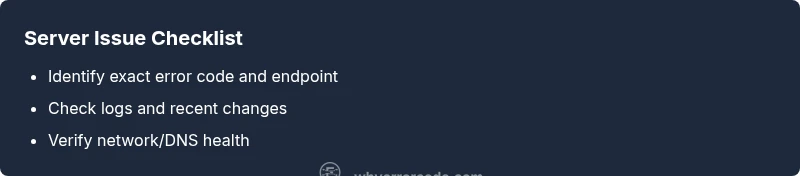
- Identify the exact error code first
- Check logs and recent changes to find a root
- Verify network/DNS health and dependencies
- Escalate when user impact is widespread
- Implement monitoring to prevent recurrence