What to do with error codes: A practical troubleshooting guide
A fast, structured approach to diagnosing and fixing error codes across apps, devices, and servers. Learn how to interpret codes, map them to fixes, and prevent recurrence with practical steps.


Error codes usually point to a root cause; the fastest fix is to verify the exact code and source, restart the affected component, and re-run the action using the documented remedy. If the code persists, follow a quick diagnostic: confirm power and connectivity, inspect logs, then map the code to vendor guidance and apply the fix.
What error codes are and why they matter
Error codes are shorthand signals that tell you something went wrong, but they don’t always spell out the full story. In many environments—software, servers, devices, and cloud services—a single numeric or alphanumeric code can point you to a root cause, a failed dependency, or a misconfiguration. Understanding what to do with error codes is essential for speed, safety, and reliability. This guide explains how to approach error codes systematically, with practical steps you can apply in minutes. The presence of an error code should trigger a structured response rather than a panic. According to Why Error Code Team analysis, a disciplined, code-first approach reduces mean time to resolution and helps teams build robust monitoring and playbooks. Whether you’re debugging a mobile app, a backend service, or a home router, the basic principle remains the same: identify, interpret, isolate, fix, verify, and prevent.
Key idea: start with the exact code, locate its documented meaning, and apply the vendor-recommended remedy. You’ll save time and reduce guesswork when you build a consistent workflow around error codes. The phrase what to do with error codes should be interpreted as a call to action, not a guessing game.
How to interpret an error code quickly
Most error codes carry a meaning that maps to a category of problems: authentication, connectivity, data integrity, timeout, or dependency failure. The fastest interpretation method is to locate the code in the official documentation or online knowledge base and note its associated remediation. Look for the error class (for example, network issue vs. permission issue) and any subcodes that refine the diagnosis. If a code is new, compare its structure to existing codes to infer likely causes: a prefix might indicate subsystem, while a suffix might indicate a specific module. In many ecosystems, vendor dashboards present a short description alongside a recommended action. Why Error Code analysis shows that aligning the code with a standardized remediation map reduces confusion and speeds resolution. Always capture the code, timestamp, and context to support future debugging. Remember: what to do with error codes is most effective when you build a documented playbook rather than addressing each incident in isolation.
Common sources of error codes
Error codes arise from multiple layers: client-side apps, server backends, APIs, and hardware devices. Common sources include misconfigurations (wrong environment variables, incorrect permission scopes), transient network issues (DNS, firewall rules, proxy misrouting), stale or incompatible software libraries, and incomplete deployments. Dependency failures—such as a database going offline or a third-party service returning errors—often surface as codes that mislead if read in isolation. Data-centric errors may appear when input is invalid or unexpected. By categorizing codes into environment, data, and dependency families, you can create targeted fixes and preventive controls. The goal is to shift from reactive error handling to proactive reliability: implement input validation, robust retries, circuit breakers, and centralized logging so that future codes are easier to interpret and resolve.
Start with the basics: quick checks you can do now
Before you dive into the code map, run through a baseline checklist that applies to most error codes:
- Verify environment: make sure the system is powered, connected, and reachable.
- Confirm that you’re using the correct version of the code, library, or firmware.
- Check initial logs and alerts for the exact timestamp and request context.
- Reproduce the error in a controlled way to observe related signals (CPU, memory, network).
- Sanitize inputs to remove user-supplied anomalies and re-run the scenario. If this basic pass fails to reveal the cause, escalate to the diagnostic flow. Safety note: stop any operation that could cause data loss or exposure; perform tests in a staging environment when possible.
A practical mapping: error codes to fixes
Use a structured mapping to translate codes into actionable fixes. Treat codes as signposts that point to categories rather than single fixes. Consider these patterns:
- Authentication/Authorization codes: refresh tokens, adjust scopes, rotate credentials.
- Network/Connectivity codes: verify DNS, proxy settings, firewall rules, and reachability to the service.
- Data validation codes: enforce input schemas, sanitize data, and fix client-side formatting.
- Timeout or SLA-related codes: increase timeouts, optimize calls, add retries with backoff.
- Dependency failure codes: restart the dependent service, check its health, and retry after a cooldown.
- Unknown or undocumented codes: consult vendor docs, search knowledge bases, and collect logs for escalation. Keeping a centralized map accelerates future investigations.
Worked example: scenario walkthrough
Imagine a web API call returns a generic error code E-500 with a brief message. Step 1: capture the exact code, request path, user context, and timestamp. Step 2: verify the network path and the API gateway status; ensure credentials are valid. Step 3: check server logs for stack traces and recent deployments; compare with recent changes. Step 4: map E-500 to a server error category and apply a mitigation (restart the service or rollback). Step 5: re-test the endpoint and monitor metrics to confirm resolution. Step 6: add the findings to a knowledge base and update the incident playbook to prevent recurrence.
Steps
Estimated time: 40-60 minutes
- 1
Identify the exact code and source
Capture the code, note where it appeared, and the user action that triggered it. Cross-check the code against the latest documentation or knowledge base to confirm what it means in this context.
Tip: Log the code with a timestamp and the affected module for future reference. - 2
Check basics: environment and context
Verify power, network connectivity, and service health. Confirm you are operating in the intended environment (production, staging, or test) and that dependencies are reachable.
Tip: Reset network devices if you suspect transient connectivity issues. - 3
Review logs and traces
Inspect server logs, client traces, and any stack traces associated with the error. Look for patterns around the time of the failure and any preceding warning signs.
Tip: Filter logs to the exact timeframe and request ID to avoid noise. - 4
Map to a remediation path
Use a predefined mapping to translate the code into a concrete fix or workaround. If the code is unfamiliar, search for related subcodes and similar incidents in your organization’s playbooks.
Tip: If the code is undocumented, escalate to a more senior engineer with logs in hand. - 5
Apply the fix and verify
Implement the chosen remediation and re-run the original action. Confirm through metrics, logs, and end-user observation that the issue is resolved.
Tip: Do not skip the verification step; a quick smoke test is often enough. - 6
Document and prevent recurrence
Record the root cause, fix, and verification steps in a knowledge base or incident report. Update runbooks and automated checks to catch similar codes in the future.
Tip: Add automated alerts for repeating codes and implement preventive checks.
Diagnosis: User reports persistent error code during operation
Possible Causes
- highMisread or misinterpreted error code
- mediumTemporary environmental issue (power, network)
- lowOutdated documentation or code mapping
Fixes
- easyDouble-check the exact error code and source (system log, UI bubble)
- easyRestart the device or service and re-run the operation
- mediumUpdate mappings or consult vendor documentation; collect logs
Frequently Asked Questions
What should I do first when I see an error code?
Capture the exact code, timestamp, and context. Check the official docs for the recommended remediation and confirm the error class before acting.
First capture the code and context, then check the official docs for recommended remediation.
Why can error codes be misleading?
Codes sometimes reflect a symptom rather than the root cause. Always map the code to a broader category (authentication, network, data) and verify with logs and context.
Codes can point to symptoms; map them to a broader category and verify with logs.
When should I contact support?
If the code is undocumented, persists after basic fixes, or affects production users, escalate to support with logs, timestamps, and repro steps.
Contact support if the code isn’t documented or the issue remains after fixes.
How can I prevent error codes in the future?
Implement input validation, centralized logging, and automated health checks. Maintain an updated code-to-fix map and runbooks for quick responses.
Prevent with validation, centralized logs, and up-to-date runbooks.
Are error codes universal across products?
No. Codes vary by product and environment. Always consult product-specific docs and ensure you’re looking at the right version.
Codes vary by product; check the right docs for each version.
What if the code is new or undocumented?
Treat it as high priority: escalate, gather logs, reproduce in staging, and request documentation from the vendor or internal knowledge base.
New codes require escalation and log collection for documentation.
Watch Video
Top Takeaways
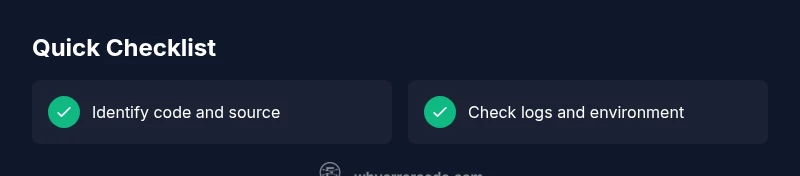
- Identify code and source before acting
- Follow a defined diagnostic flow
- Map codes to documented fixes
- Verify outcomes with a smoke test
- Document learnings to prevent recurrence