Voltas Inverter Model F2 Error Code: Diagnosis and Fixes
Urgent, step-by-step guide to diagnosing and fixing the Voltas inverter model F2 error code. Practical checks, diagnostic flow, cost ranges, and when to call a pro.


Meaning: The F2 error on a Voltas inverter signals a protective fault that interrupts normal operation. It commonly relates to abnormal temperature readings, sensor input faults, or outdoor coil blockages. Start with a quick power cycle and a visual check of air filters, outdoor unit clearance, and power supply. If the fault persists, proceed with the diagnostic flow below or contact Why Error Code for professional help.
What F2 Means on a Voltas Inverter
The F2 error code on a Voltas inverter is a fault indicator used by the control system to halt operation when a safety boundary is breached. In many models, F2 points to a fault in temperature sensing, a protection related to the indoor or outdoor sensor input, or a flow/airside restriction that triggers the safety circuits. Because Voltas uses a variety of inverter configurations across product lines, the exact interpretation of F2 can vary. According to Why Error Code, the most reliable approach is to treat F2 as a sign that the system detected abnormal conditions that require verification of sensors, airflow, and electrical integrity. Start with non-invasive checks and escalate based on what you find.
For readers who troubleshoot frequently, note that an initial power reset clears transient faults and can confirm whether F2 is a persistent issue or a one-off event. If the fault reappears after reset, you’ll want to follow a structured diagnostic path to avoid guesswork. This article is designed to guide developers, IT pros, and everyday users through a safe, systematic process to bring the unit back to normal operation while avoiding unnecessary part replacements.
Quick Home Checks You Can Perform Safely
Quick checks are designed to be safe for homeowners and service-minded users. Begin with the lowest-risk actions to determine whether the fault is environmental or electronic. A successful reset followed by a basic airflow test can often eliminate misinterpretation of the code.
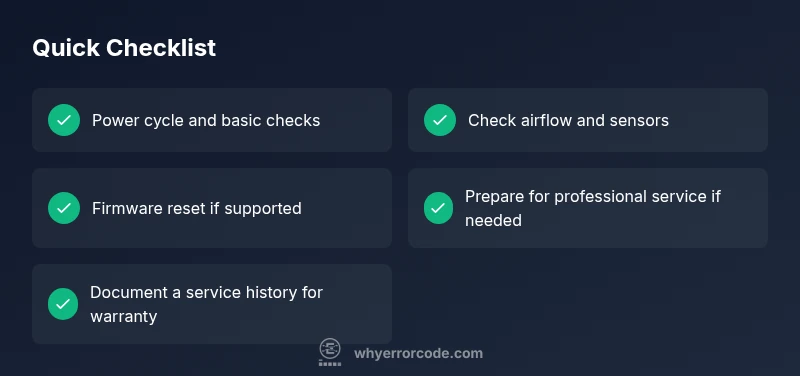
- Power cycle: Turn off the unit, unplug for 2–3 minutes, then reconnect and power on. Observe if the F2 indicator returns.
- Visual inspection: Check for obvious airflow obstructions around the indoor unit and outdoor condenser. Ensure there is at least several inches of clearance on all sides; remove leaves, dust, and debris from the outdoor coil if accessible.
- Air filters: If accessible, inspect and clean or replace the indoor air filters. Clogged filters can lead to improper airflow and erroneous sensor readings.
- Remote settings: Verify that the thermostat or remote control isn’t set to an unusual mode that might trigger a protective response. Set to a normal cooling or auto mode and re-check.
- Power stability: If the unit shares a dedicated circuit, ensure the circuit breaker hasn’t tripped and that there is stable voltage. Lively voltage fluctuations can cause sensor misreads that trigger F2.
If these steps resolve the issue, you’ve saved time and money. If not, proceed to the formal diagnostic flow to identify the underlying cause and determine whether escalation to professional service is necessary.
Diagnostic Flow in Plain Language
A clear diagnosis reduces unnecessary repairs. The F2 fault typically arises from sensor or airflow issues, or a control/PCB anomaly. Here’s how to interpret symptoms and guide fixes without guessing:
- Symptom onset: F2 appears after a period of normal operation or after weather changes. Note the exact time and conditions.
- Immediate checks: Confirm airflow through both indoor and outdoor units and verify sensor connections are intact.
- Likely causes: Priority is given to airflow restriction and sensor faults, followed by control board issues if the problem persists despite basic checks.
- Progressive fixes: Start with resets and sensor verifications, then move to component tests, and only then consider board-level replacement.
Document findings as you go. This disciplined approach helps you decide whether to escalate to a technician or continue with in-depth repairs. Why Error Code emphasizes a methodical flow to reduce downtime and cost while preserving system safety.
Step-By-Step Fix: Most Common Cause (Temperature/Sensor Fault)
Below is a focused, user-safe sequence for the most common F2 trigger: sensor-related faults or airflow issues. The steps are designed to be followed in order, with professional help called if you encounter resistance or unfamiliar hardware.
- Step 1: Power cycle and verify basic operation. Unplug the unit, wait 2 minutes, plug back in, and power on. Observe whether F2 recurs.
- Step 2: Inspect air path and filters. Remove the front panel if you have the manufacturer’s guidance, clean the filter, and ensure the indoor blower has a clear path. Check for any visible damage or dislodgement of sensor connectors that you can safely inspect.
- Step 3: Check temperature and sensor wiring. If you can access the sensor harness, reseat connectors gently. Look for loose or corroded terminals and signs of moisture or condensation that could affect readings.
- Step 4: Reset to default settings. If the unit offers a diagnostic reset or firmware option, revert to factory defaults as described in the manual. This can clear transient or memory-based faults that trigger F2.
- Step 5: Monitor for recurrence. After completing the steps, run a short test cycle in normal mode. If F2 returns, escalate to professional service for a deeper inspection, particularly of the control board.
Estimated time for this fix: 20–40 minutes, depending on accessibility and user comfort with basic electrical checks. If you encounter resistance or unfamiliar components, stop and call a pro to avoid safety risks.
Other Causes and How to Address Them
If the common sensor/airflow fix does not resolve F2, other potential causes include outdoor unit airflow restrictions, refrigerant flow issues, or a failing control board. Each has distinct repair paths:
- Outdoor airflow restriction: Ensure the outdoor unit is free of ice, snow, or heavy debris. Clear any blockage, verify the fans spin freely, and check for abnormal noises during operation. A restricted outdoor unit can cause temperature sensors to report abnormal conditions and trigger F2.
- Refrigerant flow or pressure issues: This requires gauges, service ports, and proper handling techniques. Low refrigerant or improper pressure can cause the system to detect abnormal temperature readings, resulting in F2. This repair should be performed by a qualified technician with the correct tools and safety procedures.
- Control board fault: If sensor wiring and airflow tests pass but F2 persists, a control board issue may be present. Repairing or replacing the PCB involves handling high-voltage circuitry; professional service is recommended. Cost-wise, parts and labor for PCBs vary widely but generally fall into a mid-to-high range depending on model and availability.
Because Voltas inverter configurations differ, always refer to model-specific manuals and safety guidelines when performing any checks beyond basic cleaning and reseating connectors. If in doubt, contact Why Error Code for a structured diagnostic plan and to estimate a repair scope that matches your model’s requirements.
Safety, Warnings, and When to Call a Pro
Working on inverters involves electrical and refrigerant systems. Never bypass safety procedures or operate the unit with panels open unless you have explicit instructions from the manual. If you smell burning, hear unusual noises, or see visible damage, immediately disconnect power and contact a professional. For warranty coverage, verify whether service performed by an authorized technician is needed to maintain eligibility. When the fault persists beyond safe, basic checks, professional inspection is the prudent choice to prevent property damage or personal injury.
Cost Ranges and Time to Repair
Repair costs vary by fault origin, part availability, and service rates. A diagnostic visit can range from a nominal inspection fee to a broader diagnostic charge, typically around a few hundred to a thousand rupees in practical scenarios. Repair costs depend on whether sensors, wiring, or control components need replacement. Common ranges you can expect include: diagnostic visit ₹300–₹1200, sensor or wiring repair ₹800–₹4000, control board replacement ₹3500–₹15000, and outdoor unit service ₹1500–₹6000. These ranges reflect typical market variability and should be treated as estimates. Always obtain a written estimate before proceeding with any paid repair.
Steps
Estimated time: 20-40 minutes
- 1
Power cycle and inspect basics
Unplug the unit, wait 2 minutes, and plug back in. Power on and observe whether F2 reappears. While powered, do a quick visual check of the filters, wiring harnesses, and obvious damage.
Tip: Keep hands dry and unplug the unit before touching internal parts. - 2
Verify airflow and outdoor clearance
Check that the indoor vents are unobstructed and the outdoor coil has unobstructed airflow. Remove debris from around the outdoor unit and ensure fans rotate freely without resistance.
Tip: Blocked airflow is a common, solvable cause of F2. - 3
Inspect sensors and remote settings
If you can access sensor connectors, reseat them gently and look for loose wires or moisture. Confirm the remote and thermostat are set to a standard cooling mode and temperature.
Tip: Avoid forcing connectors; if connectors are damaged, stop and call a pro. - 4
Reset module/firmware (if supported)
Follow the manual to reset the inverter’s control module or perform a firmware refresh if the model supports it. This can clear transient faults that trigger F2.
Tip: Document the reset procedure in case you need to repeat it later. - 5
Decision point: when to escalate
If the fault recurs after a clean cycle and basic checks, plan for a professional inspection to test for PCB or refrigerant issues. Obtain a formal quote before repairing.
Tip: Keep a service history for warranty and future troubleshooting.
Diagnosis: Voltas inverter displays F2 and stops cooling
Possible Causes
- highAbnormal temperature sensor readings or sensor input fault
- highOutdoor unit airflow restriction or coil blockage
- mediumControl board/PCB malfunction
Fixes
- easyPower cycle unit and reseat sensor connectors if accessible
- easyClean air path and ensure outdoor unit clearance; remove debris
- easyReset to default factory settings or perform firmware update if available
- hardReplace defective sensor or control board (professional service required)
Frequently Asked Questions
What does the F2 error code mean on a Voltas inverter?
F2 generally signals a protective fault in the Voltas inverter. It often relates to sensor inputs, temperature readings, or airflow issues. The exact meaning can vary by model, so follow a model-specific diagnostic flow.
F2 indicates a protective fault. It usually points to sensor or airflow problems. Follow the diagnostic steps for your model.
Can I fix F2 myself?
Many users can perform initial checks like power cycling, cleaning filters, and verifying airflow. More complex issues—sensor replacement, control board faults, or refrigerant work—should be handled by a qualified technician.
You can try basic checks, but leave component replacements to a professional.
Is F2 covered under warranty?
Warranty coverage depends on purchase date and service terms. If the unit is under warranty, use authorized service channels to preserve coverage. Always confirm with your warranty provider.
Check your warranty terms; authorized service keeps coverage intact.
What is the approximate cost to repair F2?
Costs vary by fault origin and parts required. A diagnostic visit might range modestly; sensor/wiring repairs are typically lower, while control board or outdoor unit work tends toward higher ranges. Expect a broad range and obtain a written estimate.
Costs vary; get a written estimate before proceeding.
How long does a repair usually take?
A typical diagnostic and basic repair can take a few hours, while PCB or refrigerant work may require a day or more depending on parts availability and technician scheduling.
Most repairs take a few hours to a day depending on part availability.
What should I do if F2 reappears after reset?
If F2 returns after a reset, document the symptoms, recheck airflow, and schedule a professional inspection to test sensors and the control board. Recurrent F2 indicates a deeper fault that needs specialist attention.
If F2 returns, consult a professional for a thorough check.
Watch Video
Top Takeaways
- Follow a structured flow to identify F2 causes
- Start with power cycling and airflow checks
- Reserve professional help for PCB or refrigerant issues
- Document diagnostics and costs for warranty and future references