What Error Code Is 403? Urgent Guide to Forbidden Access
An urgent, practical guide to understanding HTTP 403 Forbidden errors, diagnosing causes, and fast steps to fix permission-denied issues across servers, apps, and CDNs.


403 Forbidden is the HTTP status that means the server understands your request but refuses to authorize it. This is a permissions-based denial, often caused by misconfigured access controls, expired credentials, or protective rules at the server, CDN, or firewall level. The quickest fix is to confirm permissions, reauthenticate, and adjust any ACLs or security rules that block the request.
What Does a 403 Forbidden Error Really Mean?
403 Forbidden indicates that the server understood your request but blocked access due to permissions. If you ask what error code is 403, the answer is a permissions-based refusal: the resource exists and the server is able to respond, but it will not authorize you to access it. This can stem from file permissions, RBAC settings, IP deny rules, or security policies enforced by a CDN or WAF. In many modern stacks, misconfigured access-control lists or stale credentials trigger this code. The bottom line: a 403 is about authorization, not about a missing resource, and the fix starts with confirming who should be allowed access.
According to Why Error Code, these issues are usually systemic rather than isolated to one endpoint.
Common Causes of 403 Errors and How They Happen
The most common cause is restricted permissions: the filesystem or application policy denies access to the authenticated user. Other frequent culprits include expired authentication tokens, incorrect roles, or a user not being part of an allowlist. Network-layer controls also play a role: firewall rules, IP blocks, or WAF rules may return 403 if a request violates security policies. Misconfigured redirects can also present as 403 if the final URL is protected. The Why Error Code team notes that these issues are typically systemic rather than isolated to a single endpoint. In some cases, an overly aggressive security posture blocks legitimate requests; this is where a precise audit pays off.
How to Diagnose a 403 Error Quickly
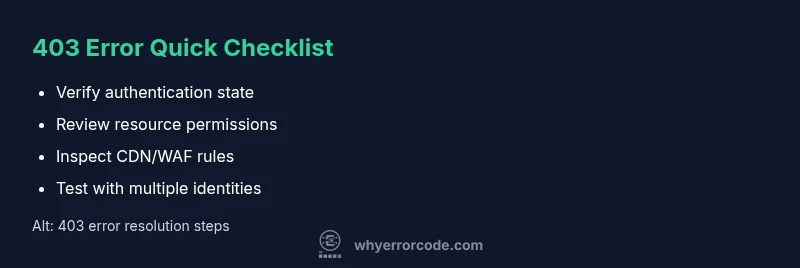
Start by confirming the symptom across different devices and networks. Check server logs for the exact request path, user identity, and the reason code. Verify authentication status and tokens; refresh if needed. Inspect access controls on the resource (ACLs, RBAC, file permissions). If you use a CDN or WAF, review their rules and any IP allowlists. The goal is to separate authentication failures from server-side permission errors. Why Error Code Analysis, 2026 indicates that most 403s arise from misconfigurations rather than mysterious system failures.
Step-by-Step Fix: The Most Common Cause (Permission Issues)
Step 1: Confirm the user identity and ensure the correct account is actively authenticated. Step 2: Review the resource's ACLs or file permissions to ensure the requesting user or role has access. Step 3: If you're using a web server, check for directives like Require all granted, Allow from, or deny rules and ensure they align with your RBAC. Step 4: Validate session management (cookies or tokens) and refresh sessions if expired. Step 5: If a CDN or WAF sits in front, verify that the policies permit this path and IP. Step 6: Test again from a controlled environment; escalate if the issue persists. Tip: Use staging mirrors to reproduce the exact security context safely.
Other Causes and Quick Patches
Besides permissions, 403s can result from IP blocks, rate-limiting policies, incorrect virtual host routing, or hotlink protection in place on the server. CDN caches can also hold an old, blocked version of the resource; purge or bypass the edge cache to validate. If your resource is behind a corporate proxy, ensure the proxy rules arener and that the requesting identity is whitelisted. Proactive remediation includes regular audits of ACLs, RBAC mappings, and CDN/WAF configurations to prevent future blocks.
Safety, Warnings, and When to Call a Pro
Never disable security controls to fix a 403; that creates greater risk. Do not bypass authentication in production environments. Always test changes in a staging or development environment first, and monitor for unintended access openings. If you are in a large organization, involve security and IT operations early in the remediation, especially when changes affect multiple services or users.
Steps
Estimated time: 60-90 minutes
- 1
Verify authentication state
Confirm that the user is properly authenticated and that the session is valid. Re-login if necessary and clear stale tokens or cookies before testing access again.
Tip: Use an incognito window to rule out cached credentials. - 2
Check resource permissions
Review the resource's ACLs, RBAC assignments, and any conditional access rules to ensure the requester has explicit access.
Tip: Cross-check related roles and groups for consistency. - 3
Inspect server access rules
Look at server-level directives (like Apache's Require or Nginx's allow/deny) and confirm they align with your intended access model.
Tip: Test changes in a staging environment before production rollout. - 4
Evaluate CDN/WAF configuration
If a CDN or WAF sits in front of the resource, review rules that could block legitimate requests and verify IP allowlists.
Tip: Temporarily bypass edge caching to reproduce the issue directly on origin. - 5
Validate URL paths and routing
Ensure the requested path, host, and virtual host mappings are correct; a misrouted request can trigger a 403 despite correct credentials.
Tip: Check for redirects that inadvertently point to a protected location. - 6
Test with alternative identities
Attempt access with different user accounts or roles to confirm whether the issue is user-specific or systemic.
Tip: Document any differences in access results for future audits. - 7
Implement a controlled fix and monitor
Apply the approved permission or policy change, then monitor metrics and logs to ensure the block isn reoccurs.
Tip: Set up alerting for repeated 403s by resource or IP.
Diagnosis: User sees 403 Forbidden when accessing a protected resource
Possible Causes
- highIncorrect file permissions or RBAC misconfiguration
- mediumExpired or invalid authentication tokens
- lowIP blocking or overly strict CDN/WAF rules
Fixes
- easyVerify permissions and roles on the resource; adjust ACLs/RBAC as needed
- easyRefresh authentication tokens or re-login; clear relevant cookies
- mediumReview CDN/WAF rules and IP allowlists; whitelist legitimate IPs if appropriate
- hardInspect server configuration (e.g., .htaccess, Nginx/Apache directives) for 403 rules
Frequently Asked Questions
What is the difference between 403 and 401 errors?
A 403 means access is forbidden despite authentication, while a 401 indicates the user is not authenticated. The server can be understood but refuses authorization in a 403 scenario, whereas a 401 means the user needs to authenticate.
A 403 means permission is blocked even if you're logged in, while a 401 means you need to log in.
Why does a resource that exists return 403?
The resource exists, but access control denies your request. Permissions, RBAC, or security policies block the access intentionally.
The resource exists, but your access is blocked by permissions or security rules.
Can I fix a 403 on the client side?
Most 403s require server-side changes to permissions, ACLs, tokens, or CDN/WAF rules. Clients can clear caches and reauthenticate, but they cannot fix server policies directly.
Usually not; you need server-side permission adjustments and policy checks.
What should I check first when I see a 403?
First, verify authentication status and token validity, then review resource permissions and any CDN/WAF rules that might block the request.
First check authentication and permissions, then look at any security rules in front of the resource.
Is 403 always caused by permissions?
Not always; it can also be triggered by IP blocks, WAF rules, or misrouted requests. Start with permissions, but inspect the whole request path.
Most 403s are about permissions, but network rules can also trigger them.
How can I prevent 403 errors in my app?
Implement clear RBAC, keep ACLs updated, monitor changes, and test permission changes in staging before production to prevent 403s.
Prevent 403s by keeping permissions up to date and testing changes in staging.
Watch Video
Top Takeaways
- Identify root cause before changes
- Check authentication first, then permissions
- Audit servers, CDNs, and WAFs for blocks
- Test changes safely and document them