What Is Roblox Error 267? Quick Fixes & Diagnosis
Urgent, practical guide to Roblox error 267. Learn what it means, common causes, and a clear, step-by-step plan to diagnose and fix the disconnect quickly.


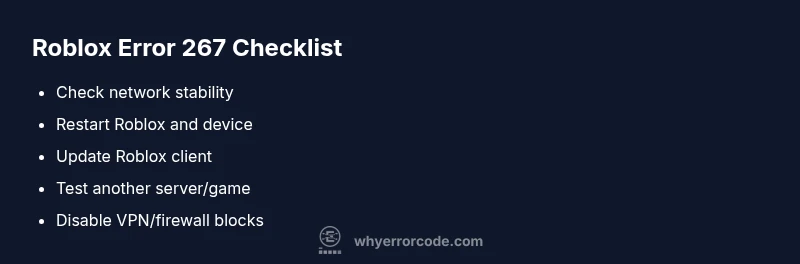
Roblox error 267 is a disconnection code that means you’ve been kicked from a game due to a client- or server-side issue. The fastest fixes are simple: check your internet connection, restart Roblox and your device, update the Roblox client, and try a different server or game. If the problem persists, investigate firewall/VPN blocks or contact Roblox support.
What Roblox Error 267 Means
Roblox error 267 is a disconnection code that signals you have been removed from a game session. In practical terms, your client lost a stable link to the game server, or the server rejected your connection due to a rule or detected issue. Because 267 sits at the intersection of network health, client performance, and server-side checks, it can appear in many scenarios—from a congested home network to a temporarily unstable Roblox server. According to Why Error Code, error 267 is most often a symptom of underlying connectivity problems rather than a fatal fault in your account or device. The first action is to determine whether the root cause is local or remote so you can apply the correct fix quickly.
Symptoms and patterns to watch for
If you see error 267, you’ll typically notice an abrupt game exit, sometimes with a message about disconnection. You might also experience intermittent reconnects, lag spikes just before the code appears, or difficulty staying in a server even when your connection seems stable. These symptoms can hint at network bottlenecks, high latency to Roblox servers, or client-side processes consuming excessive bandwidth. Document when the error occurs (time of day, specific games, and recent changes to your setup) to help isolate the issue.
Likely causes (prioritized) and how to think about them
The top causes usually fall into these categories:
- Network issues (high likelihood): unstable Wi‑Fi, high jitter, or ISP routing hiccups.
- Roblox server or game-specific problems (high likelihood): temporary outages or problematic scripts in the game.
- Outdated client or corrupted cache (medium likelihood): can fail to negotiate a normal handshake with the server.
- VPNs, proxies, or tight firewall rules (low likelihood but real impact): these can block Roblox traffic.
- Hardware or resource constraints on your device (low likelihood): insufficient RAM or CPU pressure can trigger disconnects during heavy scenes.
Quick fixes you can try right away
- Check your internet connection: run a speed test and switch to a wired connection if possible.
- Restart Roblox and your device to refresh all running processes.
- Update the Roblox client to the latest version and clear any app cache.
- Try a different server or game to determine if the issue is game-specific.
- Temporarily disable VPNs or adjust firewall settings to allow Roblox traffic.
Step-by-step diagnosis and repair (practical workflow)
- Reproduce the issue while noting time and game. 2) Check network status and switch to a stable network (wired preferred). 3) Update Roblox, restart, and clear cache. 4) Disable VPN/proxy and test again. 5) If the issue remains, inspect server status for the game and try another title. 6) If nothing works, contact Roblox support with a concise description and logs.
Alternative causes and fixes
Some issues aren’t obvious right away: faulty router firmware, background downloads siphoning bandwidth, or antivirus software misclassifying Roblox traffic. Update router firmware, pause background downloads, and temporarily disable antivirus to test. If the issue only happens on one device, there may be a local configuration conflict; recreating the device’s network profile can help.
Safety, costs, and when to call for professional help
Be cautious when changing firewall or router settings; misconfigurations can expose your network. Most fixes cost nothing beyond time, but if you need professional help (remote support or hardware diagnostics), expect a broad range of costs from free to a few hundred dollars depending on scope. If you’re uncomfortable performing advanced network tweaks, contact a trusted IT pro or Roblox support for guided troubleshooting.
Steps
Estimated time: 60-90 minutes
- 1
Verify network stability
Run a quick speed test and check for packet loss. If your wifi shows high jitter or the test fails, switch to a wired connection or a different network.
Tip: Use a wired Ethernet if available for the most stable connection. - 2
Restart and refresh
Fully exit Roblox, close the app, and relaunch. Reboot your device to clear any stuck processes that could affect connectivity.
Tip: Ensure you’re not running background apps that spike network usage. - 3
Update and clear cache
Update Roblox to the latest version and clear the app cache to prevent corrupted data from causing disconnects.
Tip: On mobile, clear the app cache in system settings; on desktop, use the repair/reinstall option if available. - 4
Test without VPN or firewall blocks
Temporarily disable VPNs and adjust firewall rules to allow Roblox traffic. Re-test to see if 267 recurs.
Tip: If you must use a VPN, ensure it’s configured to pass Roblox traffic. - 5
Switch servers or games
Try joining a different server or game region to confirm whether the issue is game-specific or global.
Tip: Note down server regions that work best for your location. - 6
Escalate if unresolved
If the issue persists, gather logs and contact Roblox support with a concise report and steps tried.
Tip: Include timestamp, game name, and your device details to speed up assistance.
Diagnosis: Error code 267 appears and disconnects from Roblox game
Possible Causes
- highUnstable or slow internet connection
- highRoblox server issues or game-specific script error
- mediumOutdated Roblox client or corrupted game cache
- lowVPN/proxy or firewall blocking Roblox
- lowDevice resource constraints (RAM/CPU)
Fixes
- easyRestart your router and connect to a stable network
- easyRestart Roblox and the device; clear Roblox cache
- easyUpdate Roblox to the latest version
- mediumDisable VPN or adjust firewall rules; add Roblox as allowed
- mediumIf the issue persists, try a different game/server or contact Roblox support
Frequently Asked Questions
What is Roblox error 267?
Roblox error 267 is a disconnection code indicating you’ve been kicked from a game. It often points to a client or server issue rather than a user account problem. A structured troubleshooting flow can help you identify and fix the root cause quickly.
Roblox error 267 means you were disconnected from a game, usually due to network or server issues. A systematic troubleshooting flow can help you fix it quickly.
Is error 267 a server issue or a client issue?
267 can stem from both sides. Start with your network and device, then check the game server status. If the problem persists on multiple games, it’s more likely a server-side or broader Roblox issue.
It can be either. Check your network first, then see if the game server is having problems.
What quick fixes should I try first for 267?
Try a stable network, reboot Roblox and your device, update the client, and attempt another server or game. If VPNs or firewalls are involved, adjust them to allow Roblox traffic.
First, check your network, restart Roblox and your device, and update the app. If you use a VPN or firewall, allow Roblox traffic.
Should I reinstall Roblox for error 267?
Reinstalling is a reasonable step if you suspect corrupted files or cache. It clears stubborn cache and replaces damaged files but is usually not required for quick fixes.
Reinstalling can help if the files are corrupted; it’s a solid last-resort fix before contacting support.
Can VPNs cause Roblox error 267?
Yes, VPNs or proxies can interfere with Roblox connections and trigger 267. Disable them temporarily to test, then re-enable with proper routing if needed.
VPNs can trigger 267; disable them briefly to test your connection.
When should I contact Roblox support?
If the issue persists after all standard fixes, gather your device details, game name, timestamps, and logs, then contact Roblox support for targeted assistance.
If nothing helps after trying these steps, reach out to Roblox support with your findings.
Watch Video
Top Takeaways
- Verify network stability before deeper testing
- Update and restart Roblox to fix most 267 errors
- Disable VPNs or adjust firewall for Roblox traffic
- Try a different server to isolate the issue
- Escalate to support with logs if unresolved