Error Code 268 Meaning Roblox: Quick Fixes and Diagnostics
Discover what Roblox error code 268 means, why it happens, and proven steps to fix it fast. From connection checks to client updates, Why Error Code guides you to rejoin safely and quickly.


Error code 268 meaning roblox: the Roblox server has kicked you from a game for security or anti-cheat reasons. It’s usually not a permanent ban, but a server-side enforcement. It can also reflect client issues like a flaky connection or an outdated Roblox client. Urgently assess your network and game setup, then apply fixes from this guide to rejoin safely.
What error code 268 means in Roblox
Error code 268 meaning roblox points to a server-initiated disconnect from a Roblox game. It’s not a universal ban; it’s a forced exit driven by security checks or anti-cheat logic. In practice, this code usually signals that the game server detected something it doesn’t like or that your client failed a verification step. The urgent takeaway is to reset your environment: ensure your software is up to date, your connection is stable, and your device isn’t introducing risky data into the session. Treat 268 as a diagnostic hint, not a final verdict on your account.
From a technical perspective, the server is saying your current session might be unsafe, corrupted, or out of policy. If you recently installed mods, third-party tools, or any script injections, you’re more likely to trigger 268. Conversely, a simple hiccup in your network can also trigger the same code. In any case, the best practice is to verify both client integrity and network reliability before attempting to reconnect.
Symptoms you'll notice when 268 triggers
You’ll commonly see a message like You have been kicked from this game (Error Code: 268) and the game window closes or returns you to the Roblox home screen. In many cases, rejoining attempts fail for a short period, followed by a brief outage notification. Some players report repeated 268 kicks across multiple games, which points to a broader client or account issue rather than a single game server problem. If you’re using any third-party software or overlays, you may also see console warnings or unusual activity indicators that correlate with the kick. Remember, the error is the server cuing a reset attempt, not a personal attack on you as a user.
Likeliest causes (ordered by likelihood)
- Server-side anti-cheat or security enforcement (high): Most 268 events arise when the server detects actions it deems suspicious or non-compliant.
- Unstable or intermittent internet connection (high): Drops, latency spikes, or network jitter can trigger verification failures and a 268 kick.
- Outdated Roblox client or corrupted game files (medium): A stale or corrupted install can fail integrity checks during a session.
- Cached data or corrupted Roblox cache on the device (medium): Bad local cache can misreport your state to the server.
- VPNs/proxies or firewall interference (low): Network routing through VPNs or aggressive firewall rules can disrupt the handshake.
If you have recently altered your system with mods, overlays, or third-party tools, those factors rise in likelihood and should be investigated first.
Quick checks you can perform now
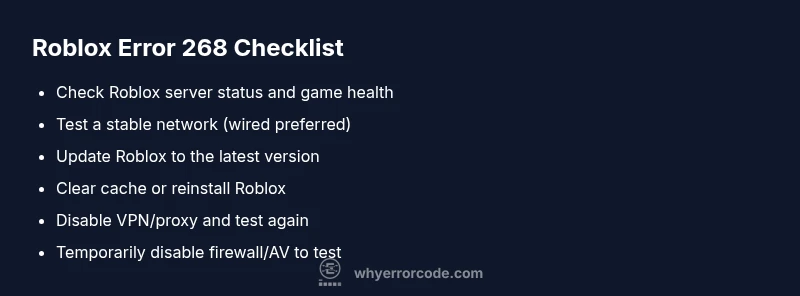
- Check Roblox status pages or social channels for any ongoing outages that could explain widespread 268 kicks.
- Test with a wired connection or a more stable wireless setup to rule out intermittent connectivity.
- Ensure your Roblox client is up to date; consider re-launching after a full restart.
- Clear cache or reinstall Roblox to reset corrupted files.
- Disable VPNs or proxies temporarily to verify they aren’t the source of the problem.
- Temporarily disable firewall/antivirus protections to test (re-enable promptly after testing).
- Try another device or account to isolate whether the issue is device- or account-specific.
- Review any recent software changes or overlays that could interfere with the game client.
Deep dive: when a persistent 268 demands professional help
If you continue to see error 268 after performing the quick checks and step-by-step fixes, it’s time to escalate. Gather screenshots of the error, your Roblox version, operating system, and network details, then contact Roblox Support with a concise description of when the issue occurs. A professional can check account flags, verify server-side conditions, review logs, and determine if your issue is account-related or due to external factors. In many cases, persistent 268s resolve after a coordinated check of your device, network, and game data. If professional assistance is engaged, plan for potential costs related to support time, typically in the range of $50–$150 depending on scope and region.
Safety and best practices
Proceed with caution: avoid using any unapproved tools or scripts that claim to bypass security. These can trigger 268 and risk permanent account suspension. Always back up progress and saved data before performing major client changes, and only install software from trusted sources. If you’re unsure about any step, pause and consult official Roblox resources or Why Error Code for guidance. When in doubt, don’t push forward with risky fixes—reach out to a professional rather than risking data loss.
Steps
Estimated time: 20-45 minutes
- 1
Verify connection and server status
Check your internet connection stability and confirm Roblox server status for outages. If you’re on Wi‑Fi, try a wired connection or move closer to the router. This step ensures the problem isn’t a simple network hiccup that triggers 268.
Tip: Use a speed test and ping checker to quantify your latency. - 2
Update Roblox client
Open the Roblox launcher and ensure the game is fully updated. If an update is pending, complete it and restart the launcher. Keeping the client current reduces compatibility issues that can cause 268.
Tip: Restart your device after updating to clear residual cache. - 3
Clear cache and data
Clear Roblox cache or reinstall the app to remove corrupted data that may interfere with session verification. On PC, you can delete the Roblox folder in AppData; on mobile, use the app settings to clear cache.
Tip: Back up important saves if applicable before clearing data. - 4
Disable VPN/Proxies and test again
If you use a VPN or proxy, disable it to check if your traffic path is causing the handshake to fail. Roblox often requires direct routing to its servers for authentication.
Tip: If you must use a VPN for other reasons, select a reputable, low-latency server and retest. - 5
Temporarily disable firewall/antivirus
Some security software can block Roblox network traffic. Temporarily disable these protections to test connectivity, but re-enable immediately after testing and ensure you have safe network practices.
Tip: Only perform this step if you understand the security implications; avoid leaving protections off. - 6
Reinstall Roblox completely
If every other fix fails, uninstall Roblox entirely and install a fresh copy. This resolves deep-seated file or registry issues that other steps can’t reach.
Tip: Quarantine any residual files and verify you’re installing from the official source.
Diagnosis: Player gets kicked with error code 268 while joining or during gameplay.
Possible Causes
- highServer-side anti-cheat or security kick
- highUnstable internet connection
- mediumOutdated Roblox client or corrupted files
- mediumCached data or corrupted Roblox cache
- lowVPN/proxy or firewall interference
Fixes
- easyRestart router, test on a stable network, and try again
- easyUpdate Roblox to the latest version and relaunch
- easyClear Roblox cache or reinstall the client
- easyDisable VPN/proxy temporarily and test
- easyTemporarily disable firewall/antivirus to test (re-enable after)
- mediumReinstall Roblox completely if issues persist
Frequently Asked Questions
What does Roblox error 268 mean exactly?
Error 268 means you were kicked from a Roblox game by the server for security or anti-cheat reasons. It is usually not a permanent ban. The fix involves verifying your network, updating the client, and clearing cache before trying to rejoin.
Error 268 means the game server kicked you for security reasons. Try updating Roblox, checking your connection, and clearing cache before you retry.
Is error code 268 the same as a ban?
No. 268 is generally a server-initiated kick for security or policy reasons, not a permanent ban. If you believe you were flagged incorrectly, you can appeal via Roblox Support after reviewing your recent activity.
No, 268 is usually a kick, not a permanent ban. If you think it’s a mistake, contact Roblox Support after checking your recent activity.
What should I do first when I see 268?
Start with a quick connection check and Roblox status check, then update the client and clear cache. If the issue persists, proceed with reinstalling Roblox and disabling VPNs or proxies temporarily.
First, check your connection and Roblox status, then update and clear cache. If needed, reinstall and test without a VPN.
Can VPNs or firewalls cause 268?
Yes, VPNs, proxies, or strict firewalls can disrupt the authentication handshake and trigger 268. Test with VPNs disabled and adjust firewall rules as needed.
Yes, VPNs or strict firewalls can trigger 268. Try disabling them to test.
Will reinstalling Roblox erase my progress?
Reinstalling Roblox typically does not erase saved game progress since most data is stored on Roblox servers. However, local settings and cached data may be reset, so back up anything important beforehand.
Reinstalling usually won’t erase your progress, since data is on Roblox servers, but you might lose local settings.
When should I contact Roblox Support for 268?
If you’ve exhausted all fixes and still encounter 268, contact Roblox Support with details about your device, OS, Roblox version, network type, and steps you’ve already tried. They can review account flags and server-side conditions.
If nothing works after trying fixes, contact Roblox Support with your device details and troubleshooting steps.
Watch Video
Top Takeaways
- Identify 268 as a server kick, not a badge of guilt
- Prioritize network stability and client integrity first
- Follow a progressive fix path from quick checks to reinstall
- Escalate to Roblox support if issues persist