What Is Hulu Error Code 406 and How to Fix It Fast
Learn what Hulu error code 406 means, why it happens, and proven steps to fix the Not Acceptable error across devices. From updates to VPNs, this urgent guide covers it all.


Definition: Hulu error code 406 is an HTTP Not Acceptable error that appears when Hulu cannot deliver content in a format your device or app accepts. In practice, it often means a mismatch between the requested media and the device’s capabilities or settings. Quick fixes include updating the Hulu app, checking device compatibility, disabling VPNs, and clearing cache.
What Hulu Error Code 406 Really Means
According to Why Error Code, 406 Not Acceptable is an HTTP status that signals the server cannot provide content matching what your device or browser is requesting. In streaming terms, it usually indicates a mismatch between the media format, codecs, DRM requirements, or content negotiation settings and what your device can handle. This isn’t a Hulu-only problem; it’s a signal from the network layer that the client’s headers, capabilities, or location aren’t aligning with server expectations. Because of that, users experience a halt in playback or a blank screen rather than a smooth stream. The urgency comes from the fact that the fix often involves simple, repeatable steps—like updating apps or adjusting settings—that restore normal streaming fast.
Common Scenarios That Trigger 406 on Hulu
406 errors tend to crop up when the client and server disagree over content delivery. Typical scenarios include using an outdated Hulu app or browser, running on an older or unsupported device, incorrect date/time or region settings, or routing traffic through a VPN or proxy that alters headers. DRM or codec constraints on a TV or media player can also prompt Not Acceptable responses. Understanding these scenarios helps you pick the most effective fix first.
Quick Fixes You Can Try Right Now
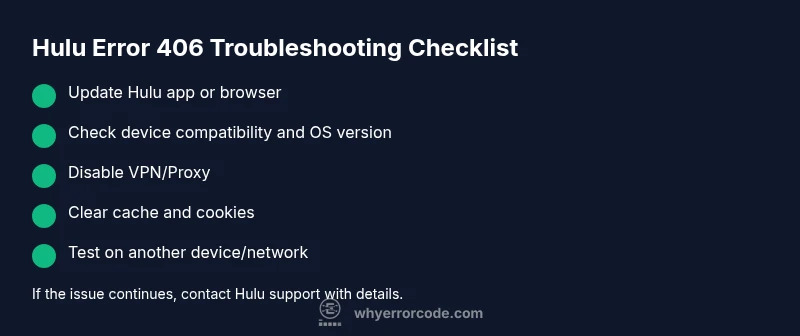
Start with fixes you can perform without contacting support. First, update the Hulu app or your browser to the latest version. Then, verify your device meets Hulu’s supported requirements and install any available OS or firmware updates. Disable any VPN or proxy that could be altering request headers, and clear cached data or cookies from the app or browser. Finally, perform a quick restart of the device and test playback again. If the problem persists on a particular device, try another device or network to isolate the cause.
Why Real-Device Compatibility Matters for 406
Not all devices handle streaming formats the same way. Some smart TVs and streaming boxes have strict DRM and codec requirements that newer Hulu content relies on, while mobile apps may negotiate differently. When a device cannot satisfy the server’s content negotiation, Hulu returns 406. Keeping firmware up to date, ensuring the device is on a supported OS, and using compatible apps reduces the likelihood of this error. This is especially important when streaming high-resolution content that demands broader codec support.
When to Contact Hulu Support
If you’ve exhausted the common fixes and the error still appears on one device, contact Hulu Support. Gather details such as device model, OS version, Hulu app version, exact error message, time of occurrence, and whether the issue happens with one title or all content. Be prepared to test on multiple networks and devices to help the support team diagnose server-side or account-related issues. Costs for remote diagnostics are typically not charged to you unless a hardware repair is involved, and you’ll often be guided through next steps to avoid repeated outages.
Steps
Estimated time: 20-40 minutes
- 1
Reproduce the error on the primary device
Open Hulu and play a title you know is available. Note the exact error message and the time it occurs. This confirms the issue isn’t isolated to one title or session.
Tip: Document the error timestamp for reference. - 2
Update the app and browser
Navigate to the app store or browser update settings and install the latest version. A fresh build often resolves negotiation issues.
Tip: Enable auto-update to prevent repeats. - 3
Check device compatibility and OS version
Verify that the device is on a Hulu-supported OS version and meets hardware requirements. If not, update or switch to a supported device.
Tip: Refer to Hulu’s official supported devices list. - 4
Disable VPNs or proxies
Turn off any VPNs or proxies that could be modifying headers or geolocation. Reconnect directly to your home network and try again.
Tip: If you must use a VPN, ensure it’s configured for normal HTTP headers. - 5
Clear cache and cookies
Clear the Hulu app cache or browser cookies, then restart the app. Caches can store outdated negotiation data that triggers 406.
Tip: On mobile, go to App settings > Storage > Clear cache. - 6
Test on another network or device
If the error follows you to another device or network, the issue is likely server-side or account-related; if not, it’s device-specific.
Tip: Use a different Wi-Fi network or mobile data for testing. - 7
Contact Hulu support
If the error persists after all fixes, contact Hulu Support with the steps you’ve taken and any logs or timestamps collected. They can escalate to engineering if it’s server-side.
Tip: Provide your device model, OS version, and app version for faster help.
Diagnosis: Error code 406 appears when trying to load Hulu content on a streaming device or browser
Possible Causes
- highOutdated Hulu app or web browser
- highDevice OS/firmware incompatibility with Hulu requirements
- mediumIncorrect date/time or region settings
- lowVPN or proxy altering headers or location
- mediumDRM/codec limitations on the device
Fixes
- easyUpdate the Hulu app or browser to the latest version
- mediumCheck and install any OS/firmware updates for the device
- easyCorrect date/time and region settings on the device
- easyDisable VPN/proxy and retry streaming
- easyClear cache/data for the Hulu app or browser and restart the device
- easyTest playback on a different device or network to isolate the issue
- mediumIf issues persist, contact Hulu support with diagnostics
Frequently Asked Questions
What does Hulu error code 406 mean?
406 Not Acceptable is an HTTP status indicating the server can’t deliver content matching your device’s capabilities or request. It often relates to media format, DRM, or header negotiation.
Hulu 406 means Not Acceptable; try updating, check device compatibility, and disable VPNs.
Can a VPN cause Hulu 406?
Yes. A VPN or proxy can modify headers or location data, leading to content negotiation failures that trigger 406 on Hulu.
A VPN can trigger 406 by altering headers; disable it and test again.
Will clearing cache fix Hulu 406?
Clearing cache or cookies removes stale negotiation data that can cause 406. It’s a quick, effective first step.
Clearing cache often fixes 406 by refreshing negotiation data.
Is 406 related to regional restrictions?
406 can occur if the server cannot negotiate content for your region, or if your region data is mismatched with your account.
regional data issues can show 406; verify your region settings.
Why does 406 appear on some devices but not others?
Device capabilities, codecs, and DRM support vary. A device that meets Hulu’s requirements will negotiate successfully, while others may fail.
Different devices support different codecs—some fail 406 while others don’t.
When should I contact Hulu support?
If fixes don’t work across devices or networks, contact Hulu with details. They can investigate server-side or account-specific issues.
If issues persist after fixes, reach out to Hulu support.
Watch Video
Top Takeaways
- 406 Not Acceptable means content negotiation failed
- Update apps and firmware first
- Disable VPNs and test on multiple devices
- Contact Hulu if the issue persists