How to Use a Fault Code Reader: Step-by-Step Guide
Learn to use a fault code reader to pull DTCs, interpret codes, and plan repairs with confidence. This step-by-step guide covers compatibility, preparation, scanning, data interpretation, and safe diagnostics for DIYers and pros.


What a fault code reader does
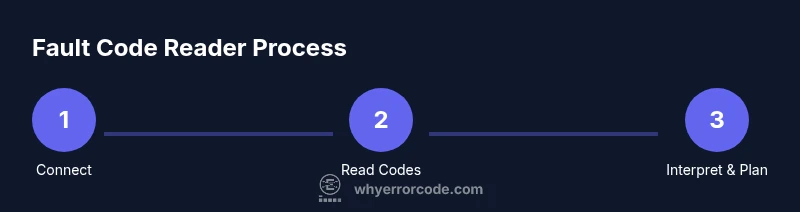
A fault code reader is a handheld diagnostic tool that communicates with a vehicle’s onboard computer to retrieve stored diagnostic trouble codes (DTCs) and live data. When you plug the reader into the OBD-II port—typically located under the dashboard near the steering column—the device establishes a data link with the engine control module (ECM). Once connected, you can initiate a read, which pulls codes that signal sensor or system faults, such as misfires, sensor failures, or emissions system issues. The initial read is only the start: a code alone does not prove the exact failure; it points you toward the affected system and provides a code family (P, C, B, or U). Beginners should remember that DTCs are always followed by a definition in the device or database, including a brief description of the fault, typical causes, and sometimes suggested fixes. For sustained accuracy, cross-check the code with a manufacturer service bulletin or an independent database, and note the vehicle’s year, make, model, and engine variant, since some codes are vehicle-specific. Live data graphs—like RPM, engine load, and sensor readings—can help you verify whether the condition is intermittent or persistent. As you gain experience, you’ll start seeing patterns across codes and vehicles, which speeds triage.