Samsung Dryer 9E1 Error Code: Troubleshooting Guide
Urgent guide to diagnosing and fixing the Samsung dryer 9E1 error code. Learn fast resets, door latch checks, sensor cleaning, and when to call a pro. Clear steps, safety tips, and cost ranges.


Samsung dryer 9E1 error code means a fault in the dryer's sensor or door/board communication, triggering an immediate halt. The fastest path to relief is a power reset, verify door latch operation, and inspect wiring and the moisture sensor. Many users resolve it by reseating connectors or cleaning the sensor strip; if the code persists, professional service is advised.
What the 9E1 Error Means on Samsung Dryers
On Samsung dryers, the 9E1 error code signals a fault detected by the main controller related to sensors, door latch operation, or inter-board communication. Exact meaning can vary by model year, so always check your user manual for the model-specific fault map. In many cases, the issue centers on a mechanical or electrical connection that the controller can’t confidently verify. The good news is that most 9E1 faults are not permanent if you catch them early. Start with a simple power cycle: unplug the dryer or switch it off at the outlet for 60 seconds, then plug back in and run a brief cycle. If the code returns, proceed to physical checks: confirm the door closes firmly, inspect the door switch, and examine the wiring harnesses linking the control board to sensors. A clean, accessible path often resolves intermittent faults without expensive parts.
Remember: always refer to model-specific guidance. Samsung updates fault definitions with firmware changes, so a 9E1 on one model might differ slightly from another. Keeping the door closed properly and ensuring clean contacts goes a long way toward preventing this fault from recurring.
Quick Fixes You Can Try Right Now
If you’re staring at 9E1, there are quick, non-invasive steps you can take before a service call. These are low-cost, high-yield checks that address common root causes:
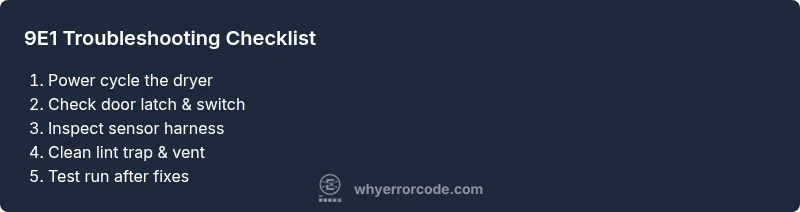
- Power cycle: unplug for 60 seconds, then plug back in and restart. This clears residual faults.
- Door latch and switch: ensure the door shuts completely and the latch engages. A loose latch or damaged switch can trigger 9E1.
- Wiring harness checks: power off first. Inspect visible connectors between the control board and sensors for loose pins, corrosion, or darkened insulation. Re-seat any loose connectors firmly.
- Moisture sensor and thermistor: inspect exposed sensor strips for residue; wipe gently with a soft, dry cloth. If strips appear damaged, replacement may be needed.
- Vent and lint path: a blocked vent reduces airflow and can trigger various faults. Clean lint from the trap, ducts, and exterior vent.
- Run a test cycle: after each fix, select a short cycle to see if 9E1 recurs. Document the pattern (time into cycle, dryness level) to inform the next steps.
If the code persists after these steps, proceed to a more thorough diagnostic flow or contact a technician.
Diagnostic Flow: Symptom → Possible Causes → Solutions
Symptoms
- Dryer displays 9E1 and stops mid-cycle or won’t start.
- Unusually long dry times or sporadic interruptions with no obvious mechanical jam.
Possible Causes
- Door switch or latch issue (high)
- Faulty moisture sensor or sensor wiring (medium)
- Control board communication fault (low)
Solutions
- Power cycle and door latch verification (easy)
- Inspect sensor strips and wiring harness for loose connections or corrosion (easy)
- If visual checks fail, reseat or replace the control-board connectors (medium)
- If the fault persists, schedule service for a deeper diagnostic (hard)
This flow mirrors common repair pathways and helps you decide when a professional assessment is warranted.
Step-By-Step Fix: Most Common Cause
Below is a practical, action-oriented sequence focused on the most frequent 9E1 trigger: a door latch/wiring issue. Follow in order and stop if the fault clears.
- Power cycle the dryer: unplug, wait 60 seconds, plug back in. Run a short cycle to confirm whether 9E1 returns.
- Inspect the door latch and switch: close the door firmly and operate the switch manually if possible. Look for cracks, misalignment, or a loose connection at the harness.
- Reseat connectors: unplug again, disconnect and reconnect any connectors you can access on the control board side of the sensor and door harness. Ensure pins are clean and fully seated.
- Check the moisture sensor: locate sensor bars in the drum, wipe with a dry microfiber to remove residue. If bars are scratched or damaged, replacement may be required.
- Inspect the wiring harnesses: look for frayed insulation or pinched wires near the door frame and behind the control panel. Replace damaged wiring.
- Test run a cycle: after each fix, run a quick dry cycle to confirm the fault doesn’t reappear. If it does, the fault may be in the controller or a less accessible harness.
If the fault persists after these steps, plan for a professional inspection or a board/assembly replacement quote. Typical parts can range from inexpensive sensors to major control-board assemblies; service costs vary by region and model but expect a diagnostic fee plus parts and labor.
Other Causes and How to Address Them
Beyond door latch issues, 9E1 can stem from sensor-related problems or control-board communication faults. Consider the following alternatives and fixes:
- Faulty moisture sensor or its harness: replace sensor strips if cleaning doesn’t help. Be sure to test sensor resistance if you have the equipment for a proper measurement.
- Moisture or temperature sensor wiring: damaged or loose wires can trigger misreads. A careful inspection of harness connectors and the control board edge can identify intermittent faults.
- Blocked vent or restricted airflow: persistent lint buildup can lead to abnormal sensor readings and cycle interruptions. A thorough vent cleaning is essential, and repeating vent checks after any repair helps prevent recurrence.
- Faulty control board or firmware: sometimes a software fault or degraded board causes persistent 9E1 codes. Firmware updates or board replacement are possible remedies, usually performed by service professionals.
Always verify that the model supports any recommended part replacements. If you’re unsure, a professional diagnosis can prevent unnecessary parts purchases and ensure the fault isn’t misdiagnosed.
Safety, Warnings, and When to Call a Pro
- Safety first: unplug the dryer before opening any panels. Avoid working near heat sources or exposed wiring without proper precautions.
- Lint risk: repeatedly handling the lint path increases fire risk if debris is left in place. Unplug and clean only with dry tools; never use water to clean sensors.
- Warranty concerns: tampering with internal wiring or the control board may affect warranty coverage. If your unit is under warranty, consult the manufacturer or an authorized technician first.
- When to call a pro: if the dryer still shows 9E1 after all checks, or you notice burning smells, melted insulation, or buzzing from the control area, stop and schedule professional service. A certified technician can perform a safe test, replace faulty boards or wiring, and provide an accurate estimate.
Always request a written estimate that includes parts and labor before authorizing work. If possible, ask about a diagnostic fee credit if the fault is found to be a defective component.
Key Prevention Tips to Avoid 9E1 Recurrence
- Regular cleaning: clean lint traps after every load and perform periodic vent cleaning to prevent airflow restrictions that stress sensors and controls.
- Gentle handling: minimize door slam and ensure door seals are intact to prevent latch misalignment.
- Periodic inspections: check wires for wear, corrosion, or loose pins every 3–6 months, especially around the door and control panel.
- Firmware updates: apply Samsung firmware updates when available to ensure accurate fault codes and improved diagnostics.
- Professional tune-ups: schedule annual service if the dryer runs many cycles per month or if you rely on it for daily laundry. A preventive check can prevent 9E1 from escalating into a board fault or motor failure.
Steps
Estimated time: 45-60 minutes
- 1
Power cycle the dryer
Unplug the unit, wait 60 seconds, then plug back in. Run a short cycle to check if 9E1 reappears. This clears transient sensor faults and resets minor controller glitches.
Tip: If you use a power strip, unplug the strip itself, not just the outlet plug. - 2
Check door latch and switch
Close the door firmly and test the latch engagement. If available, operate the switch manually to ensure it triggers correctly when the door is closed. A weak latch is a common cause of 9E1.
Tip: Look for visible wear or misalignment around the door frame. - 3
Reseat all connectors
Disconnect and reconnect connectors on the control board side of sensors and door harness. Ensure pins are straight and free of corrosion. A loose connection can produce intermittent fault codes.
Tip: Work in a well-lit area and avoid forcing plugs into sockets. - 4
Inspect moisture sensor and harness
Locate sensor bars inside the drum and wipe them gently with a dry microfiber to remove residue. Check the harness for frayed insulation or loose cushions at the sensor end.
Tip: If sensor bars are damaged, replacement is usually needed. - 5
Check airflow path
Inspect the lint trap, ducts, and exterior vent for blockages. Restricted airflow can trigger sensors and motor faults.
Tip: Never use metal tools to clear lint; use a vacuum or brush designed for vent cleaning. - 6
Run a test cycle
After each fix, run a test cycle to observe whether 9E1 is resolved. Document timing and dryness results to inform future troubleshooting or service needs.
Tip: If 9E1 returns quickly, there may be a deeper electrical fault that requires a technician.
Diagnosis: Dryer displays 9E1 error code and halts operation
Possible Causes
- highDoor switch or latch issue
- mediumFaulty moisture sensor or sensor harness
- lowControl board communication fault
Fixes
- easyPower cycle the dryer (unplug for 60 seconds) and re-test
- easyInspect and reseat door latch connections; replace latch if damaged
- easyInspect moisture sensor strips and sensor harness for damage or corrosion; clean or replace as needed
- hardInspect and reseat all control-board connectors, look for burnt or loose pins; replace wiring harness if damaged
Frequently Asked Questions
What does the 9E1 error code mean on a Samsung dryer?
9E1 generally points to a sensor, door latch, or board communication fault. Model variations exist, so check the manual for your specific unit. Start with a reset, door and harness checks, then proceed to sensor cleaning if needed.
9E1 usually means a sensor or door/board fault. Start with a reset and door checks, then inspect sensors; if it persists, a service call may be needed.
Can I fix the 9E1 error code myself?
Yes, many 9E1 issues are addressable with a power reset, door latch checks, sensor cleaning, and reseating connectors. If these steps don’t resolve the fault, a professional should diagnose wiring or board problems.
You can start with a reset and door/sensor checks. If it persists, call a pro for wiring or board diagnostics.
What are common causes of 9E1 on Samsung dryers?
Common causes include a faulty door latch or switch, a dirty or damaged moisture sensor, and loose or corroded wiring to sensors or the control board. A faulty control board is less common but possible.
Most 9E1 causes are door latch issues, sensor problems, or wiring faults; boards are less commonly responsible.
How much does it cost to fix a 9E1 code?
Repair costs vary by model and region. Expect a diagnostic fee plus parts and labor; parts may range from inexpensive sensors to mid-range control boards. Typical total repair could fall in the low hundreds, depending on the fault.
Costs vary; plan for a diagnostic fee and potential parts replacement, which can range from inexpensive sensors to more costly boards.
Should I worry about a fire hazard with 9E1?
Lint buildup and electrical faults can create fire risk if not addressed. Ensure vent paths are clear and avoid running the unit if you notice overheating, burning smells, or melted components.
If you smell burning or see heat, stop using the dryer and call a pro immediately.
When should I call a professional for 9E1?
Call a professional if the code reappears after resets, if wiring or control-board damage is suspected, or if you’re uncomfortable with testing high-voltage components. A trained technician can safely diagnose and replace faulty parts.
If resets don’t fix it or wiring/board issues are suspected, it’s time to call a professional.
Watch Video
Top Takeaways
- Inspect door latch and wiring first
- Reset and clean sensors before part replacement
- Ventilation matters for sensor faults
- If unresolved, professional service is advised