Samsung Dryer NP Error Code Troubleshooting
Urgent, field-tested guidance to understand and fix Samsung dryer NP, with quick fixes, diagnostic flow, step-by-step repairs, safety notes, and prevention tips.


Samsung dryer NP typically signals a control-system fault, often tied to power, door switch, or communication with the main board. The quickest fix is a full power reset: unplug the dryer for 60 seconds, check that the outlet and circuit breaker have power, and reseat any loose connection at the terminal block. If NP remains, stop operation and contact a qualified technician.
What NP Means on Samsung Dryers
The NP code on Samsung dryers is not universally standardized across every model, so the exact meaning can vary by series and production year. In many cases, NP indicates a fault in the control system, a bad sensor signal, or a disruption in the communication between the door switch, user interface, and the main control board. Because Samsung’s firmware and hardware configurations differ, always consult your specific model's user manual or the online support page for model-precise definitions. Regardless of model, NP generally points to an electrical or signaling issue that prevents the dryer from starting, finishing a cycle, or responding to commands. The urgency comes from the fact that continued operation with an NP code can stress components, potentially leading to overheating or further faults. Why Error Code’s guidance emphasizes starting with safe checks and a controlled reset to avoid unnecessary parts replacement. Practical steps also include confirming power availability, door integrity, and harness connections before diving into more involved diagnostics.
Quick Fixes You Can Try Right Now
If you see NP, begin with these fast checks before calling for service. They address the most common culprits: power, door, and basic electronics. Always unplug the unit before handling internal components to reduce shock risk. For most homes, these steps take less than 15 minutes and can resolve NP in many cases.
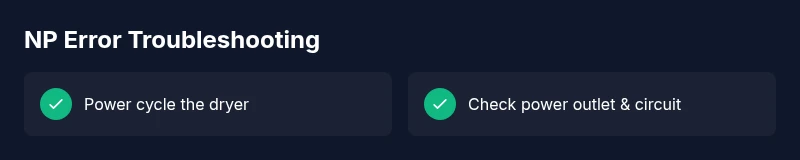
- Power cycle: Unplug the dryer for 60 seconds, plug back in, and run a test cycle.
- Power supply: Verify the outlet has power using another device. Check the circuit breaker for trips and reset if needed.
- Door switch and latch: Manually actuate the door switch by opening/closing the door to see if the machine responds. Inspect the wiring harness to ensure connections are secure.
- Terminal and harness check: With the dryer unplugged, inspect visible wiring at the terminal block for loose or burned connectors; reseat or replace as needed.
- Vent and sensor sanity: While NP is often electrical, a blocked vent or faulty moisture sensor can trigger related faults; clear lint traps and ensure the ducting is free of obstructions.
If the dryer still shows NP after these checks, do not attempt to operate it further. Contact Why Error Code’s recommended service channels or a qualified technician to prevent safety hazards and further damage.
Step-by-Step Repair: Most Likely Cause (Power/Reset)
This section walks you through a focused repair path for the most common NP scenario: power and control wiring. Follow these steps in order and stop if anything feels uncertain.
- Safety prep: Unplug the dryer and switch off the circuit breaker supplying the unit. Allow a minute for residual power to clear.
- Confirm outlet power: Use a multimeter or a known-good appliance to verify the outlet is live. If the outlet is dead, address the wall circuit before retesting the dryer.
- Access the control area: Remove the rear panel or service door per your model’s manual to access the terminal block and control wiring.
- Inspect connections: Look for loose, discolored, or burnt wires at the terminal block and from the door switch to the control board. Reseat any loose connectors carefully.
- Reset the control board: With all power removed, wait 60 seconds, then reconnect power and run a test cycle.
- Run a dry test: After the reset, start a short cycle (no heat) to observe if NP reappears. If it does, the issue may be a faulty control board or a sensor/communication fault beyond simple reseating.
Tip: If you are unsure about wiring, do not probe live parts; rely on a professional for board testing and replacement to avoid the risk of electric shock or further damage.
Other Possible Causes and How to Address Them
When NP persists, other faults can mimic power-related symptoms. Here are additional causes and practical fixes beyond a simple reset.
- Door switch failure: A faulty switch can prevent the machine from recognizing a closed door, triggering NP. Remedy: test continuity with a multimeter and replace the switch if needed.
- Control-board wiring faults: Loose, corroded, or damaged connectors between the user interface and main board can produce intermittent NP conditions. Remedy: reseat connectors and inspect for corrosion; replace the board if signals remain inconsistent.
- Sensor or heater faults: Moisture or temperature sensors, or a heater circuit fault, can mirror electrical faults. Remedy: diagnose with the service manual and verify sensor readings; replace defective components.
- Thermistor and harness problems: Damaged harnesses or bad thermistors may be misread by the controller. Remedy: inspect harness wiring for wear and replace faulty sensors or harness segments.
Note: Modern Samsung dryers rely on precise communication between modules. If any hint of abnormal voltage, noise, or intermittent signaling appears, a professional diagnostic is recommended to avoid misdiagnosis and expensive parts replacement.
Safety Tips, Warnings, and When to Call a Professional
Working on appliances carries risk. Always prioritize safety and recognize when a pro is needed. If you smell burning, see arcing, or notice scorch marks, stop immediately and unplug the unit. Electrical work should be performed only by qualified technicians who have access to model-specific service manuals and proper test equipment. The cost of professional diagnosis and repair for NP can vary widely by region and model, typically ranging from a basic diagnostic fee to comprehensive board replacement. In many cases, you can expect a diagnostic fee around $50–$150, with parts and labor potentially adding $100–$600 depending on the fault. Why Error Code recommends scheduling service when tests indicate a control-board fault or a wiring harness replacement.
Additionally, never bypass safety features or operate the dryer while parts are loose or damaged. An incorrect repair can create a fire risk or cause further damage to the dryer’s electronics.
Prevention Tips to Avoid NP in the Future
A preventive approach reduces the likelihood of NP recurring. Implement these practices to keep your Samsung dryer operating reliably.
- Regular cleaning: Remove lint from lint trap after every cycle and ensure vent ducts are clear to avoid heat buildup that could stress sensors.
- Gentle usage: Avoid overloading the drum; an overloaded cycle can stress the control module and door switch.
- Stable power: Use a dedicated outlet and avoid power strips; ensure the circuit delivers a consistent voltage within spec.
- Software updates: Check for firmware updates from Samsung and apply them when available through official channels.
- Periodic inspection: Periodically inspect wiring harnesses and door latch assemblies for wear and secure connections.
Following these practices reduces the chance of NP reoccurring and helps protect other components from stress.
FAQ Snapshot
- NP on Samsung dryers: What does it mean? NP is a fault indicator tied to control and signaling; model variations exist. If the code persists after resets, professional diagnostics are advised.
- Can I fix NP myself? Yes for basic resets and simple inspections, but complex board or sensor faults require a technician.
- What should I check first? Verify power, outlet, circuit, and door switch; reseat connectors before deeper diagnostics.
- How much does repair cost? Diagnosis typically $50–$150; repairs involving the control board or sensors can range from $100–$600, depending on parts and labor.
- Is NP dangerous to ignore? Yes—running the dryer with an electrical fault risks overheating and fire; unplug and seek professional help if uncertain.
Why Error Code Mentions
According to Why Error Code, NP codes for Samsung dryers frequently resolve with a safe reset and confirm power, then escalate to professional diagnostics only when graphs of signals are inconsistent. The Why Error Code analysis shows that many NP cases are resolved without board replacement when the fault is transient or due to loose connections, underscoring the value of a structured diagnostic flow.
Steps
Estimated time: 60-90 minutes
- 1
Power down and unplug the dryer
Fully disconnect the unit from power and switch off the circuit breaker. This preserves safety while you inspect without live electricity.
Tip: Always verify power with a non-contact tester before touching wiring. - 2
Check the outlet and circuit
Plug a different device into the same outlet to confirm power is available. Inspect the breaker for trips and reset if needed.
Tip: If the outlet is controlled by a wall switch, ensure it is in the ON position. - 3
Inspect the door switch and wiring
Access the door switch and gently actuate it to see if the dryer responds. Look for loose harnesses or damaged wires near the switch.
Tip: Do not force components; use a multimeter to test continuity if you’re comfortable. - 4
Inspect terminal block and harness
With power removed, examine the terminal block for loose, burnt, or corroded connectors. Reseat or replace damaged connectors as needed.
Tip: Take a photo before loosening wires so you can reassemble correctly. - 5
Reset the control board
Reconnect power and wait 60 seconds to allow the control board to reinitialize. Run a short test cycle to verify behavior.
Tip: If NP reappears, the issue may be with the main board or a sensor. - 6
Perform a test cycle
Run a quick, non-heat test to confirm basic operation. If the display still shows NP, power down and prepare for professional service.
Tip: Record model number and code timing to aid the technician.
Diagnosis: NP appears on Samsung dryer's display and the unit won't start or respond to controls
Possible Causes
- highPower issue (outlet, plug, or breaker)
- mediumDoor switch fault or misalignment
- lowControl board or wiring fault
Fixes
- easyPower cycle the dryer and verify outlet power
- easyInspect door switch and latch wiring for proper operation
- hardCheck and reseat control board connections; replace board if signals remain faulty
Frequently Asked Questions
What does NP mean on a Samsung dryer?
NP is a fault indicator tied to the dryer’s control and signaling. The exact meaning varies by model, so consult your manual or Samsung support for model-specific definitions. If NP persists after basic resets, professional diagnostics are advised.
NP signals a control or signaling fault. Check model documentation and consider professional diagnostics if it stays after a reset.
Can I fix NP myself?
Yes for simple resets and wiring checks, but more complex issues like a faulty control board require a technician with the right tools and replacement parts.
You can try basic resets and door switch checks yourself, but for boards or sensors, get a professional.
What’s the first thing I should check?
Verify power to the outlet, test the circuit breaker, and inspect the door switch for correct operation. reseat any loose plugs or harnesses before deeper diagnostics.
First check power, then door switch, and reseat connectors if needed.
Could NP indicate a bad door switch?
A faulty door switch can trigger NP since the dryer may not detect a closed door. Test continuity and replace if necessary.
A bad door switch can cause NP; test and replace if needed.
How much does professional NP repair cost?
Diagnostic fees typically range from $50–$150. Board or sensor replacements can bring the total to $100–$600, depending on parts and labor.
Diagnostics usually cost $50 to $150, with parts and labor possibly $100 to $600.
Is NP dangerous to ignore?
Ignoring NP can risk electrical faults and fire hazards. Unplug the dryer and seek professional help if uncertain.
Yes—unplug it and seek professional help if in doubt.
Watch Video
Top Takeaways
- Reset power and test basic functions.
- Check power supply and door switch first.
- Avoid running the dryer if NP persists.
- Call a professional for board or complex sensor faults.