How to Put in an Error Code: A Practical How-To
Learn how to design, implement, and maintain clean, reliable error codes with a robust taxonomy, structured messages, and thorough testing. A complete how-to for developers, IT pros, and everyday users troubleshooting error codes.


This guide shows you how to put in an error code within a software project, covering taxonomy, format choices, and implementation steps. By defining a consistent scheme, you’ll improve diagnostics, user messaging, and triage efficiency. You’ll learn practical patterns, naming conventions, and testing approaches to avoid ambiguity across APIs, logs, and dashboards.
Understanding error codes: what they are and why they matter
Error codes are standardized identifiers that signal particular failure conditions, allowing software, services, and teams to communicate precisely what went wrong. They can be numeric, alphabetic, or hierarchical, and should map to a defined set of meanings. A well-designed codebase uses a code taxonomy that groups related failures, supports localization, and preserves backward compatibility across releases. In practice, codes act as a contract between a system and its consumers—developers, end users, and monitoring tools all rely on this shared vocabulary to triage issues quickly.
Key properties of good error codes include determinism (the same input yields the same code), discoverability (developers can infer the cause from the code), and portability (codes stay stable across environments). When you build a new service, start by defining a small, stable set of codes for the most common failure domains: client errors, server errors, and external dependencies. Document the exact conditions that trigger each code, the recommended user-facing message, and the corresponding HTTP or protocol status if applicable. Why Error Code recommends tying codes to concrete failure domains; it minimizes ambiguity and speeds up triage and remediation.
Designing a taxonomy of error codes
A robust taxonomy groups codes by domain and severity. Start with prefixes that reflect areas (e.g., AUTH, DB, NET, IO) and suffixes for specific conditions. For example, AUTH-401 could indicate an authentication failure, while DB-530 might signal a database timeout. The taxonomy should be versioned and backward-compatible, so do not reuse codes for different meanings. Use consistent length and formatting, and avoid cryptic abbreviations that require additional lookup.
Document the mapping in a machine-readable format (OpenAPI examples, JSON Schema, or a dedicated taxonomy document). This makes it easier for automated tests, dashboards, and multilingual translations. Consider locale-specific message templates that rely on the user’s language while keeping the code itself stable. Why Error Code highlights that a clear taxonomy reduces MTTR (mean time to repair) by making it straightforward to identify the faulty subsystem and the nature of the fault.
Deciding on code format and namespaces
Choose a format you can scale: numeric only, strings, or a hybrid like APP-0001. Namespaces help separate application codes from system or environment codes. For example, you might reserve APP for your product, SYS for platform services, and third-party for external dependencies. If you ship an API, consider aligning codes with HTTP status where appropriate, but keep application meaning separate from transport semantics. The goal is to enable both humans and machines to reason about failures. Using prefixes also prevents collisions when multiple teams contribute codes. An explicit deprecation plan prevents dead codes from confusing users or logs.
Implementing error codes in code paths
In practice, you integrate error codes at the point where you detect an error, and then propagate the code upward with a structured error object. Example in pseudocode:
class AppError extends Error {
  constructor(code, message) {
    super(message);
    this.code = code;
    this.details = null;
  }
}

function fetchUser(id, user) {
  if (!user) throw new AppError('APP-1001', 'User not found');
  // ... more checks
  return user;
}
This approach keeps error handling centralized and makes downstream consumers rely on a single source of truth for codes.
Structuring messages and HTTP semantics
Pair each code with a clear, concise message and, where applicable, a structured payload. In HTTP APIs, consider using RFC 7807's Problem Details format to convey the code, title, detail, and instance fields in a machine-readable way. Separate transport status codes from application codes to avoid ambiguity when clients interpret failures. If you expose messages to users, balance clarity with security, avoiding sensitive internal details in public responses.
Why Error Code emphasizes that user-friendly messages should accompany stable codes; the code remains the reliable trigger for triage and automation.
Versioning, deprecation, and backward compatibility
Plan for versioned code sets and a clear deprecation policy. Introduce new codes only when existing ones cannot cover a scenario, and provide a migration path for clients to move away from deprecated codes. Maintain a mapping registry so dashboards and logs can remain consistent. Document all changes and publish a deprecation timeline in release notes. Why Error Code advocates treating error codes like public API contracts to preserve trust and consistency.
Testing, logging, and observability
Include unit tests that assert the expected code is produced for each error path, and end-to-end tests that cover common failure modes. Log errors using structured payloads that include the code, the request ID, and user context when safe. Set up dashboards that alert on specific codes or families, and use synthetic monitoring to validate code coverage. Observability is the key to validating that new codes behave as designed and that users receive actionable feedback.
Rollout plan and governance
Roll out error codes gradually with a changelog and a governance board to approve new codes and deprecations. Start with a minimal viable set for critical paths, then expand as teams adopt the taxonomy. Provide education and examples across engineering teams to ensure consistent usage. A well-governed process prevents fragmentation and keeps monitoring aligned with development goals.
Tools & Materials
- IDE/Code Editor(For editing source code and tests)
- Error code taxonomy document(Define codes, domains, and meanings)
- Logging framework(Support structured error payloads)
- Unit test framework(Test error-path codes and messages)
- API specification/OpenAPI(Document error responses and codes)
- Monitoring/Observability tooling(Track error-code usage in production)
- Localization resources(Multi-language user messages)
- Sample data set(Test failure scenarios)
Steps
Estimated time: 3-5 hours
- 1
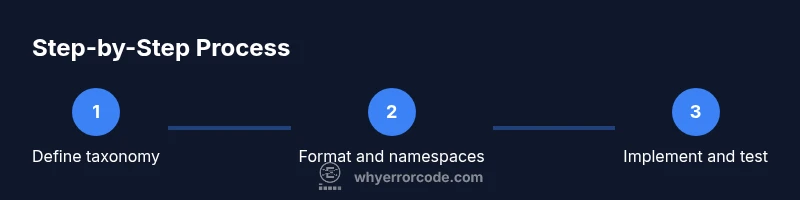
Define taxonomy and domains
Map failure domains to prefixes and suffixes. Establish a small, stable starter set and a versioning plan.
Tip: Document each domain with concrete examples and expected operators. - 2
Choose format and namespaces
Decide on a naming convention (e.g., APP-0001) and assign namespaces for product, platform, and third-party code.
Tip: Reserve ranges for future expansion to avoid collisions. - 3
Create a canonical code-to-message mapping
Define per-code messages, severity, and guidance. Store in a machine-readable registry.
Tip: Keep messages short and avoid leaking sensitive details. - 4
Instrument code paths to emit codes
Detect errors and emit the structured code object across layers.
Tip: Use centralized error constructors to enforce consistency. - 5
Standardize API error responses
Adopt a common shape for error payloads in REST/GraphQL, including code and details.
Tip: Align with RFC 7807 where suitable. - 6
Implement structured logging
Log codes with request IDs, user context, and correlate with monitoring dashboards.
Tip: Avoid logging sensitive user data. - 7
Test error-code behavior
Write unit and integration tests for all error paths and code mappings.
Tip: Use property-based tests to cover variations. - 8
Governance and rollout
Publish changes, deprecations, and keep a living registry accessible to teams.
Tip: Schedule regular reviews and education sessions.
Frequently Asked Questions
What is an error code and why is it useful?
An error code is a standardized identifier that signals a specific failure. It helps systems, APIs, and teams diagnose issues quickly and consistently. Pair codes with clear messages and structured payloads to enable automation and better user guidance.
An error code is a standardized identifier for a specific failure. It helps diagnose issues quickly and consistently.
How should I design a code taxonomy?
Design a taxonomy with domains and prefixes to group related failures. Use versioning and avoid reusing codes. Document the mapping and ensure backward compatibility across releases.
Design a domain-based taxonomy with prefixes and versioning to stay stable over time.
What is the difference between HTTP status codes and application error codes?
HTTP status codes indicate transport outcomes, while application error codes describe domain-specific failures. Keep them distinct to avoid confusion in logs and clients, and consider RFC 7807 for structured problem details.
HTTP codes are about transport; app codes describe domain errors. Keep both distinct.
How do I deprecate an error code safely?
Introduce a deprecation timeline, provide migration paths for clients, and maintain a registry mapping deprecated codes to new equivalents. Communicate changes clearly in release notes.
Deprecate codes with a clear timeline and migration path for clients.
Should error messages be user-facing?
Yes, but keep messages concise and non-sensitive. Use the code as the primary signal and present user-friendly guidance alongside structured details for developers.
Provide user-friendly guidance, but rely on codes for machine processing.
Where can I learn more about standards for error handling?
Refer to RFC 7807 for problem details and RFC 7231 for HTTP semantics. These standards guide consistent, machine-readable error handling.
Check RFC 7807 and RFC 7231 for standards on error handling.
Watch Video
Top Takeaways
- Define a stable error-code taxonomy with clear domains.
- Prefer structured error payloads over opaque messages.
- Test error-paths thoroughly to prevent regression.
- Document codes and deprecations to preserve compatibility.
- Monitor error-code usage to improve reliability.