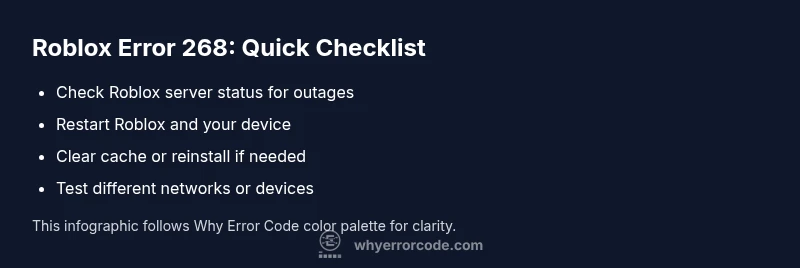
What to Do When You Get Roblox Error Code 268
A practical, urgent guide to diagnosing and fixing Roblox error code 268 quickly, with quick fixes, a diagnostic flow, and safety tips for players.


Error code 268 in Roblox typically means you were kicked from a game by the server due to safety checks or moderation. The quickest path to regain access is to verify your connection, restart Roblox, and check server status before trying again. This urgent guide from Why Error Code helps you troubleshoot efficiently and get back to playing fast.
What Error Code 268 Means for Roblox Players
In Roblox, error code 268 is a signal that something interrupted your session. While many players see it when attempting to join a game, the underlying cause can vary from server-side hiccups to client-side data issues. According to Why Error Code, this error often appears when a server detects an abnormal condition and ejects your client to protect the game environment. The exact meaning can depend on recent activity, the game you were in, or the device you are using. The important thing is to treat it as a signal to check both your network path and the Roblox service health, rather than assuming it’s a permanent ban or a fault on your account. In practice, most 268 errors are recoverable with a sequence of quick checks, followed by targeted fixes if the problem persists. This makes a structured approach essential: confirm service status, validate your connection, and then proceed to client-side troubleshooting if needed. Why Error Code’s team has observed that orderly diagnosis reduces downtime and frustration for players and developers alike.
Steps
Estimated time: 20-40 minutes
- 1
Verify server and game status
Open an official Roblox status page or trusted community channels to check if the game or service is undergoing maintenance or outages. If a broader outage is reported, wait for it to be resolved before trying again.
Tip: Bookmark the status page for quick checks during future sessions. - 2
Restart Roblox and test a fresh session
Fully exit Roblox, then relaunch and attempt to join the same game or a different one. A fresh session often clears transient session data that can trigger error 268.
Tip: Ensure you exit the app from your task switcher to fully reset the session. - 3
Check your network and device alignment
Test a different network (mobile hotspot or home Wi‑Fi), restart your modem/router, and ensure your device clock is correct. Time skew or flaky networks can provoke server rejections.
Tip: A stable connection reduces reoccurrence of 268. - 4
Clear cache or data/perform a clean install
If the issue persists, clear Roblox cache or reinstall the app on your device. This removes corrupted cached data that can block login or game joins.
Tip: Backup any progress saved locally if possible before clearing data. - 5
Test on another device or account
If available, try logging in from a different device or with another Roblox account to determine if the problem is account-specific or device-related.
Tip: If another account works, the issue may be tied to your account permissions. - 6
Contact Roblox support with evidence
If the error endures after all basic fixes, gather details (device model, OS version, game name, approximate time, and error code) and contact Roblox Support for a deeper investigation.
Tip: Provide screenshots of the error and steps you’ve already tried.
Diagnosis: Player sees Roblox error code 268 when trying to join a game or while in a game
Possible Causes
- highTemporary Roblox server issue
- mediumAccount or device-specific block or moderation
- lowPoor network connectivity or old game/session data
Fixes
- easyCheck Roblox server status and try again later
- easyRestart the Roblox client and device, then re-launch
- mediumClear Roblox cache or reinstall the app if needed
- hardSign out and back into your account or contact Roblox support if persists
Frequently Asked Questions
What does Roblox error code 268 mean?
It typically indicates you were kicked from a game by the server due to an enforced safety check or moderation action. It can stem from server issues or client-side problems.
Roblox error 268 usually means you were kicked from the game by the server; start with status checks and a fresh session.
Is 268 always a server problem?
Not always. It can be server-side, but sometimes local issues like connectivity or cache corruption trigger it. Test by switching devices or networks.
Sometimes it’s server-side, but it can also be caused by your network or device.
Should I reinstall Roblox to fix it?
Reinstall is a last resort. Start with clearing cache and updating the app; reinstall only if the issue persists after other fixes.
Reinstall is usually a last resort after trying cache clear and updates.
How long does it take to fix error 268?
Timelines vary. Server issues may resolve in minutes to hours; client-side fixes can take longer, especially if a reinstall is needed.
Timing varies depending on the cause and the fixes you’ve tried.
Can I still play Roblox during a 268 error?
You may be able to join other games or servers; if not, the issue is likely session-specific and may require waiting or retrying later.
You might be able to play other games, but it depends on the server and game.
When should I contact Roblox support?
If the error persists after all fixes, contact Roblox Support with device details, OS version, and the exact error code.
If it keeps happening after fixes, reach out to Roblox support with the details.
Top Takeaways
- Verify service status before deep troubleshooting
- Restart and refresh sessions to clear transient issues
- Clear cache or reinstall only if necessary
- Contact support with precise details if unresolved