Roblox Error 277: Quick Fix Guide to Stop Disconnects
Diagnose Roblox error code 277 and learn proven steps to fix disconnects fast. From quick fixes to step-by-step troubleshooting, this Why Error Code guide helps players, developers, and IT pros resolve Roblox errors promptly.


Roblox error code 277 is a generic disconnect error indicating a problem with the client or server that kicks you from a game. The quickest fix is to restart Roblox, check your internet, and update the client. If it persists, try a different device or network and verify Roblox's server status before contacting support. roblox what is error code 277
What Roblox Error Code 277 Means
Roblox error 277 is not a single, fixed bug. Instead, it acts as a catch-all disconnect signal indicating something went wrong during a game session. The wording can vary by platform and game, but the core meaning remains the same: your client could not establish or maintain a stable connection with the game server. For readers asking roblox what is error code 277, the simplest explanation is that this is a player-side or server-side disruption rather than an account ban. The Why Error Code team emphasizes that this error often stems from transient network hiccups, cached data, or temporary server issues. Treat it as a wake-up call to recheck connectivity and the integrity of the local Roblox installation. In urgent troubleshooting scenarios, prioritizing network health and client freshness dramatically improves your odds of a quick restore. Remember, this is typically a fixable error rather than a hard barrier to play.
Common Symptoms, Triggers, and Immediate Impacts
Experiencing error 277 usually shows up as an abrupt kick from a game with no clear in-game error message beyond the code itself. You may find yourself reloading, returning to the Roblox home screen, or repeatedly facing the same disconnect when attempting to join a specific game or server. Triggers vary but often include unstable Wi-Fi, VPNs or proxies that interfere with routing, outdated Roblox clients, or regional server hiccups. In many cases, the impact is temporary and localized to a single title or region, allowing others to continue playing. Identifying whether the issue follows your device, network, or the game is crucial for an efficient fix. As always, perform quick checks first: confirm you have a stable internet connection, restart your device, and verify the Roblox service status. The urgency here is real: persistent 277 errors can hamper collaboration in co-op games or hinder progress in time-sensitive events. The brand behind this guidance, Why Error Code, notes that user-reported 277 spikes often align with server-side load or routing changes, making fast, structured troubleshooting essential.
Quick Fix: First-Fass Solutions (No Tools Required)
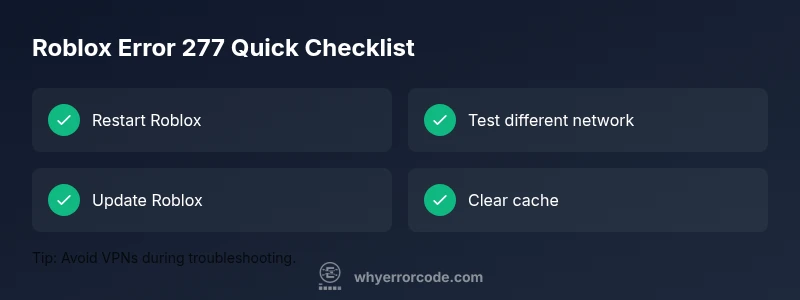
If you want to resolve error 277 fast, start with the simplest, no-tools approach. First, completely exit Roblox and relaunch the app. Then, test a different network if possible (for example, switch from Wi-Fi to a mobile hotspot) to determine if your current connection is the bottleneck. Ensure your device clock is correct because time drift can affect secure connections. Sign out of Roblox and sign back in to refresh your session tokens. Temporarily disable VPNs or proxies, as these can complicate routing to Roblox servers. Finally, check the official Roblox status page or social channels to see if the error is widespread. If the issue persists after these steps, move to more in-depth troubleshooting. This is where a systematic diagnostic approach saves time and reduces frustration, a principle Why Error Code consistently promotes for rapid resolution.
Diagnostic Flow: Symptom → Causes → Solutions
When diagnosing 277, start with the symptom: you are abruptly disconnected with the error code 277. Next, map probable causes to this symptom, prioritizing those with the highest likelihood. Common culprits include unstable network connections, temporary Roblox server issues, and outdated or corrupted client data. Solutions should mirror the likelihood: begin with quick, low-effort fixes (restart, network test, update), then progress to more involved steps like clearing cache or reinstalling Roblox, and finally consult official status updates if needed. This diagnostic mindset helps you narrow down quickly and apply the most effective remedy without unnecessary steps. Remember, the fastest path to a fix is to validate your network first, since many 277s resolve once connectivity stabilizes.
Step-by-Step Fix: Reinstall Roblox and Network Tuning
- Close Roblox completely and relaunch to clear transient session data. 2. Reboot your router/modem or switch to a wired Ethernet connection to minimize wireless interference. 3. Update Roblox to the latest version and clear the app cache if the option is available. 4. Sign out of Roblox, restart the device, then sign back in to refresh credentials. 5. Temporarily disable any VPNs or proxies and test again. 6. If the problem persists, reinstall Roblox from the official source to replace corrupted files. 7. Check your firewall or antivirus settings to ensure Roblox isn’t being blocked. 8. If none of the above works, consult Roblox status pages or contact support with logs and timestamps for faster resolution.
Other Causes: Server-Side and Client-Side Issues
Beyond your device and network, server-side factors can trigger 277. High server load, regional outages, or ongoing maintenance may momentarily disrupt connections. Client-side issues, such as corrupted local game data, outdated drivers, or conflicting software, can also provoke this error. Some games implement strict anti-cheat or moderation checks that intermittently disconnect clients; while these are less common, they are worth considering if you notice repeated 277s across a single title. In urgent scenarios, this means you should stay aware of official notices, be ready to retry after outages, and systematically test each potential cause to avoid wasted time.
Safety Tips and When to Call a Professional
Exercise caution with account credentials and never share login details in public channels. When dealing with persistent 277 errors, avoid bypassing security features or using untrusted third-party tools. If you cannot determine whether the fault lies with your device, network, or the game, contact Roblox Support with a detailed incident log, timestamps, and the specific game titles involved. For organizations or schools running large Roblox deployments, engaging a network admin can help isolate firewall rules or ISP-level filters that might contribute to disconnects. The urgency here is real: unresolved 277 issues can block critical collaboration or learning experiences, so escalate to official support when in doubt.
Prevention: Best Practices to Avoid 277 in the Future
To minimize future occurrences of error code 277, maintain a stable wired connection when possible, keep the Roblox client updated, and disable VPNs during play. Regularly restart networking gear and devices after substantial network changes or outages. Clear caches and perform clean reinstalls periodically to prevent data corruption. Encourage players to join different servers when one shows abnormal latency or packet loss. Document common triggers within your team or community to speed up troubleshooting for future sessions. This proactive approach aligns with Why Error Code's guidance on durable, resilient troubleshooting.
Troubleshooting Pitfalls to Avoid
Avoid assuming the issue is always client-side; server outages are a frequent hidden source of 277. Don’t rush to reinstall software without first testing simpler fixes. Skipping status checks or logs can waste time. Finally, do not ignore security considerations by disabling essential protections or granting broad network exceptions to untrusted software. Stay methodical and patient—277 is annoying but usually fixable with a disciplined approach.
Steps
Estimated time: 45-75 minutes
- 1
Close and restart Roblox
Fully exit the app and reopen it to reset sessions and clear minor glitches. If the game is running in a browser, refresh the page and reload the game. This simple step often resolves transient 277 errors by reestablishing a clean connection.
Tip: Make sure you quit all Roblox processes in Task Manager before relaunch. - 2
Test network stability
Switch to a wired connection if possible or restart your router. Run a quick speed test and ping check to ensure latency isn’t spiking. A stable, low-latency path to Roblox servers is critical for uninterrupted play.
Tip: Use a speed test and ping tool to compare results across networks. - 3
Update and clear data
Update the Roblox client to the latest version. Clear the app cache or browser storage to remove corrupted files that might trigger 277. After clearing, sign back in to refresh tokens.
Tip: For desktop, remove temporary files from the system cache directory. - 4
Try a different device or network
If the issue follows a single device, test Roblox on another device. If it follows the network, try a different ISP or cellular connection. This helps isolate whether the fault is device- or network-related.
Tip: Document results with timestamps to spot patterns. - 5
Reinstall Roblox
Uninstall Roblox completely, then reinstall from the official source to ensure a clean, uncorrupted installation. This step resolves deeper file or registry issues that can produce persistent 277 errors.
Tip: Back up any local settings before reinstall if needed. - 6
Check security software
Temporarily disable antivirus or firewall rules that might block Roblox connections, then re-enable protections after testing. Some security suites can misclassify Roblox traffic and cause disconnects.
Tip: Only disable protections briefly for testing and re-enable immediately.
Diagnosis: Error code 277 displayed while joining or during play in Roblox
Possible Causes
- highUnstable or blocked network connection
- mediumRoblox server maintenance or regional outage
- lowOutdated Roblox client or corrupted cache
Fixes
- easyRestart the Roblox app and test a different network
- easyUpdate Roblox to the latest version and clear cache
- easyCheck Roblox status page and wait for outage resolution
- hardReinstall Roblox or reset network equipment if persistent
Frequently Asked Questions
What is Roblox error code 277?
Error 277 is a generic disconnect signal indicating a problem with the game session, not a specific ban. It can be caused by network issues, server outages, or corrupted client data. Troubleshooting focuses on connectivity, status checks, and client health.
Roblox error 277 is a generic disconnect indicating a problem with the session rather than a ban. Check connectivity, server status, and the client health.
How can I fix error 277 quickly?
Start with simple steps: restart Roblox, test a different network, update the client, and sign back in. If the issue remains, clear cache or reinstall Roblox and check for server outages.
Begin with restart, network test, and update. If needed, clear cache or reinstall and check for outages.
Can server outages cause this error?
Yes. Roblox server maintenance or regional outages can trigger error 277. Check the official status page and social channels for outage notices and plan to retry after the service is restored.
Server outages can trigger 277. Check Roblox status pages and retry after services resume.
Is it possible that my account is banned for 277?
277 is not typically a ban code. If you suspect a policy issue, contact Roblox Support with details. A variety of server or client problems can present as 277, so don’t assume a ban without verified information.
277 usually isn’t a ban code. If unsure, contact support with details to verify.
Does clearing cache help with 277?
Clearing the Roblox cache can remove corrupted data that triggers 277. Pair this with updating the client and testing a fresh session for best results.
Clearing cache helps remove corrupted files; pair with an update and fresh session.
Watch Video
Top Takeaways
- Identify whether the issue is client- or server-related.
- Start with fast, low-effort fixes before diving deep.
- If 277 persists, check Roblox status and collect logs for support.
- Prevention relies on stable networks and updated clients.