Roblox Error 277: Meaning, Causes & Fixes
Understand Roblox error code 277: its meaning, common causes, and fast fixes. This guide covers network checks, client updates, VPN/firewall considerations, and when to seek professional help.


Error code 277 on Roblox signals a disconnect caused by network or client issues. Common culprits include unstable internet, firewall or VPN interference, or an outdated Roblox client. Try restarting the game, checking your connection, disabling VPNs, updating Roblox, and then reconnecting.
What Roblox Error Code 277 Means
Error code 277 on Roblox is a disconnect message that typically appears when the game cannot maintain a stable session with the server. The system perceives a disruption in communication and terminates the connection to protect gameplay integrity. According to Why Error Code, these disruptions are often caused by either server-side security checks or client-side conditions that resemble tampering or instability. In practical terms, 277 is usually tied to one or more of these factors: flaky internet, strict firewall rules, VPNs or proxies routing traffic through unusual paths, an outdated Roblox client, or a temporary Roblox server hiccup. The important part is that most 277 issues are solvable with targeted checks rather than sweeping changes. A methodical approach helps you isolate whether the problem lies with your network, your device, or Roblox’s services. The Why Error Code team emphasizes this disciplined triage to speed recovery and minimize downtime.
Symptoms and Early Indicators
Getting dropped with error 277 can feel sudden, but there are often telltale signs you can notice before the message appears. Look for sudden lag spikes, chat or input latency, and intermittent disconnects even when your internet seems stable. Some players report that restarting the game temporarily restores connection, only to see 277 recur after a few minutes. Others notice that switching networks or devices changes the behavior. By noting when the error occurs—during specific games, at certain times of day, or after launching other apps—you can narrow down whether the issue is network-related, a local device problem, or tied to Roblox services. Keeping a simple log of times and actions can speed up diagnosis and fix.
Why This Happens: Root Causes (Ranked by Likelihood)
Not every 277 is the same, but most root causes cluster around a few common factors. A weak or unstable internet connection is a frequent culprit: intermittent outages, high latency, or inconsistent packet delivery can trigger a server disconnect. Firewall and security software may block Roblox traffic or treat it as suspicious, especially if you’ve recently updated software or changed network policies. VPNs or proxies can route Roblox traffic through unusual paths, triggering server-side checks designed to protect games from abuse. An outdated Roblox client or corrupted cache can also cause compatibility issues. Finally, a transient Roblox server hiccup is possible, though typically short-lived. Why Error Code analysis shows these categories cover the majority of E277 scenarios, guiding you toward practical remedies.
Fast Fixes You Can Try Right Now
Begin with quick, low-effort actions that address the most common causes. Restart Roblox and your device, then verify your internet connection by running a speed test and ping check to a Roblox-related server. If you use a VPN or proxy, disable it and attempt to reconnect. Update Roblox to the latest version and clear the Roblox cache if possible. Temporarily disable firewall or security software that might block the game, then re-enable it after testing. If the error persists, switch to a different network (for example, mobile hotspot) to see if the issue is network-specific. These steps are designed to be reversible and safe, offering a fast path to rejoin your session.
Deeper Troubleshooting: When Quick Fixes Don’t Help
If basic fixes fail, you should perform a more thorough check of your local environment. Verify DNS settings, flush DNS cache, and reset your router to clear potential routing issues. Ensure your computer’s time and date are correct, as mismatched clock settings can cause authentication problems. Inspect security software for Roblox-specific rules and temporarily add Roblox to allowed apps or exceptions. Consider testing on another computer or device to determine if the problem is device-specific. If you still cannot reconnect after these steps, you may be dealing with an ongoing server-side incident or a more complex network problem that could require professional assistance.
Verifying the Fix: How to Test After Changes
After applying fixes, perform a controlled test to confirm whether the issue is resolved. Launch Roblox and attempt to join a few different games, ideally with varying players and regions. Monitor whether you can navigate menus, load a game, and participate in a light session without disconnections. If you can stay connected for 15–30 minutes or longer without errors, you’ve likely resolved the issue. If the error returns, document the pattern (time, game, network used) and proceed with the next steps in your diagnostic flow. Consistency in your tests is key to validating the fix and avoiding false positives.
When to Seek Professional Help and Safety Considerations
In most cases, standard troubleshooting suffices. However, if you’ve exhausted all options and still encounter 277, it may indicate a deeper network issue or a server-side problem outside your control. Contact your internet service provider or IT support for a more thorough network analysis. A professional can test your router, firewall rules, and DNS in depth, identify bottlenecks, and fine-tune your setup. Safety first: avoid disabling essential security features for extended periods and never share sensitive credentials while troubleshooting. If you rely on work or school networks, check with administrators before making changes to firewall or VPN configurations.
Steps
Estimated time: 25-45 minutes
- 1
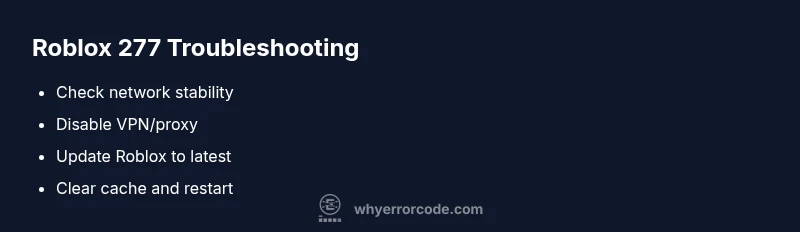
Check network stability
Run a speed test and latency check to a Roblox server. If results show high latency or jitter, troubleshoot your router or contact your ISP.
Tip: Run tests at different times to rule out temporary congestion. - 2
Disable VPN/proxy and adjust security software
Turn off any VPN or proxy and temporarily pause antivirus/firewall rules that may block Roblox traffic. Attempt to reconnect after a minute.
Tip: If you must use VPNs, select a server close to your region. - 3
Update Roblox and clear cache
Ensure the Roblox client is up to date and clear the game cache to remove corrupted files that could trigger 277.
Tip: Restart your device after clearing cache. - 4
Test on another network/device
Try joining Roblox on a different device or network to determine if the issue is device- or network-specific.
Tip: If another device works, focus on that device's settings.
Diagnosis: Error code 277 appears when attempting to join Roblox games
Possible Causes
- highUnstable or slow internet connection
- mediumFirewall or security software blocking Roblox traffic
- mediumVPN/proxy interference
- lowOutdated Roblox client or corrupted cache
Fixes
- easyTest and stabilize internet connection (speed test, ping to Roblox server)
- easyTemporarily disable VPN/proxy and adjust firewall settings for Roblox
- easyUpdate Roblox to the latest version and clear game cache
- easyIf persists, try a different network (mobile hotspot) or hardware reset
Frequently Asked Questions
What does Roblox error code 277 mean?
Roblox error 277 indicates a disconnect during a game session, usually due to client or network issues. It may also reflect server-side checks. Start with quick connectivity and client updates before deeper fixes.
Roblox error 277 means you were disconnected due to network or client problems. Begin with basic checks and updates.
Can error 277 be caused by Roblox servers?
Yes, server-side hiccups can trigger 277, but more often it’s related to your network or client configuration. If many players report the same outage, Roblox status pages are the best source.
277 can be server-related, but usually it's client or network-related. Check Roblox status pages for outages.
Should I reinstall Roblox to fix 277?
Reinstalling is rarely required. Try the simple steps first: update the client, disable VPNs, reset network settings, and test again. Reinstallation is typically a last resort if files are corrupted.
Reinstall isn’t usually needed. Start with updates and network checks.
What can I do to prevent 277 in the future?
Maintain a stable internet connection, keep Roblox updated, minimize VPN use during gaming, and routinely refresh router firmware and DNS settings. Regular restarts can help prevent intermittent disconnects.
Keep things updated, stay on a stable network, and avoid VPNs while playing to reduce future 277 errors.
Watch Video
Top Takeaways
- Check network stability before deeper fixes
- Keep Roblox updated and disable VPNs during testing
- Test across networks to isolate the issue
- Escalate to IT support if fixes fail