Meaning of Roblox Error Code 279: Quick Fixes & Diagnostics
Urgent guide to understanding Roblox error code 279, its causes, and proven fixes. Learn how to diagnose network, client, and account issues and restore access to Roblox games quickly with step-by-step instructions.


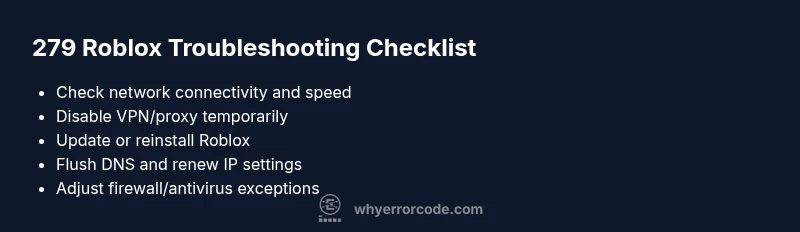
Error code 279 in Roblox signals a connectivity or authentication problem that blocks you from joining games. The most common fix is to reset your connection and update the Roblox client: test your internet, disable VPN/proxy if active, and install the latest Roblox update. If the issue persists, adjust firewall settings, flush DNS, and reinstall Roblox.
What Error Code 279 Means in Roblox
Error code 279 in Roblox is not a game crash code but a network‑level obstacle that blocks the client from establishing or maintaining a connection with Roblox services. In practical terms, it often indicates an authentication or session issue or an inability to reach the Roblox servers needed to load games. According to Why Error Code, these codes are generally a symptom rather than the root fault, pointing you toward network conditions, client health, or account status. The urgency is real because without a stable connection you cannot load worlds, save progress, or access community features. Players encountering 279 might see messages like “Could not connect to Roblox services” or the game simply refuses to start.
The error is usually experienced on desktop and mobile alike, and it tends to surface when the network path between your device and Roblox servers is disrupted, or when the client fails to authenticate with your session. Understanding that distinction helps you triage more effectively: is the problem local (your device or network) or broader (Roblox service outage)? Why Error Code notes that these codes are rarely permanent and often resolve with standardized network or client interventions.
typeOverride":null,
Steps
Estimated time: 15-30 minutes
- 1
Verify network connectivity
Check that your device has internet access with a stable speed. Run a quick speed test and try loading a non‑Roblox site to confirm basic connectivity. If you see latency or packet loss, resolve local network issues first (router reboot, wired connection if possible).
Tip: Pro tip: a wired Ethernet connection often stabilizes gaming traffic more than Wi‑Fi. - 2
Temporarily disable VPN/proxy
If you’re using a VPN or proxy, disable it and attempt to connect again. Some VPNs can block Roblox traffic or trigger strict routing that leads to 279. Re‑enable only after testing.
Tip: If you must use a VPN, try a reputable service with Roblox‑friendly routing and ensure DNS leaks aren’t occurring. - 3
Update or reinstall the Roblox client
Open the Roblox launcher and check for updates. If the problem persists, uninstall and reinstall the Roblox client to ensure a clean, uncorrupted installation.
Tip: Back up any game data or local saves if applicable before reinstalling. - 4
Flush DNS and renew network settings
On Windows or macOS, flush the DNS resolver cache and renew your IP configuration. This clears stale network data that could block Roblox services.
Tip: Run these commands in an elevated command prompt/terminal: ipconfig /flushdns (Windows) or sudo dscacheutil -flushcache; sudo killall -HUP mDNSResponder (macOS). - 5
Check firewall and antivirus rules
Ensure Roblox.exe and the Roblox launcher are allowed through your firewall and antivirus. Create an exception if necessary to prevent blocking the Roblox services.
Tip: Avoid permanently disabling security products; instead, add explicit allowances for Roblox. - 6
Test on a different device or network
If possible, try joining Roblox on another device or network (mobile hotspot, friend’s Wi‑Fi). This helps determine if the issue is device or network specific.
Tip: A different device on the same network can confirm whether the problem is client‑side.
Diagnosis: Error code 279 prevents the Roblox client from connecting to services, blocking game startup
Possible Causes
- highActive VPN/proxy routing that interferes with Roblox traffic
- highOutdated Roblox client or corrupted installation
- highUnstable internet connection or congested network
- mediumFirewall/antivirus blocking Roblox executables or services
Fixes
- easyDisable VPN/proxy and test a direct connection to the internet
- easyUpdate Roblox to the latest version and restart the device
- easyFlush DNS and renew the network configuration
- mediumTemporarily disable firewall/antivirus or add Roblox as an exception
- mediumReinstall Roblox to repair a corrupted client installation
- easyCheck for regional blocks or service outages on Roblox status pages
Frequently Asked Questions
What does Roblox error code 279 mean?
Error 279 indicates a problem with the connection or authentication between your device and Roblox services, preventing you from joining games. It’s usually caused by network issues, client health, or account/session problems rather than a game-specific bug.
Error 279 means your device can’t connect to Roblox services due to network or session problems. Check your connection, update the app, and adjust security settings to regain access.
Is error 279 server-side or client-side?
279 is most often a client-side or network issue, though temporary Roblox service hiccups can contribute. Checking your device, network, and firewall settings typically resolves it; if Roblox reports an outage, wait and retry.
Usually client or network problems, but outages can also cause it. Check your network first, then wait if Roblox is down.
Can VPNs cause error 279?
Yes, VPNs or proxies can interfere with Roblox’s connection path and trigger error 279. Disable them temporarily to test connectivity, and only re-enable if you need a VPN for other services.
VPNs can cause 279. Turn them off to test connectivity, then decide whether to use a VPN for Roblox rules.
Does error 279 differ between desktop and mobile?
The underlying causes are similar on desktop and mobile: network, client, or account issues. The steps to resolve—update the app, check connectivity, and adjust security settings—apply to both platforms.
Mostly the same fixes; follow the same steps on both desktop and mobile to resolve 279.
When should I contact Roblox support for 279?
If you’ve exhausted all standard fixes for 24–48 hours and the error persists, contact Roblox Support with your device details, network environment, and steps you’ve tried. They can check server-side status and account constraints.
If the problem lasts beyond the usual fixes, reach out to Roblox Support with details about your setup.
Watch Video
Top Takeaways
- Check network first to rule out connectivity issues
- Update or reinstall Roblox to fix corrupted installations
- Disable VPNs temporarily to test for routing problems
- Adjust firewall/antivirus settings if needed
- If all else fails, contact Roblox support for guidance