What Roblox Error 279 Means and How to Fix It
Discover what Roblox error code 279 means and how to fix it quickly. This urgent, step-by-step guide covers network checks, app updates, firewall tweaks, and when to seek help from Why Error Code.


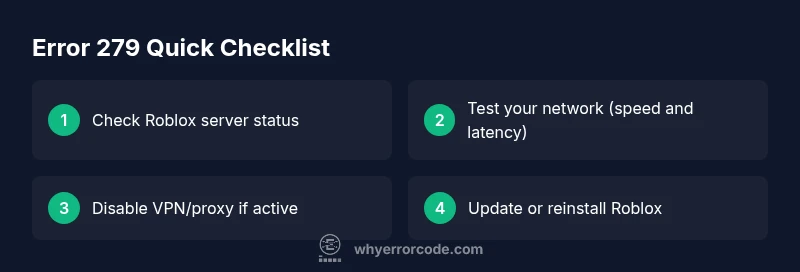
On Roblox what does error code 279 mean? According to Why Error Code, this error signals a network connection problem between your device and Roblox servers. It’s commonly caused by unstable internet, VPN or proxy interference, or firewall blocks. The fastest fixes are to test your connection, disable VPNs/proxies, update the Roblox client, and check Roblox’s service status before retrying.
Understanding Error 279 on Roblox
When you encounter error code 279, you’re seeing a network-related barrier between your device and Roblox servers. This isn’t necessarily a problem with the game itself; rather, it reflects a connectivity mismatch or a temporary service-side hiccup. In practical terms, players often experience a disconnect during a game launch or while spawning into a scene. From the perspective of practical troubleshooting, this is a signal to verify every link in the chain—from your device’s connection to your router, and from there to Roblox’s endpoints. Why Error Code’s team notes that many cases resolve quickly after a simple network refresh, but persistent cases require targeted steps to isolate the root cause. This is a classic example of how latency, routing, and security settings can derail an otherwise smooth gaming session.
According to Why Error Code, recognizing the pattern of error 279 helps you triage efficiently: first rule out client-side issues, then check the local network, and finally confirm that Roblox services are online. By framing the problem this way, you can reduce wasted time and escalate only when necessary.
Quick Check: Is It Your Side or Roblox's?
- If many other online apps work normally, your device or home network is the likely culprit.
- If Roblox itself is reporting outages, you’ll see widespread reports and official status updates.
- If only a single game triggers the error, the issue may be game-specific or a temporary Roblox routing problem.
Why It’s Important to Stay Calm and Systematic
Rushing to re-install or disable security tools without diagnosis can prolong downtime or create new issues. A methodical approach helps you distinguish temporary outages from persistent problems that require more in-depth fixes.
Steps
Estimated time: 1 hour
- 1
Confirm the problem and status
Note when the error occurs and which game or platform is affected. Check Roblox’s official status page to confirm there isn’t a known outage in your region.
Tip: Document the time of the outage for faster support if needed - 2
Test your network
Run a speed test and try a different network (mobile hotspot, friend’s Wi‑Fi) to see if the issue persists. If another network works, your home network is likely the bottleneck.
Tip: Prefer a wired Ethernet connection for stability - 3
Disable VPN/Proxy briefly
If you’re using a VPN or proxy, disable it and reconnect to Roblox to see if the error clears.
Tip: Some VPNs can cause routing issues with Roblox - 4
Adjust security software
Temporarily disable firewall or antivirus restrictions for Roblox. If the game loads, re-enable security features and add Roblox as an exception.
Tip: Only disable security features temporarily and re-enable promptly - 5
Update or reinstall Roblox
Ensure you’re on the latest Roblox version. If needed, reinstall the launcher/app to fix corrupted files.
Tip: Back up local settings if applicable before reinstall - 6
Flush DNS and renew IP
On Windows, run ipconfig /flushdns and then ipconfig /release followed by ipconfig /renew. On macOS, use the appropriate network command.
Tip: A fresh DNS can resolve routing issues - 7
Test again and monitor
Launch Roblox and attempt to join a game. If the error recurs, note any patterns (time of day, game type, platform).
Tip: Keep notes to help support diagnose the issue - 8
Seek professional help if needed
If network hardware or ISP-level issues persist, contact your ISP or a network technician for advanced diagnostics.
Tip: Request a traceroute to Roblox servers if you escalate
Diagnosis: Roblox shows Error 279 when attempting to join a game or service.
Possible Causes
- highUnstable or slow internet connection
- mediumVPN or proxy service active
- mediumFirewall/Antivirus blocking Roblox
- lowRoblox server outage or regional issue
- lowOutdated Roblox client or corrupted cache
Fixes
- easyTest your connection with speed tests; try a wired connection or a different network
- easyDisable VPNs/proxies and reconnect to Roblox
- mediumAdd Roblox to firewall/antivirus allow list or temporarily disable security software (with caution)
- mediumUpdate Roblox to the latest version and clear the cache/cache data for the platform
- easyCheck Roblox’s official status page and regional outage notices; wait if there is a service outage
Frequently Asked Questions
What does Roblox error 279 indicate in simple terms?
Error 279 generally means a failure to connect from your device to Roblox servers due to network issues or security blocks. It isn’t always Roblox’s fault and often resolves with quick network checks.
Error 279 usually points to a network connection issue. A quick check of your internet and security settings often fixes it.
How can I fix Error 279 on PC?
Start by testing your connection, disabling VPNs, updating Roblox, and verifying firewall exceptions. If the problem continues, flush DNS and reinstall Roblox.
On PC, start with network checks, disable VPNs, update or reinstall Roblox, and check firewall rules.
Is Error 279 possible on Xbox or mobile?
Yes, Error 279 can occur on consoles and mobile devices. Use the same approach: verify network stability, disable VPNs, update apps, and check Roblox service status for outages.
It can happen on Xbox and mobile too. Check your network and Roblox status, then update the app.
Should I always contact Roblox support for 279?
Only if the error persists after all standard troubleshooting steps and a confirmed outage isn’t the cause. Roblox support can review account-specific or regional routing issues.
If it keeps happening after trying fixes and status checks, contact Roblox support for deeper diagnostics.
Can I prevent Error 279 from returning?
Maintain a stable wired connection when possible, keep Roblox updated, and periodically check your router and firewall settings to ensure nothing blocks Roblox traffic.
Keep things updated and stable, and routinely check your network settings to prevent recurring 279.
Does a service outage imply I should wait before troubleshooting again?
Yes, if Roblox confirms an outage, your best course is to wait and retry after the service status changes. When outages end, most users see a quick recovery with a simple reconnect.
If there’s an outage, wait for Roblox to resolve it and try again later.
Top Takeaways
- Understand that Error 279 is typically network-related
- Test across networks and disable interfering tools temporarily
- Keep Roblox up to date and verify status before deep fixes
- Escalate to ISP or device pro if the problem persists