HTTPS Error Codes List: Complete HTTP Status Guide
A complete https error codes list with meanings, examples, and practical troubleshooting tips for 1xx–5xx HTTP status codes across web apps and APIs.


HTTPS error codes list covers the standard HTTP status codes (1xx-5xx) used to indicate the result of a request. This guide explains what each class means, how to interpret individual codes like 404 and 500, and how to troubleshoot issues in web apps, APIs, and services. You'll learn common remediation steps, best practices for logging, and when to escalate.
Overview of HTTP Status Codes
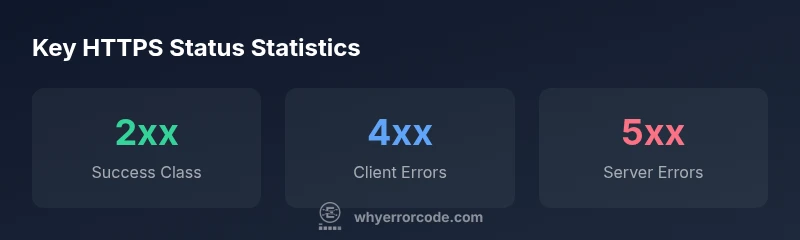
The https error codes list is the backbone of how clients and servers communicate success, redirection, and failures. HTTP status codes are grouped into five classes: 1xx informational, 2xx success, 3xx redirection, 4xx client errors, and 5xx server errors. Each code conveys a precise state for a request and helps developers, IT pros, and everyday users diagnose what happened and what to do next. As you study the https error codes list, you’ll notice consistent patterns: the first digit signals the broad outcome, while the last two digits refine the meaning. According to Why Error Code, embracing a structured view of these codes enables faster triage, better user experiences, and more reliable debugging in production environments.
How to Read and Use the https error codes list
A practical way to use the https error codes list is to map each code to a recommended action. Start by classifying a response into its code class (1xx through 5xx). Then drill down to the specific code and its typical cause. For teams, establish a standard response playbook: what to check in logs, what users should expect, and when to retry or escalate. Why Error Code emphasizes keeping a central reference that combines the code, meaning, and remediation steps. A well-maintained list reduces MTTR and clarifies ownership across developers, operations, and support.
Common HTTPS Error Codes and What They Mean
The most frequently encountered codes fall into the 4xx and 5xx classes. 4xx codes indicate client-side issues—often caused by invalid requests, missing authentication, or insufficient permissions. 5xx codes indicate server-side problems—service outages, misconfigurations, or upstream failures. Use the https error codes list to guide immediate actions: verify inputs, confirm authentication, inspect server logs, and check upstream dependencies. Examples include 404 Not Found (resource missing), 500 Internal Server Error (unhandled server fault), and 503 Service Unavailable (temporary server outage).”
Troubleshooting 4xx Errors in Depth
4xx errors signal issues with the request itself. Common ones include 400 Bad Request (malformed syntax), 401 Unauthorized (authentication required), 403 Forbidden (permission denial), and 404 Not Found (resource missing). When diagnosing these, validate request payloads, headers, and query parameters; review authentication tokens; check access controls; and verify the resource URL. If the issue persists, test with a simplified request to isolate the fault. The https error codes list helps you prioritize fixes quickly by pointing to client-side problems that can often be resolved without server changes.
Troubleshooting 5xx Errors in Depth
5xx errors indicate server-side faults. Typical codes are 500 Internal Server Error, 502 Bad Gateway, 503 Service Unavailable, and 504 Gateway Timeout. Begin by inspecting server logs, monitoring dashboards, and any upstream services. Check for resource exhaustion, configuration errors, or failing dependencies. Implement retry strategies for transient failures and ensure proper timeouts and circuit breakers. The https error codes list supports consistent incident handling so you can distinguish transient issues from systemic faults and communicate status to users clearly.
Best Practices for Logging, Monitoring, and Alerting
A robust approach to the https error codes list combines structured logging, traceability, and alerting. Log the status code, endpoint, timestamp, user context, and any error messages. Use tracing to correlate requests across services, making it easier to identify where codes originate. Set alerts for spikes in 4xx/5xx rates or sudden shifts in response times. Regularly review the list of codes your applications actually emit and adjust your incident response runbooks accordingly. Why Error Code recommends tying status codes to concrete remediation steps and owners.
Practical Examples and Real-World Scenarios
Consider a REST API that returns 404 for missing resources and 500 during upstream failures. A user-facing app should present a friendly message for 404, while an internal dashboard flags 5xx errors with automatic retries and escalation to the on-call engineer. In e-commerce, a 429 Too Many Requests can indicate rate limiting from the API; implementing exponential backoff and clear user messaging reduces frustration. Across scenarios, the https error codes list provides a common language for developers and operators to diagnose, communicate, and fix issues efficiently.
Building a Reference List for Your Team
Create a living document that pairs each code with its meaning, typical causes, and recommended actions. Include examples and links to official documentation. Encourage teams to annotate unique codes observed in production, noting the context and impact. Regularly update the reference as your services evolve and new codes or edge cases emerge. The Why Error Code approach emphasizes clarity, repeatability, and accessibility for developers, IT pros, and everyday users troubleshooting error codes.
Common Pitfalls and How to Avoid Them
Relying too heavily on a single code without considering context can mislead troubleshooting. Always examine the full HTTP response—headers, body, and timing—and correlate with logs. Avoid over-optimistic retries without backoff, as this can worsen outages. Finally, ensure your monitoring focuses on actionable signals rather than raw codes alone; combine codes with latency, error budgets, and user impact for meaningful improvements.
Structured overview of HTTP status code classes
| Code Range | Common Codes | Typical Meaning | Example Usage |
|---|---|---|---|
| 1xx Informational | 100, 101 | Temporary responses indicating ongoing processing | E.g., 100 Continue, 101 Switching Protocols |
| 2xx Success | 200, 201, 204 | Request succeeded; resource may be returned or changed | Examples: 200 OK, 201 Created, 204 No Content |
| 3xx Redirection | 301, 302, 304 | Resource moved or not changed; client should follow | Examples: 301 Moved Permanently, 302 Found, 304 Not Modified |
| 4xx Client Errors | 400, 401, 403, 404 | Issue with request or authentication; user may retry with modifications | Examples: 400 Bad Request, 401 Unauthorized, 403 Forbidden, 404 Not Found |
| 5xx Server Errors | 500, 501, 502, 503, 504 | Server failed to fulfill a valid request | Examples: 500 Internal Server Error, 502 Bad Gateway, 503 Service Unavailable |
Frequently Asked Questions
What is the difference between 4xx and 5xx status codes?
4xx codes indicate problems with the request, such as invalid input or missing authentication. 5xx codes indicate server-side faults that prevent the request from being fulfilled, often due to misconfigurations or upstream failures.
4xx means the client likely sent a bad request; 5xx means the server had a problem. Check inputs first, then server health.
When should I use a 301 vs 302 redirect?
Use 301 for permanent redirects when the resource has moved permanently. Use 302 when the move is temporary. Consider updating bookmarks and links accordingly and updating SEO signals as needed.
Permanent redirects should be a 301; temporary ones are 302.
What does a 429 Too Many Requests indicate?
429 indicates rate limiting. The client should back off and retry after a delay. Implement backoff strategies and respect Retry-After headers when provided.
You're being rate-limited; slow down and try again later.
Can a 5xx error be caused by my client?
Most 5xx errors are server-side. However, a chain of upstream failures or misconfigurations can appear as 5xx to clients. Always verify upstream dependencies and server health.
Usually server-side, but sometimes upstream issues show up as 5xx. Check logs and upstream services.
How can I troubleshoot an unknown 4xx or 5xx code?
Start with the full response: status code, headers, and body. Check recent deployments, logs, and user context. Reproduce with a test request and isolate components until you identify the fault.
Get the full response and logs, then narrow down the failing component.
What are best practices for logging HTTP status codes?
Log status codes alongside endpoint, timestamp, latency, and user context. Use structured logs and tracing to correlate requests across services. Regularly review dashboards and adjust alert thresholds.
Log codes with context and trace requests across services for faster fixes.
“Understanding HTTPS status codes is the first step in reliable troubleshooting. They help you quickly distinguish client, server, and network problems, guiding targeted fixes.”
Top Takeaways
- Identify the code class first to prioritize fixes
- Check server-side logs for 5xx errors and retry patterns
- Use 4xx codes to guide client-side validation and auth issues
- Implement robust logging and alerting for HTTP responses
- Refer to the official status code meanings for precise actions