List of Error Codes in API: A Practical Guide
A comprehensive guide to the list of error codes in API, covering HTTP status classes, custom application codes, and best practices for documenting, testing, and remediating errors. Learn how to design a robust error code strategy for reliable integrations.


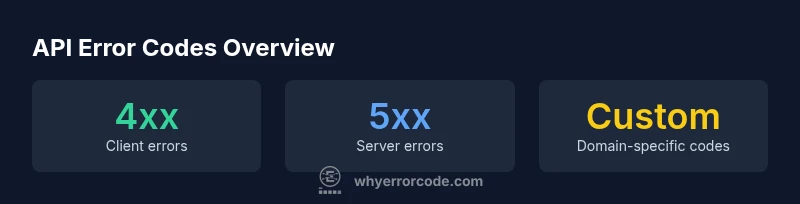
For APIs, the baseline list of error codes commonly falls into HTTP status codes plus API-specific internal codes. Expect the core set to include 400 Bad Request, 401 Unauthorized, 403 Forbidden, 404 Not Found, 409 Conflict, 422 Unprocessable Entity, 429 Too Many Requests, and 5xx server errors (500, 502, 503, 504). Many providers add custom codes in higher ranges to convey domain-specific failures.
What constitutes a list of error codes in API
A practical list of error codes in API combines standard HTTP status codes with API-specific internal codes. The goal is to give clients a predictable, machine-readable contract they can rely on during integration and debugging. The keyword 'list of error codes in api' should guide you toward a reference that is comprehensive but also maintainable. In practice, you document which code means what, under which conditions it is returned, and what remediation steps the client should take. For many teams, this means capturing both the broad categories (4xx vs 5xx) and the granular, domain-specific codes used by a given service.
Core categories: client vs server errors
Error codes can be grouped into two broad classes: client errors (4xx) and server errors (5xx). Client errors arise when the request is invalid, missing authentication, or targets a resource the client is not allowed to access. Server errors indicate a fault on the API side, such as a misconfiguration, downstream outage, or timeout. Understanding this split helps callers determine whether to retry, adjust the request, or contact the provider. In practice, you should map each code to a clear, documented message and a recommended remediation path.
How API providers extend standard codes with custom errors
Many APIs complement the standard HTTP status codes with application-specific codes to convey domain-level failures. These codes are often strings such as ERR_INVALID_INPUT or USER_NOT_FOUND and are returned in a structured payload alongside a human-readable message. A consistent approach is to include fields like code, message, details, and status. This lets clients implement robust switch-like logic and surface actionable feedback to users or logs.
Practical design: documenting error codes and messages
Design practices:
- Use a stable, centralized catalog of error codes.
- Keep codes short, meaningful, and machine-parseable.
- Include a user-facing message and a developer-facing details field.
- Provide remediation steps and example requests that trigger the code.
- Version the catalog and note deprecations to avoid breaking clients.
Example payload for clarity:
{
  "error": {
     "code": "ERR_INVALID_INPUT",
     "message": "Invalid input provided",
     "details": [{"field": "email", "issue": "invalid format"}],
     "status": 400
  }
}
Examples: common error code patterns and a sample list by API
A practical reference includes both common HTTP status codes and domain-specific codes. Typical 4xx outcomes are 400, 401, 403, and 404, indicating bad input, authentication issues, access denial, or missing resources. 5xx codes such as 500, 502, 503, and 504 indicate upstream or server problems. For large APIs, document a separate catalog of custom codes (e.g., ECODE_1001, DOMAIN_NOT_AVAILABLE) with precise meanings and remediation steps. This dual approach helps clients implement consistent error handling across microservices.
How to audit and evolve your list of error codes in API
Auditing your error code list requires governance: assign owners, enforce change control, and publish deprecations. Create a living catalog that links each code to a message template, remediation guidance, and replication guidance for logs and dashboards. Schedule periodic reviews to retire outdated codes and introduce new ones alongside feature updates. Maintain backward compatibility where possible and communicate breaking changes with a clear migration plan.
Versioning and deprecating error codes
As APIs evolve, some error codes become obsolete. Use a versioned catalog and mark deprecated codes with milestones and sunset dates. Provide migration paths, such as mapping old codes to new ones or offering transitional messages. This minimizes disruption for clients while preserving a stable interface for monitoring and automated retry logic.
Security considerations when exposing error codes
Avoid leaking internal stack traces or implementation details in error payloads. Prefer concise machine-friendly codes and generic messages for public responses. Reserve verbose, sensitive diagnostics for secure channels and authenticated clients. Clear, non-sensitive codes help clients diagnose issues without exposing server internals.
Authoritative sources
For further reading on standard status codes and guidelines, see RFC 7231 (HTTP/1.1) and RFC 6585 (Additional HTTP Status Codes). Developer resources like MDN provide practical mappings of status codes to meanings. These sources help validate your API's error-code catalog and ensure alignment with industry best practices.
Common HTTP status codes and meanings
| Code | Category | Typical Meaning |
|---|---|---|
| 400 | Client Error | Bad Request – malformed syntax or invalid data |
| 401 | Client Error | Unauthorized – authentication required or failed |
| 403 | Client Error | Forbidden – authenticated but not permitted |
| 404 | Client Error | Not Found – resource does not exist |
| 409 | Client Error | Conflict – request conflicts with current state |
| 422 | Client Error | Unprocessable Entity – semantic errors in payload |
| 429 | Client Error | Too Many Requests – rate limiting |
| 500 | Server Error | Internal Server Error – unexpected condition |
| 502 | Server Error | Bad Gateway – upstream server error |
| 503 | Server Error | Service Unavailable – server overloaded |
| 504 | Server Error | Gateway Timeout – upstream server timed out |
Frequently Asked Questions
What is the difference between 4xx and 5xx errors?
4xx errors indicate a problem with the request (client side), while 5xx errors indicate a failure on the server. This distinction guides whether to retry, fix input, or contact the API provider.
4xx means the client did something wrong; 5xx means the server had an issue.
Why do some APIs use custom error codes in addition to HTTP status codes?
Custom codes convey domain-specific failures not expressible by HTTP statuses alone. They enable precise handling and automated dashboards.
APIs add their own codes for precise failure reasons.
Should I always return the same status code for similar errors?
Consistency helps clients implement reliable error handling. Map similar scenarios to the same code when appropriate.
Yes—consistent codes make client code simpler.
How should error messages be structured in API responses?
Provide a machine-friendly code, a clear message, and optional details. Include a remediation suggestion when possible.
Use a machine-friendly code, a clear message, and optional details.
What is the best way to document error codes?
Create a centralized catalog with codes, meanings, status, remediation steps, and examples. Keep it searchable.
Document codes in a centralized, searchable catalog.
How can I test error handling in an API?
Implement automated tests that trigger each error code and verify messages, status, and remediation guidance.
Automated tests should cover every error code.
“A well-defined error code catalog is the backbone of reliable API integrations. It reduces guesswork and speeds remediation for developers.”
Top Takeaways
- Define a single source of truth for codes
- Document both standard HTTP statuses and custom codes
- Keep messages machine-friendly and non-sensitive
- Regularly review the list as APIs evolve
- Provide remediation steps for each code