Which status code is unauthorized? A Practical Guide to 401 vs 403
Discover which status code is unauthorized (primarily 401) and how it differs from 403. Learn authentication vs authorization, proxy basics (407), and practical steps to diagnose and fix access issues.


Which status code is unauthorized? In HTTP, the correct answer is 401 Unauthorized. It signals that authentication is required or has failed. If credentials are valid but access is still denied, you might see 403 Forbidden, which means the user is authenticated but not allowed to access the resource. Remember that 401 often triggers a login prompt, while 403 indicates a permission issue even with valid credentials. This distinction helps developers design clearer error handling and secure user experiences.
Which status code is unauthorized? A practical overview of authentication vs authorization
In the HTTP specification, the question which status code is unauthorized is best answered by looking at how authentication and authorization are defined. The primary code for this situation is 401 Unauthorized. According to RFC 7235, the 401 status indicates that the request requires user authentication and that the client has failed to provide valid credentials. When a server issues a 401, it often includes a WWW-Authenticate header inviting the client to authenticate using a specific scheme (for example, Bearer tokens or Basic authentication). It’s crucial to distinguish this from an authorization failure—the client can authenticate successfully but still be denied access. In practice, you’ll see 401 during login attempts, token refresh flows, or when a session has expired or been invalidated. If a client attempts access without credentials, the server should respond with 401; if access is denied despite valid credentials, a 403 Forbidden may be returned. The overarching goal is to guide the client toward the correct corrective action—re-authenticate, refresh the token, or review permission scopes. Clear, consistent handling of these codes improves developer experience and security. This is a good place to start when you ask which status code is unauthorized and why it matters for API reliability.
401 Unauthorized vs 403 Forbidden: A clear distinction
Two common codes around authentication and authorization are 401 Unauthorized and 403 Forbidden. The essence is that 401 means authentication is missing or invalid, while 403 means authentication is present but the user lacks permission to access the resource. Practical cues:
- 401 typically triggers a login prompt or token refresh flow.
- 403 signals a permission issue tied to roles, scopes, or access policies.
- A 401 can become a 403 if the client later authenticates but still lacks authorization for the resource.
Some APIs return 401 for malformed credentials, while others may return 403 for insufficient permissions even when credentials appear valid. Do not rely on a single code as the sole indicator of access problems; inspect headers like WWW-Authenticate, the token's scope, and the user's roles. RFC guidance (RFC 6755, RFC 7617) and real-world practice show that mixing semantics creates confusion for developers and end users. Clear messaging and structured error responses help reduce friction; for example, including a machine-readable error code, a human-friendly explanation, and a recommended next step.
Why 401 occurs: authentication prompts and token expiry
HTTP 401s arise when authentication fails or is missing. Common causes include missing Authentication headers, expired tokens, invalid signatures, or incorrect schemes. In modern APIs, many clients rely on OAuth 2.0 Bearer tokens; if the token is expired, the server may return 401 with a WWW-Authenticate header instructing the client to obtain a new token. Token revocation, invalid audience, or scope mismatch also trigger 401 responses. It is important to design your authentication flow to minimize false positives: implement token refresh strategies, provide clear error messages, and ensure your clients retry only when appropriate. When debugging, verify the exact scheme declared by the server (Basic, Digest, Bearer, etc.), check the time skew between client and server, and confirm the token's issuer and audience. For developers, this means building robust login and refresh flows, handling 401s gracefully on the client, and logging enough context to diagnose authentication issues later. Per security best practices, avoid leaking sensitive details in 401 responses; instead, offer a generic, actionable message and a hint for resuming authentication.
Why 403 Might Happen: insufficient permissions
403 Forbidden indicates authentication succeeded, but the user lacks the necessary permissions to access the resource. Causes include role-based access control (RBAC) misconfigurations, insufficient scopes in OAuth tokens, or denied access by policies such as IP allowlists or feature flags. In some systems, the distinction between 401 and 403 can be blurred due to middleware layers; ensure that authorization checks occur after authentication so that the server can distinguish the two states. If you receive a 403, examine the user’s roles, groups, and the specific permissions required by the resource. Check whether the resource enforces ownership, tenancy, or time-based access. In APIs, returning a detailed 403 payload with a machine-readable code and a human-readable explanation helps clients adjust their requests or request access. Security-conscious applications may tailor 403 responses to avoid revealing sensitive information while still providing enough guidance to correct the issue.
Other related codes: 407 Proxy Authentication Required
While 401 and 403 cover client authentication and authorization, other situations involve proxies and intermediate systems. The 407 Proxy Authentication Required status indicates the client must authenticate with a proxy server before the request can reach the destination. This often occurs in corporate networks or controlled environments where a forwarding proxy imposes access controls. The 407 response mirrors 401 in structure but the credentials must be supplied to the proxy rather than the origin server. Some clients may need to fetch credentials using a separate flow or configure the proxy settings accordingly. In practice, ensure that your network and proxy configuration are aligned with your application's authentication strategy and that error handling distinguishes 407s from 401s to avoid user confusion. Provide clear guidance to administrators on how to supply proxy credentials and how to update proxy policies as part of your troubleshooting playbook.
Client handling strategies: retries, headers, and backoff
Effective client-side handling of these status codes reduces user frustration and server load. For 401, ensure the client re-sends the request only after obtaining a valid token or credentials, and respect the server’s recommended authentication scheme. For 403, a user-facing message should guide the user to request access or update permissions; avoid reopening the request in a loop. For 407, verify proxy credentials and connectivity before retrying. Implement exponential backoff with jitter to minimize thundering herd problems, and cap the number of retries. Use idempotent HTTP methods where possible to reduce side effects on retry. Maintain a consistent error payload across all authentication/authorization failures, including fields such as code, message, timestamp, and a link to documentation. Document these behaviors in your API consumer guides so developers understand how to remediate without guessing. Additionally, monitor and alert on repeated 401/403/407 events to detect broader access-control issues or misconfigurations in production.
Debugging workflow: logs, headers, and test cases
Developers should adopt a repeatable debugging workflow for auth-related status codes. Start by capturing the raw HTTP response with status code, headers (especially WWW-Authenticate), and body payload. Verify the authentication state on the client: is the token present, valid, and scope-sufficient? Check server-side logs for authentication and authorization checks, enabling trace-level verbosity for a narrowed time window. For 403, review access control rules, roles, and asset permissions; for 401, confirm the token issuer and audience, plus token freshness. Create test cases that reproduce both success and failure scenarios, including expired tokens, revoked credentials, insufficient scopes, and misconfigured proxies. Use synthetic test users with known permissions to validate policy logic, and keep a changelog whenever permissions or auth schemes change. Finally, implement automated tests that validate error payload structure, ensuring that clients can parse codes, messages, and remediation steps without exposing sensitive internal details.
Security considerations and logging best practices
From a security perspective, do not leak sensitive information through 401 or 403 responses. Return a minimal, consistent message and an opaque error code that systems can interpret without exposing internal details. Log authentication failures comprehensively on the server with context such as client IP, user identifiers, timestamp, and request path, but redact personal data where possible. Use centralized logging and structured events to aid correlation across services. Regularly review access-control policies, update role definitions, and align token scopes with least privilege principles. Finally, educate developers and operators on the difference between authentication errors and authorization failures, reinforcing secure, user-friendly design practices across web and API ecosystems.
Comparison of common HTTP authorization-related status codes
| Status Code | Meaning | Auth Required? | Who Decides | Typical Scenario |
|---|---|---|---|---|
| 401 | Unauthorized — authentication is required or failed | Yes | Server | User not logged in or credentials invalid |
| 403 | Forbidden — authenticated but access denied | Yes | Server | User lacks permissions or policy denies access |
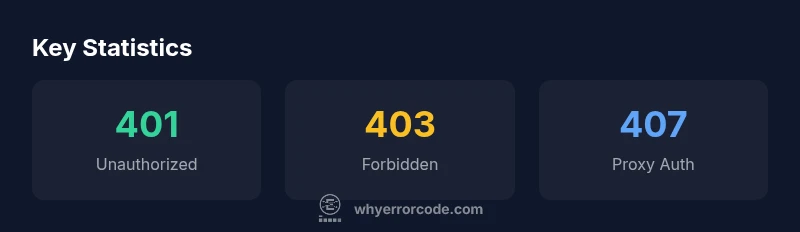
| 407 | Proxy Authentication Required — authenticate with proxy | Yes | Proxy server | Client must authenticate with proxy |
Frequently Asked Questions
What is the difference between 401 and 403?
A 401 Unauthorized means the request lacks valid authentication. A 403 Forbidden means authentication succeeded but the client does not have permission to access the resource. Treat 401 as an auth issue, and 403 as an authorization issue.
401 is about login; 403 is about permissions.
When is 407 Proxy Authentication Required used?
407 is issued when a proxy server requires authentication before the request can reach the destination server. It is distinct from 401, which is authentication at the origin server.
Use 407 when your proxy needs login credentials.
Can a 401 occur due to a malformed token?
Yes. A malformed, expired, or invalid token can trigger a 401 response. Ensure the client sends a valid token with the correct scheme and audience.
Yes, bad tokens cause 401s.
Is 404 related to authorization?
No. 404 means Not Found; it doesn’t indicate auth problems. However, some systems may mask authorization failures as 404 to avoid revealing resource existence.
404 isn’t about authorization.
How should developers handle 401 responses in APIs?
Design your API to return a consistent, actionable error payload, guide clients to re-authenticate, and avoid exposing sensitive details. Include details like error code and remediation steps.
Provide clear steps to fix auth failures.
“Understanding the nuances between 401 and 403 is essential for effective access control in modern applications. Clarity in authentication flows and permission checks reduces user friction and improves security.”
Top Takeaways
- Know 401 means authentication is required or failed
- Differentiate 403 as permission-based denial
- Recognize 407 when a proxy requires authentication
- Audit tokens, scopes, and roles to resolve access issues
- Use consistent error payloads to guide remediation