Common API Error Codes: Quick Diagnosis & Fixes for Devs
Urgent guide to diagnosing and fixing common API error codes. Learn how to identify HTTP status patterns, pinpoint root causes like auth and payload errors, and apply practical fixes to keep integrations running smoothly in 2026.


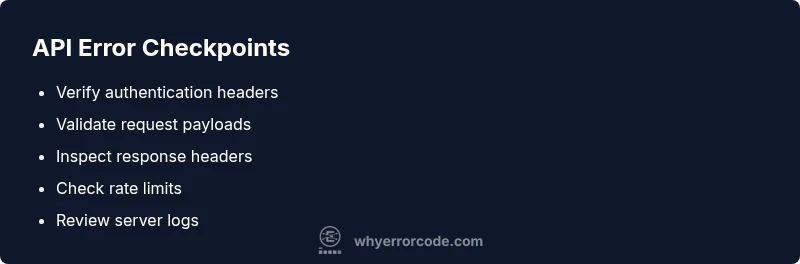
A common error code in api usually signals a failed request due to bad input, missing credentials, or policy limits. In urgency-driven incidents, the fastest path to resolution is to verify authentication, inspect the payload, and apply a safe retry if allowed by the API. Often the error includes a message with a code like 400, 401, or 429, which helps you triage quickly.
What the phrase 'common error code in api' really means
In practical terms, a common error code in api is not one single issue, but a family of signals that your client request did not meet the expectations of the service. This could be a malformed URL, invalid headers, missing tokens, an expired credential, or a payload that fails schema validation. For developers and IT pros, recognizing the pattern is half the fix. According to Why Error Code, quick triage starts with the status code and accompanying message, then narrows to the failing layer—authentication, networking, or application logic. The goal is to move from guesswork to a reproducible debugging process, so you can restore service with minimal downtime.
wordCountNestTip
Steps
Estimated time: 45-60 minutes
- 1
Identify exact error and code
Capture the HTTP status code, response message, and any error payload. Note correlation IDs if present and reproduce the failure with a minimal request.
Tip: Use a reproducible test case to avoid chasing multiple issues at once. - 2
Check authentication and credentials
Verify that tokens or API keys are valid, not expired, and correctly scoped. Inspect authorization headers and token type (Bearer, JWT, etc.).
Tip: Refresh credentials in a secure channel and rotate keys if there’s any doubt. - 3
Validate request structure
Confirm URL, HTTP method, headers, and payload match the API’s specification. Ensure Content-Type matches the body format and that required fields aren’t missing.
Tip: Use a schema or contract test to catch mismatches early. - 4
Test with a minimal payload
Reduce the request to the smallest valid example to isolate the failure. If the minimal works, incrementally reintroduce fields.
Tip: This helps distinguish between client-side and server-side issues. - 5
Inspect rate limits and backoff
If you see 429 or a Retry-After header, respect the pause and retry with exponential backoff. Ensure your client honors limits.
Tip: Avoid hammering the endpoint; this can worsen outages. - 6
Log and monitor for persistent failures
Enable structured logs with request IDs, endpoints, and payload digests. Set up alerts for rising error rates.
Tip: Correlation IDs dramatically improve triage across microservices.
Diagnosis: API returns 401 Unauthorized or 429 Too Many Requests
Possible Causes
- highExpired or invalid authentication token
- highMissing required headers or incorrect scoping
- mediumClient sending malformed payload or wrong content-type
- lowServer-side rate limiting or temporary outage
Fixes
- easyRefresh tokens or reissue API keys; verify scope and issuer
- easyDouble-check headers (Authorization, Content-Type) and payload schema
- easyValidate request body against API schema; fix content-type to application/json
- mediumImplement exponential backoff with respect to Retry-After header; contact provider if persists
Frequently Asked Questions
What is considered a 'common API error'?
A common API error usually signals a bad request, authentication failure, or rate limit. Check the status code, error message, and headers to identify root cause.
A common API error signals a bad request, authentication failure, or rate limit. Check the status code and headers to find the cause.
Should I retry after an API error?
Retry only for transient issues like short-lived rate limits. Use exponential backoff and respect server guidance or Retry-After headers.
Retry with backoff only for temporary issues and follow the server's retry guidance.
How can I tell apart 400, 401, and 403?
400 means bad request; 401 indicates missing/invalid credentials; 403 means authenticated but not authorized. Validate token, scope, and permissions.
400 bad request, 401 authentication issue, 403 lack of permission.
What about CORS in API calls?
CORS errors are client-side and mean the server blocked the origin. Fix by configuring server access headers and proper preflight handling.
CORS happens when the server blocks your origin; enable proper access headers.
When should I involve a professional?
If production is affected, the issue touches security, or involves complex multi-service auth, escalate to the API provider or a consultant.
If production is affected or security is involved, get professional help.
Watch Video
Top Takeaways
- Validate credentials and payloads before retrying
- Leverage status codes to triage quickly
- Use correlation IDs for end-to-end tracing
- Implement safe retry with backoff to minimize impact