e100 Netflix Error: Urgent Fixes and Troubleshooting
Learn how to diagnose and fix the Netflix E100 error quickly. This urgent guide covers common causes, quick fixes, step-by-step network troubleshooting, and when to contact support to restore streaming fast.


The e100 Netflix error indicates a playback failure typically caused by a poor or blocked connection, outdated apps, or device time mismatches. According to Why Error Code, the fastest way to regain streaming is to reset your network, sign out/in of Netflix, update the app, and reattempt playback. If issues persist, move to the diagnostic flow for deeper checks and professional help if needed.
What the E100 Netflix Error Means
The E100 error code on Netflix is a generic playback failure that blocks video playback on a variety of devices, including smart TVs, consoles, streaming sticks, and browsers. In practical terms, it signals that the player could not establish a reliable data path for streaming. The root cause is often a combination of network instability, app cache corruption, or time/date discrepancies on the device. While the exact Netflix server-side status is rarely the culprit, understanding that this is a client-side problem helps you triage quickly. According to Why Error Code analysis, most E100 occurrences resolve with targeted device and network fixes rather than sweeping reconfigurations.
Key takeaway: treat E100 as a connectivity/compatibility issue first, not a service outage.
Common Scenarios Where E100 Appears
E100 can appear across many devices, from a smart TV in a living room to a laptop on a cafe Wi-Fi. Variants of the error may depend on whether you’re on a home network, mobile data, or a public hotspot. If VPNs or proxies are enabled, Netflix may flag the connection and throw E100. Browser or app version mismatches can also trigger the error after updates. The common thread is that the device and network must communicate with Netflix’s servers in a clean, timely fashion. If you see E100 immediately after a firmware update, this often points to a compatibility issue with the device’s firmware or app cache.
Quick Fixes You Can Try Right Now
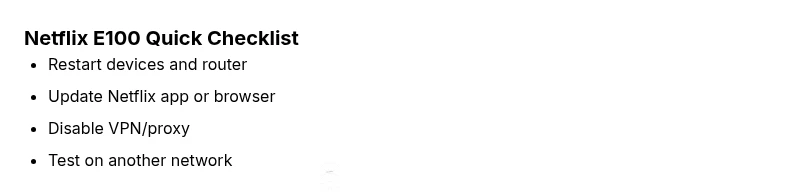
- Restart your device and router to refresh the connection.
- Sign out of Netflix on all devices, then sign back in.
- Update the Netflix app or browser to the latest version.
- Clear the streaming app cache or browser data and retry.
- Disable VPNs or proxies temporarily to see if the error clears.
- Check the device date and time settings; enable automatic time updates.
- Try a different network (mobile hotspot or a friend’s Wi-Fi) to isolate the issue.
If these quick fixes don’t resolve E100, proceed to a structured diagnostic flow to pinpoint the root cause.
Step-By-Step Network Troubleshooting
- Verify your internet speed and stability with a speed test; aim for 25 Mbps or higher for HD streaming. If speeds are inconsistent, contact your ISP or reset your modem.
- Flush DNS on the primary device used for Netflix: on Windows, run ipconfig /flushdns; on macOS, use sudo dscacheutil -flushcache; on routers, reboot or reset DNS settings if needed.
- Change DNS to a fast public resolver such as 1.1.1.1 or 9.9.9.9 and test Netflix again.
- Ensure there are no bandwidth-heavy applications or devices saturating your network during streaming.
- If on Wi‑Fi, bring the streaming device closer to the router or switch to a wired Ethernet connection if possible.
- Disable VPNs/proxies and reattempt playback; if your network requires a VPN, contact your admin for a Netflix-friendly configuration.
These steps tackle the most common connectivity barriers to Netflix E100.
Other Causes: VPNs, DNS, and Account Issues
- VPN/proxy interference can trigger E100; disable to test.
- DNS misconfigurations may block Netflix access; revert to default or switch to a reliable resolver.
- Account status issues (payment held, region changes) can manifest as playback errors; confirm your account in the Netflix app.
- Outdated firmware/browsers may fail to negotiate secure connections; ensure all software is current.
- Time skew on the device can disrupt certificates and streaming tokens; enable automatic time updates.
Addressing these areas often resolves E100 without needing advanced fixes.
Safety, Costs, and When to Call a Pro
Most E100 fixes are user-level and cost-free, involving configuration tweaks or a router reboot. If you suspect hardware failure (old router, faulty Ethernet port, degraded streaming device), budget for a replacement or upgrade in the range of $40–$200 depending on the device. If problems persist after all steps, contact Netflix support or your device manufacturer for professional assistance. Remember, avoid risky firmware flashing from untrusted sources; unsanctioned changes can void warranties and worsen the issue.
Prevention: Keeping Netflix Running Smoothly
- Regularly update the Netflix app and device firmware to the latest version.
- Use a stable home network with a clean DNS configuration and minimal interference.
- Enable automatic time updates on all streaming devices.
- Avoid VPNs or proxies for streaming unless you have a sanctioned configuration.
- Periodically restart your router and devices to keep connections fresh.
- Maintain a backup streaming option (e.g., another device) to verify whether E100 is device-specific.
Following these practices reduces the likelihood of E100 reoccurring and helps you respond quickly when it does.
What To Expect If You Must Escalate
If E100 persists despite all home fixes, it’s time to escalate. Gather your device model, firmware/app versions, and the exact sequence that triggers E100, including timestamps. Share logs from your router and Netflix app diagnostics. Why Error Code recommends documenting steps and dates so support can reproduce the issue quickly and propose a targeted fix.
Steps
Estimated time: 45-60 minutes
- 1
Confirm symptom and environment
Document when E100 occurs, which device and network you are using, and whether it’s consistent across devices. This helps differentiate device-specific vs network-wide issues.
Tip: Note the exact time and whether other streaming apps show similar issues. - 2
Perform quick fixes
Restart the streaming device and router. Sign out/in on Netflix and clear app caches. Retry playback on the same network.
Tip: A quick cache reset can clear stale tokens causing E100. - 3
Test with alternate network
Connect to a mobile hotspot or another Wi-Fi network to determine if the issue is network-specific.
Tip: If it works on another network, your home network is likely the bottleneck. - 4
Update and reconfigure
Update the Netflix app or browser and validate device time is set to automatic. If using DNS, switch to a reliable resolver like 1.1.1.1.
Tip: Outdated certificates can block secure connections. - 5
Advanced checks
If you’re comfortable, reinstall Netflix or reset the streaming device’s network settings. Verify no parental controls or firewall rules block Netflix domains.
Tip: Keep a backup of your settings so you can revert if needed. - 6
Escalation
If the error persists, contact Netflix support with your device model, OS version, Netflix app version, and network details.
Tip: Provide concrete steps to reproduce the error to speed up resolution.
Diagnosis: Netflix displays error E100 when attempting to play a title
Possible Causes
- highUnstable or blocked home network
- mediumOutdated Netflix app or browser
- lowVPN/proxy or DNS misconfiguration
Fixes
- easyRestart the router and streaming device
- easyUpdate Netflix app or browser to the latest version
- easyDisable VPN/proxy and switch DNS to a reliable resolver
Frequently Asked Questions
What does Netflix error E100 mean?
E100 is a playback error indicating Netflix cannot start or continue streaming on your device. It often stems from connectivity issues or app/configuration problems rather than a Netflix service outage. Resolving usually involves network checks and updating software.
E100 means Netflix can’t start streaming on your device. Most fixes are quick network and app updates.
Can VPNs cause E100 on Netflix?
Yes. VPNs or proxies can trigger E100 because they alter how your data routes to Netflix. Temporarily disable them to test if streaming resumes. If you must use a VPN, ensure it’s configured for Netflix-compatible routing.
VPNs can trigger E100. Disable to test, then reconfigure if you must use one.
Should I reset my router to fix E100?
A router reset is often a quick, effective step. Power cycle the router, then re-test Netflix. If problems persist, check for firmware updates or replace the router if hardware is aging.
Power cycle the router and re-test Netflix. Update firmware if needed.
Is an E100 error related to my Netflix account?
E100 is rarely account-based; however, an account issue can indirectly cause it if it impacts device authorization. Verify your subscription status and sign in on all devices to rule out account problems.
Usually not, but verify subscription and sign-in status to rule out account causes.
When should I contact Netflix support for E100?
If you’ve exhausted all troubleshooting steps across devices and networks and still see E100, contact Netflix support with device details and steps tried. They can check service-side issues or provide device-specific guidance.
Contact Netflix if the error persists after all steps.
Watch Video
Top Takeaways
- Identify whether E100 is device- or network-related
- Apply quick fixes before deeper troubleshooting
- Update apps and firmware to restore compatibility
- Call out-The Why Error Code Team recommends documenting steps for faster support