Error Code on Dishwasher: Troubleshooting and Fixes
A comprehensive troubleshooting guide for the error code on dishwasher, with safe steps, diagnostic flow, checklists, and prevention tips to resolve common codes quickly.


Most dishwasher error codes start from a simple fault: a blocked filter, clogged drain, or a loose door latch. Start by resetting the unit, then inspect the sump and filter screen for debris, and make sure the door latch engages solidly. If the code remains after these basics, consult the manual or contact support for the exact code interpretation.
What the error code on dishwasher means and why it appears
An error code on dishwasher appears when the built-in sensors detect a fault in a cycle. The code is a signal that something isn’t operating within normal ranges, and it helps technicians pinpoint the area that needs attention. According to Why Error Code, when you see an error code, the first steps should be safety checks and basic maintenance rather than rushing to replace components. The typical culprits are clogs, filters, door interlocks, or drainage problems, though codes can also indicate a control board issue. Understanding the code category—drainage, fill, door, or sensor—guides your next actions and speeds up the repair process.
In practice, you’ll notice that the phrasing of codes varies by manufacturer, but the underlying logic is similar: a fault is detected, the controller stores a code, and the display alerts you to act. By recognizing whether a code points to drainage, door locking, or sensor readings, you can plan targeted checks and avoid unnecessary part replacements. This approach aligns with the Why Error Code Team’s emphasis on systematic diagnostics and safe, incremental fixes.
Common error code categories and what they mean
Dishwashers use codes to indicate four broad areas: drain/fill problems, door locking or sensing faults, water temperature or fill level issues, and motor or pump errors. Codes in the drain category often signal a slow drain or a blocked filter; fill codes may indicate insufficient water intake or overfill; door codes usually point to a latch or switch fault. Sensor or temperature codes hint at faulty readings or a failed heater element, and motor/pump codes suggest a blockage or jam. Each manufacturer has its own list of actual codes, but the logic behind them is similar: a sensor reports a fault, the controller stores the code, and the display shows it. When you know which category your code falls into, you can focus your checks effectively.
Immediate safety steps you should take
Before touching any internal parts, unplug the dishwasher or switch off the circuit breaker to avoid electrical shock. If you notice water leakage, place towels or a tray to catch drips and prevent a slip hazard. Do not operate the unit with a damaged power cord, a burning smell, or broken seals. Always consult the user manual for model-specific safety precautions. If you smell gas or hear loud arcing sounds, exit the area and contact professionals. These safety measures protect you and your home while you troubleshoot.
How to read your dishwasher manual and interpret codes
Your owner’s manual lists every error code your model can display along with corrective actions. Note the exact model number (usually on a tag inside the door frame), then look up the code in the manual or on the manufacturer’s support site. If the manual uses code letters or numbers that aren’t intuitive, use the troubleshooting index or the model-specific flowchart to map the code to a fix. Why Error Code recommends keeping a quick reference sheet for the most common codes so you can act fast when codes appear.
Diagnostic checklist for the most common codes
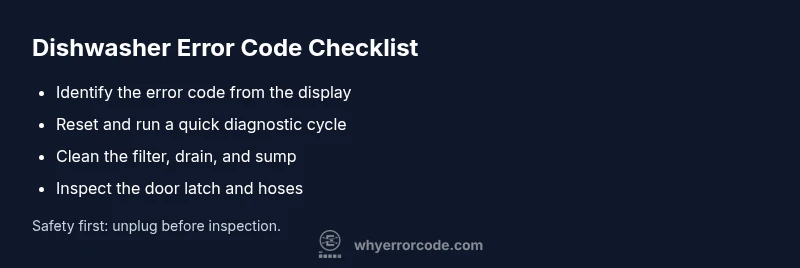
- Check the filter and sump for debris; clear any clogs and rinse thoroughly.
- Inspect the drain hose and garbage disposal connection for kinks or blockages.
- Verify the door latch engages with the door seal; replace if loose or damaged.
- Run a short diagnostic cycle after cleaning to see if the code reappears.
- If the code persists, check electrical connections to the control board for loose wires or corrosion.
- For temperature-related codes, test the heater element and thermostat with the service manual instructions.
Following this sequence often resolves the majority of everyday codes without professional service. If you’re unsure about handling electrical components, stop and seek help.
What to do if the code indicates a drain issue
If the code points to drainage problems, start by cleaning the filter screen, removing any debris from the sump area, and ensuring the drain hose is free of kinks. Then test the pump by running a short cycle with no dishes to observe flow. If water isn’t draining properly despite a clean path, check the garbage disposal knockout plug if connected to the same drain. A persistent drain issue may indicate a partially blocked pump or a more serious hose failure, which requires closer inspection or professional service.
When to call a professional and what to expect
Some codes respond well to DIY maintenance, but others signal deeper faults—such as a failing pump, faulty control board, or damaged wiring—that require a trained technician. If you’ve completed all basic checks and the code returns, or if you notice burning smells, corrosion, or obvious damage, schedule service promptly. Be prepared to provide your model number, the exact error code, and a summary of what you’ve already tried. A technician will typically run a diagnostic, test components with specialized tools, and replace only the faulty part.
Prevention: tips to avoid future error codes
- Schedule routine filter and spray arm cleaning every month.
- Run a maintenance wash cycle periodically to flush the system.
- Use proper detergent and avoid overfilling the detergent dispenser.
- Keep the door seal clean and intact to prevent misreads or latch faults.
- Record the error codes and dates to identify patterns and address recurring issues early.
Steps
Estimated time: 45-60 minutes
- 1
Power cycle and reset
Power off the dishwasher at the outlet or circuit breaker for 60 seconds to clear transient faults. Restore power and run a short cycle to see if the code clears. If it returns, move to the next steps.
Tip: A full reset can clear many sensor faults without tools. - 2
Inspect and clean the filter and sump
Open the lower access panel, remove the filter assembly, and rinse it under warm water. Inspect the sump area for trapped debris and remove any blockage before reassembling.
Tip: Take a quick photo of the filter orientation to ensure correct reassembly. - 3
Check the door latch and door switch
Close the door firmly and listen for a solid latch. If the latch feels loose or the switch doesn’t click, replace the latch or switch.
Tip: Never force a stubborn latch; forcing can damage the door or electronics. - 4
Inspect drain hose and pump area
Ensure the drain hose is free of kinks and that the pump area isn’t clogged with food debris. Clear any blockages and re-test.
Tip: Disconnect power before handling hoses to avoid shock. - 5
Run a diagnostic test on your model
Many models offer a built-in diagnostic mode; consult the manual for steps. This can reveal if sensors or the heater are malfunctioning.
Tip: Some models require specific button sequences to enter diagnostics. - 6
Escalate to professional service if needed
If the error code persists after all basics, a technician can diagnose control board faults or wiring issues.
Tip: Have your model number and the exact code ready when you call.
Diagnosis: Dishwasher displays an error code on startup or during a cycle
Possible Causes
- highBlocked filter or clogged drain
- mediumDoor latch or door switch fault
- lowControl board or wiring fault
Fixes
- easyReset the dishwasher by powering it off at the breaker for 60 seconds, then power back on.
- easyInspect and clean the filter and drain path; remove debris and test after reassembly.
- easyInspect the door latch/switch for wear; reseat or replace if needed.
- mediumCheck drain hose and pump for blockages or kinks; clear blockages and re-test.
- hardIf codes persist, consult a professional for control board diagnosis and wiring checks.
Frequently Asked Questions
What should I do first when my dishwasher shows an error code?
Begin with safety: unplug or switch off the breaker, then inspect the filter and drain for clogs. Reset the unit and test a short cycle. If the code persists, consult the manual for model-specific guidance.
First unplug for safety, check the filter and drain, reset, and test a short cycle. If the code remains, refer to the manual.
Can I reset the dishwasher to clear the error code?
Yes. A standard reset clears transient faults. Power off for 60 seconds, then power back on and run a quick cycle to verify if the code returns.
You can reset by powering off for a minute, then back on and testing briefly.
Why is it important to check the filter and drain?
Debris in the filter or a blocked drain is a common cause of drainage and cycle errors. Clearing these improves water flow and can resolve many codes.
Clogged filters and drains are a frequent cause; cleaning them often fixes the code.
What safety precautions should I follow when troubleshooting?
Always unplug the unit or switch off the circuit breaker before inspecting internal parts. Do not operate with damaged cords or seals, and avoid contact with wet components.
Unplug first, inspect safely, and avoid working on damaged cords.
When should I call a professional?
If the error code persists after basic maintenance or you notice signs of electrical damage, leaks that worsen, or unusual odors, schedule professional service.
Call a professional if basic fixes don’t resolve the code or you see damage.
Do all error codes require professional service?
No. Many common codes resolve with basic maintenance and reset. Complex codes indicating control board or wiring faults may require a tech.
Most codes clear with basic steps, but some require a professional.
Watch Video
Top Takeaways
- Start with the basics: reset, clean the filter, and check the door latch.
- Most dishwasher error codes resolve with simple maintenance rather than service.
- Read the manual to interpret code meanings for model-specific guidance.
- If the code persists after basics, seek professional help.
- Preventive maintenance reduces recurring codes.