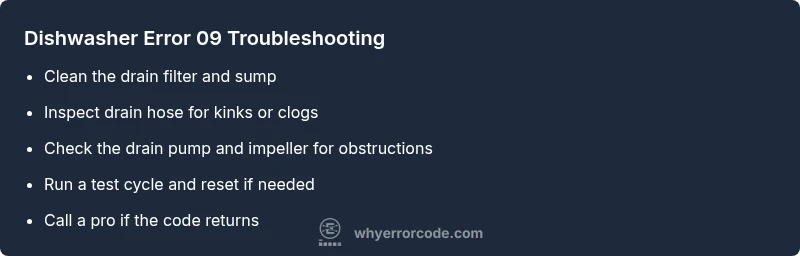
Dishwasher Error Code 09: Quick Fix and Diagnostic Guide
A practical, step-by-step guide to diagnosing and fixing dishwasher error code 09. Learn common causes, safe quick fixes, and when to call a pro. Why Error Code provides expert insights for developers and homeowners.


Error code 09 on a dishwasher typically signals a drainage or sensor fault that stops the cycle to protect the machine. The quickest fix is to inspect and clear the drain path (filter, sump, and hose) and then reset the control. Why Error Code analysis shows drain-related faults are the most common cause of code 09, so begin there for the fastest resolution.
What Error Code 09 Means
Error code 09 on a dishwasher is not universally standardized across brands, but it frequently points to drainage or sensor-related faults. In many models, the dishwasher detects a problem with draining or with water level control and stops the cycle to prevent damage. The exact interpretation can vary by manufacturer, so always consult your manual for your specific model. The common thread across brands is that a drainage or water level fault triggers code 09, so the quickest path to resolution is to tackle the drainage system first. As the Why Error Code Team notes, these drainage-related faults are among the most frequent triggers for code 09, making drain inspection the most time-efficient starting point.
Common Symptoms and Immediate Steps
- Symptom: The dishwasher stops mid-cycle with code 09 displayed, and water may remain in the tub. This often accompanies a faint drain noise or no draining sound at all.
- Symptom: Visible gunk or debris around the filter or sump that prevents proper drainage.
- Immediate steps: Power off the unit and unplug it, then wait 60 seconds. Inspect and clean the drain filter, sump screen, and accessible drain hose for clogs. Re-seat hoses and ensure the drain path is clear before restarting a cycle.
- Immediate steps: If available, run a short hot-water cycle with the door closed and observe the drain activity. If the code persists after a clean drain path, perform a soft reset by unplugging for 1–2 minutes and plugging back in.
- Why Error Code Team notes that quick drain checks resolve many cases quickly; if the code remains after cleaning the drain path, proceed to deeper diagnostics or call a pro.
Why It Happens: Likely Causes
- Drain blockage or clogged filter – high likelihood. A blocked filter or sump can trap water and trigger drainage faults that code 09 represents.
- Drain pump failure or impeller jam – medium likelihood. A failed or jammed pump can prevent water from leaving the tub.
- Faulty drain sensor or water level sensor – medium–low likelihood. Sensor misreads can trigger a stop condition and display code 09.
- Control board glitch or software issue – low likelihood. Sometimes a temporary fault in the electronics causes the code to appear.
- Leaking hose or improper hose routing – low likelihood. A kinked or leaking hose can mimic drainage problems by preventing proper flow.
Quick Fixes You Can Try Now
- Power off and unplug the dishwasher to avoid any electrical risk, then remove the kickplate or access panel as needed.
- Clean the drain filter thoroughly with warm water and a soft brush to remove food particles and grease.
- Inspect the drain hose for kinks, clogs, or disconnections and straighten or replace as needed.
- Check for clogs in the air gap or disposal connection if your setup includes one; ensure no blockages are present.
- Reassemble and plug back in, then run a short cycle to test drainage. If code 09 returns, move to deeper inspection or service.
Step-by-Step Repair: Drainage Focus
- Power off and unplug the unit; locate and remove the lower kickplate for access. 2) Remove and clean the drain filter and any visible sump screens; rinse until clear of debris. 3) Inspect the drain hose for kinks, cracks, or restrictions; detach and examine, then reconnect securely. 4) Examine the drain pump area for obstructions; remove any debris and verify the impeller spins freely. 5) Reinstall components, re-plug, and run an empty test cycle on a hot setting. 6) If code 09 reappears, perform a soft reset (power cycle) and consider a professional diagnostic if the fault persists. 7) Document symptoms and steps taken for service, including model number and recent maintenance. Tip: Keep screws and panels organized to speed reassembly.
estimatedTime
30-45 minutes
Steps
Estimated time: 30-45 minutes
- 1
Power off and access the drain area
Unplug the dishwasher and, if needed, switch off the circuit breaker. Remove the lower kickplate to access the drain area. This step prevents shock and makes filters accessible.
Tip: Take photos of every connection before disassembly to aid reassembly. - 2
Clean the drain filter and sump
Remove the drain filter and sump screen; rinse under warm running water to remove gunk, grease, and trapped debris. A clean filter restores proper drainage flow.
Tip: Use a soft brush to scrub the filter; avoid abrasive tools that could damage components. - 3
Inspect the drain hose for blockages
Trace the drain hose from the tub to the drain connection. Remove any kinks, pinch points, or clogs that prevent water from exiting.
Tip: If the hose is old or cracked, consider replacing it to prevent future leaks. - 4
Check the drain pump area
Look at the pump inlet and impeller for obstructions. Remove debris and verify the impeller spins freely. A seized pump can halt drainage.
Tip: Do not force parts; if the impeller won’t move, the pump may need replacement. - 5
Reassemble and run a test cycle
Reconnect all parts securely, plug in the machine, and run an empty cycle on a hot setting to verify drainage completes properly.
Tip: Monitor for unusual noises or leaks during the test cycle. - 6
Reset if needed and monitor
If the code reappears, perform a soft reset by cycling power again and observe if the fault recurs after loading a small amount of water.
Tip: Record the fault and steps taken in case professional service is needed.
Diagnosis: Dishwasher displays code 09 and won’t complete a cycle
Possible Causes
- highDrain path blockage (filter, sump screen, or drain hose)
- mediumDrain pump failure or impeller jam
- lowFaulty drain sensor or water level sensor
- lowControl board glitch or software issue
Fixes
- easyClear clogs in the drain path and clean the filter
- mediumInspect or replace the drain pump or unclog impeller
- easyReset the dishwasher and test cycle
Frequently Asked Questions
What does dishwasher error code 09 mean?
Code 09 usually points to drainage or sensor problems. Start by inspecting the drain path and filter; if the issue persists, consult the manual and consider professional service.
Code 09 often signals a drainage or sensor issue. Begin with the drain and filter, then decide on a pro if it keeps coming back.
Can I fix it myself?
Yes, many cases are solvable with drain cleaning, hose inspection, and a reset. If the code reappears after these steps, stop and seek professional help.
You can usually fix it yourself by cleaning the drain and checking hoses, but if it repeats, get a pro.
What are typical costs to repair code 09?
Repair costs vary by brand and part, typically ranging from a modest service call to a higher cost if a pump or sensor is involved. Expect a broad range rather than a fixed price.
Costs vary, generally from a small service call to a higher amount if a pump or sensor is replaced.
Should I run a diagnostic cycle?
Yes, a diagnostic cycle helps isolate whether the problem is drainage or sensor related. Do not bypass safety features during testing.
Run a diagnostic to pinpoint the issue, but keep safety in mind.
When should I replace the dishwasher?
If frequent failures occur or the unit is aging, replacement may be more cost-effective than repeated repairs. Compare repair vs replacement costs.
If it keeps breaking down, replacing the machine could be cheaper in the long run.
What safety precautions should I take?
Always unplug the unit before inspection, avoid touching live electrical parts, and wear gloves to protect yourself from sharp edges.
Unplug first, don’t touch live parts, and wear gloves for protection.
Watch Video
Top Takeaways
- Inspect drainage first to rule out clogs
- Reset power and re-test before calling a tech
- Clean filters and hoses regularly to prevent recurrence
- Call a professional if code returns after drain checks