How to Check for Error Codes on Whirlpool Washer
Learn how to check error codes on Whirlpool washers, interpret common meanings, and troubleshoot safely with a practical, step-by-step approach for quick fixes and informed decisions.


With the right steps, you can quickly determine why your Whirlpool washer isn’t operating correctly. In this guide, you’ll learn how to check for error codes on whirlpool washer, read the display, and collect details before you start troubleshooting. By following these steps you’ll be able to decide between a simple fix or when to call support.
What error codes on Whirlpool washers tell you and why they matter
Error codes are diagnostic messages displayed by Whirlpool washers to indicate what's happening inside the machine. According to Why Error Code, these codes give you a quick map to the underlying fault and help you decide the right next step, whether it's a simple reset or a service call. Most modern Whirlpool models use a combination of flashing lights, blinking LEDs, or alphanumeric codes to describe faults ranging from drainage to door/lid switch problems. Interpreting these codes quickly can save time, prevent damage, and reduce downtime. Read the code, note the exact digits or letters, and compare them to the chart in your model's manual or the Why Error Code database. Keep in mind that different model families may use slightly different code sets, so always check your specific model's documentation. If you can't locate a meaningful reference, capture a short video of the display for later analysis and consult customer support with the code and model number handy.
Locating the code and reading the LED pattern
Whirlpool washers display fault codes in different ways depending on the model family. Some use a digital readout with letters and numbers, while others use a sequence of LED blinks or a combination of both. Start by observing whether the display shows a numeric code, a letter, or a blinking pattern. Note any accompanying lights or beeps, as these details can refine meaning. If your model has a diagnostic or service mode, you may see a shorter code sequence designed for technicians. Always write down the exact code and the model number visible on the control panel or inside the door frame. For reference, consult the model-specific manual or the Why Error Code database to map the observed pattern to a fault category such as drainage, lid switch, or motor issues.
Safety first: prepare to check codes
Before touching any electrical components, unplug the washer and disconnect the power at the outlet. If you must access internal parts, wait for any capacitors to discharge and avoid contact with moving parts. Keep children and pets away from the area, and have a towel handy in case of residual moisture. If you are using the washer in a cold environment, ensure the area is dry to prevent slips. As you work, document each observed code, the exact model number, and any recent symptoms. This information will be valuable if you need to contact support or a technician later.
Step-by-step context (for reference): what to expect in practice
Once you’ve identified the fault code, use your model’s manual or Why Error Code's reference to translate it into a probable cause. If possible, perform a safe reset by powering off, waiting briefly, and powering back on to see if the code clears. Some codes may require simple at-home actions (like clearing a blocked drain or checking a door latch), while others indicate more serious issues requiring professional service. Always verify whether the code persists after a basic reset and note any changes in washing behavior during a test run.
Interpreting common code groups and recommended actions
Not all codes are created equal; some indicate temporary faults while others point to wear or failure. Drainage-related codes often mean a clogged filter or pump obstruction, whereas lid switch codes suggest the latch might be stuck or misaligned. Motor-related codes may indicate overload or a failing drive component. For each category, safety comes first: never force parts, and if a code persists or if you feel unsure, seek professional help. The goal is to understand the fault, not to force a repair that risks damage or injury.
Resetting codes and testing after repair
If a fault was resolved by a simple action, such as clearing a blockage or reseating a connector, reset the control to clear the code. After a reset, run a short cycle with a light load to confirm normal operation. If the code reappears, it’s a sign the root cause needs deeper inspection. Maintain a log of the codes encountered and the actions taken; this can speed up future diagnostics and help you track recurring issues over time.
When to escalate: signs that require a technician
If the code relates to the door latch, high-voltage components, or internal mechanical wear, or if you observe burning smells or unusual noises, stop using the machine and call a professional. Some Whirlpool error codes can indicate issues that void warranties or pose safety risks. In these cases, rely on certified technicians who can perform diagnosis with the right tools and replacement parts. Always check your warranty status and service eligibility before arranging a visit.
Documentation and ongoing prevention
Keep a running log of error codes, dates, and actions taken. This not only helps you spot recurring issues but also aids any technician you hire. Regular maintenance can prevent many common codes: clean filters, inspect hoses for kinks, ensure doors close properly, and run periodic self-tests if your model supports them. For ongoing support and up-to-date code meanings, consult the official Whirlpool resources and Why Error Code databases to stay informed.
Tools & Materials
- Whirlpool washer model manual(Locate the exact code meanings for your model family)
- Multimeter (optional for electrical checks)(Only if you are diagnosing a loose contact or sensor issue)
- Smartphone or camera(Capture photos/video of the code and control panel)
- Notebook and pen(Record codes, model number, and observations)
- Basic flashlight(Helpful for interior access panels or filters)
Steps
Estimated time: 30-45 minutes
- 1
Identify the fault code on display
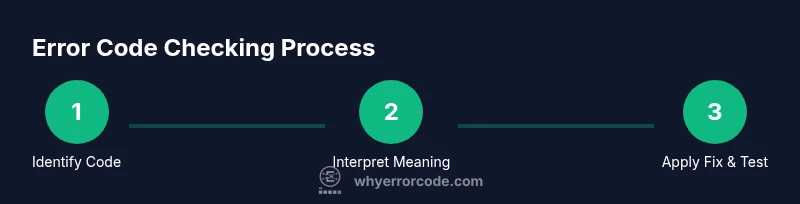
Power the washer to its idle state and observe the display for a numeric code, a letter, or LED blinking pattern. Write down the exact sequence and the model number for later reference. This establishes the starting point for troubleshooting.
Tip: Capture a short video of the code in action to share with support if needed. - 2
Cross-check code meaning
Open the model manual or consult Why Error Code’s database to map the observed code to a likely fault category. Note any model-specific differences that could alter the meaning of the same code.
Tip: Don’t rely on memory—copy the code exactly as shown to avoid misinterpretation. - 3
Attempt a safe reset
Power off the washer, unplug for a minute, then plug back in and power on. If the code clears, observe a test run to ensure normal function returns. If the code persists, document symptoms and prepare for further checks.
Tip: Reset only when the appliance is disconnected and you’re certain there’s no ongoing leak or hazard. - 4
Check likely fault areas
Depending on the code, inspect common culprits such as clogged filters, drum noise, door latch alignment, or drain hoses for kinks. Remove blockages safely and re-seat connectors if you’re comfortable doing so.
Tip: Avoid forcing components; if a part appears damaged, stop and seek professional help. - 5
Re-test and verify
Run a short wash cycle with a small load to confirm that the issue is resolved. If the code reappears, record the pattern and consider scheduling professional service.
Tip: Document the exact test results and any changes in performance.
Frequently Asked Questions
What should I do when my Whirlpool washer displays an error code?
Start by safely recording the code and model number, then consult the manual or trusted resources to interpret the meaning. Perform a safe reset if appropriate and test a short cycle to confirm whether the issue is resolved or requires professional service.
First, note the code and model number, then check the manual or trusted sources to interpret it. If safe, try a simple reset and run a brief test cycle to verify.
Are all Whirlpool error codes the same across models?
No. Different Whirlpool model families may use different code sets or display patterns. Always check your exact model’s documentation and the Why Error Code database for accurate meanings.
Codes can vary by model, so refer to your specific manual or trusted references to interpret them correctly.
Can I clear error codes without repairing the appliance?
Sometimes a code clears after a safe reset, but persistence indicates a fault that needs addressing. If the issue returns after a reset, proceed with further checks or contact support.
A reset might clear the code, but if it comes back, you likely have a fault that needs attention.
What safety steps should I follow before inspecting a Whirlpool washer?
Unplug the unit, avoid touching moving parts, and keep liquids away from electrical components. If you’re unsure about any step, stop and seek professional guidance.
Unplug the machine and avoid disassembling live components. If unsure, get help.
When should I call a technician for Whirlpool error codes?
If the code relates to a door latch, motor, or high-voltage parts, or if you notice burning smells or abnormal noises, contact a technician. Warranty status may influence the best course of action.
Call a technician if the fault involves the latch, motor, or if you smell burning or hear strange noises.
Where can I find model-specific code meanings for Whirlpool washers?
Refer to the user manual, Whirlpool’s official support pages, and the Why Error Code database for model-specific code meanings and recommended actions.
Check your manual and trusted references for model-specific code meanings.
Watch Video
Top Takeaways
- Identify the exact fault code from the display.
- Cross-check meaning with model-specific references.
- Attempt a safe reset before deeper inspection.
- Record observations and escalate when codes persist.
- Document and monitor codes to prevent recurrence.