How to Error Code: Diagnose and Fix Common Codes Efficiently
Learn to understand, diagnose, and fix error codes across software, hardware, and networks with a repeatable troubleshooting workflow. This guide covers definitions, categories, steps, tips, and trusted sources to resolve errors quickly.


This guide shows you how to understand, diagnose, and fix error codes across software, hardware, and networks. You'll learn a repeatable troubleshooting workflow, how to interpret common code families, and practical steps to reproduce and verify a fix. By following these steps, developers and IT pros can resolve errors faster and with fewer surprises.
What is an error code and why you should care
Error codes are concise signals that something went wrong in a system. They help developers, IT pros, and everyday users triage issues quickly by pointing to the affected component, the type of failure, or the required remedy. According to Why Error Code, error codes unify diagnosis across software, hardware, and networks, letting teams share a common language when debugging. The key is to interpret the code within its context: the platform (OS, browser, server), the operation being performed, and any accompanying message or stack trace. In practice, a well-structured error code can save hours of guesswork and reduce mean time to repair (MTTR). This mindset—combine observability with methodical testing—makes error codes powerful allies rather than frustrating roadblocks.
Typically, error codes come in standardized families or schemas. HTTP status codes like 404 or 500 indicate web server conditions, while application-specific codes such as E1001 or APP-NULL_reference signal internal logic problems. Hardware devices emit codes that map to specific fault modules (power, temperature, sensor). Logs, stack traces, and user-reported context are the companions that turn a cryptic numeric value into actionable information. The more you know about when, where, and how the error appeared, the faster you can match it to a root cause. As you embark on diagnosing, adopt a disciplined approach: capture the exact message, reproduce with controlled inputs, and document every observation. This approach is essential for a robust troubleshooting workflow.
Understanding the lifecycle of an error code is key. From generation (as the system detects a fault) to surfacing (UI messages, logs, telemetry), every step influences how easily you can fix the issue. This section sets the stage for the practical steps that follow, showing how a disciplined approach—supported by the right context—transforms cryptic numbers into concrete actions.
According to Why Error Code, a well-documented error-code map and a repeatable playbook reduce mean time to repair and improve cross-team collaboration. When you treat error codes as data rather than noise, you unlock powerful patterns for debugging, testing, and prevention. In short, error codes are your allies when you know how to read them and what actions to take next.
],
Tools & Materials
- Live environment access (dev/stage/production)(Have permission to reproduce the error in a controlled setting without impacting users.)
- Error message texts and stack traces(Collect exact code, accompanying message, timestamp, and context.)
- Web browser and developer tools(Use network, console, and inspector tools to gather client-side details.)
- Log files and access logs(Include time window and related user/session identifiers.)
- Search engine and reputable docs(Identify official mappings and known issues.)
- Network diagnostic tools (ping/traceroute)(Helpful for network-related error codes.)
- Ticketing/issue tracker access(Document findings and track resolution steps.)
Steps
Estimated time: 60-120 minutes
- 1
Define the problem
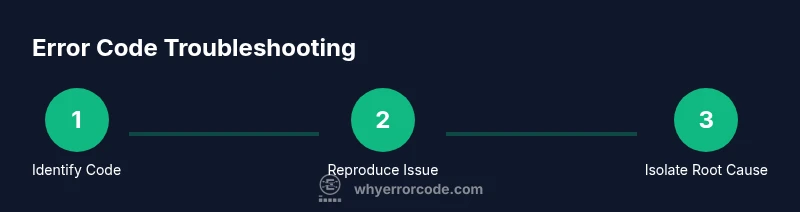
Capture the exact error code, message, timestamp, user actions, and system state. This creates a reproducible unit to work with and prevents ambiguity about what failed.
Tip: Record the URL, API endpoint, input data, and user role to contextualize the error. - 2
Reproduce in a controlled environment
Attempt to recreate the error with the same inputs in a safe, isolated environment. If reproduction isn’t possible, craft a minimal scenario that triggers the same code path.
Tip: Use sanitized test data and avoid production data to protect privacy. - 3
Collect and organize evidence
Gather logs, stack traces, configuration, recent changes, and related alerts. Centralize references so teammates can review without chasing scattered files.
Tip: Time-bound slices of logs reduce noise and speed triage. - 4
Map code to potential root causes
Group the error by its subsystem (network, database, UI, backend), operational context, and known failures. Formulate a short list of plausible causes for testing.
Tip: Leverage any existing error-code mappings or runbooks. - 5
Hypothesize and test
For each plausible cause, design a small, isolated experiment that can confirm or refute it. Keep experiments atomic to avoid conflating factors.
Tip: Document hypotheses and results for traceability. - 6
Implement a fix or workaround
Apply a targeted remedy that addresses the root cause. Prefer minimal changes that reduce risk of regressions.
Tip: If a workaround is implemented, note its temporary status and plan for a permanent fix. - 7
Validate the fix with tests
Rerun the failing scenario and ensure the error code no longer appears. Run regression tests to ensure no new issues were introduced.
Tip: Automated tests help prevent future recurrences. - 8
Document and share the resolution
Create a concise post-mortem, update runbooks, and share learnings with the team. Update error-code mappings to reflect the fix.
Tip: Include concrete steps to reproduce, test results, and preventive measures.
Frequently Asked Questions
What is an error code and why does it exist?
An error code is a standardized identifier that conveys what went wrong in a system. It helps teams quickly triage issues by pointing to the affected component or failure type. Context from logs and messages is essential to interpret the code accurately.
An error code is a standard identifier that shows what went wrong, helping teams triage issues quickly with the right context.
How should I interpret HTTP status codes like 404 or 500?
HTTP status codes indicate the outcome of an HTTP request. 4xx codes usually mean client-side issues (like a missing resource), while 5xx codes indicate server-side problems that require investigation of server logic or configuration.
HTTP status codes show whether a request succeeded or failed, with 4xx as client errors and 5xx as server errors.
What if I can’t reproduce the error?
If reproduction isn’t possible, collect as much context as possible (environment, inputs, timing, and logs) and try to replicate with a simplified scenario. Consider creating a monitoring rule to catch the error when it occurs again.
If you can’t reproduce it, gather context and try a simplified scenario or create a monitor to catch it in the future.
Where can I find official mappings for error codes?
Look for vendor documentation, language or framework RFCs, and official API docs. These sources provide standardized mappings and recommended diagnostic steps for the exact codes you’re seeing.
Check official docs and standards for exact mappings and recommended steps.
What’s the difference between a fixed error and a mitigated workaround?
A fix corrects the root cause and should be verified with tests. A workaround temporarily avoids the problem while a permanent solution is developed.
A fix removes the root cause; a workaround buys time but should be replaced with a proper fix.
How can I prevent recurring error codes?
Implement monitoring, standardize error-code mappings, review change logs for risky updates, and update runbooks after each incident to prevent recurrence.
Prevent recurrence by improving monitoring, mappings, and post-incident documentation.
Watch Video
Top Takeaways
- Identify the exact error code and context first.
- Reproduce in a controlled environment to isolate variables.
- Collect and organize evidence for reliable triage.
- Map codes to subsystems to guide the diagnostic path.
- Document the resolution to prevent recurrence and aid future incidents.