http error code 555: Diagnosis and Fix Guide
Urgent guide to diagnosing and fixing non-standard HTTP error 555. Learn causes, quick fixes, and prevention strategies for gateway, proxy, and backend issues. Why Error Code.


HTTP error code 555 is not a standard HTTP status. It typically signals a gateway or proxy-specific fault when a request cannot be completed. The fastest path to recovery is to confirm where the code originates, inspect logs, and apply a quick fix: verify routing, disable conflicting filters, and restart affected services. This guide helps you triage quickly. According to Why Error Code, rapid isolation of edge-layer issues is essential for a fast resolution.
What http error code 555 means
555 is not part of the official HTTP status code registry. When a client sends a request, a server gateway or reverse proxy can generate this non-standard code to signal a fault that doesn't map to a standard 4xx or 5xx class. In practice, seeing 555 usually means the issue originated at the edge of the network, rather than in your application logic. Because it's not defined by the RFC, different components may emit their own variant of 555, with slightly different messages in the response body. This ambiguity can slow diagnosis, so start with a controlled reproduction: use identical requests from a known client, capture the exact URL, headers, and host, and document any intermediaries (load balancers, CDNs, WAFs) between the client and the origin. According to Why Error Code, consistency in the source of the error is your fastest route to resolution.
Why http error code 555 matters in modern architectures
In microservices and edge-architected deployments, non-standard codes like 555 often indicate edge-layer decisions rather than root-cause failures in application code. Treat 555 as a signal: identify the hop where the edge device applied the non-standard mapping, confirm policy rules, and verify that upstream services produced a compatible response. The real value lies in the debugging breadcrumbs—the exact component that emitted the 555 helps you avoid chasing symptoms and accelerates remediation.
Quick checks you can perform without touching production traffic
- Reproduce with identical request parameters in a staging environment.
- Compare upstream vs downstream responses to identify where the 555 originates.
- Temporarily bypass one edge device (where safe) to see if the error persists.
- Review recent changes to gateway rules, CDN policies, and security filters.
- Validate time-synchronization across all components; desyncs can cause odd edge behavior.
Note: Do not disable security controls broadly; use targeted tests and rollback plans.
Deep dive into edge-layer behavior and mappings
Edge devices like load balancers, API gateways, and reverse proxies may map a variety of upstream errors into 555 for policy reasons or due to misconfigurations. Review mappings that translate upstream HTTP codes to the final response. If you find a rule that converts any 4xx/5xx upstream result into 555, assess whether that mapping is still appropriate. Check for recent patches or vendor advisories that may have altered how errors propagate through the edge stack.
When the 555 code is caused by a misconfigured WAF or CDN
A WAF (Web Application Firewall) or CDN may emit 555 to block suspicious traffic or when a policy is triggered. In such cases, inspect the rule sets, rate limits, and IP reputation filters. Temporarily relax or adjust rules to verify whether legitimate requests are being misclassified. Always re-enable defenses after testing and document the policy change for audits.
Server-side conditions that can masquerade as 555 at the edge
If an upstream service returns a non-standard code or a poorly mapped error, the edge device might propagate it as 555. This can also happen if headers are rewritten or if TLS termination introduces mismatches in protocol expectations. Collect complete request and response headers, and compare original and rewritten values to identify alterations that caused the edge to flip to 555.
Common misconfigurations that mimic 555
Header normalization, incorrect host headers, and misconfigured virtual hosts can all produce edge responses labeled 555. Ensure host header integrity, proper SNI handling, and correct path routing. Systematically disable suspected configurations one by one while monitoring results to avoid introducing new issues.
How to document and communicate findings during an urgent fix
Create a concise incident log with the exact request URL, method, headers, and timestamp. Record the edge device involved, any policy or rule changes, and whether bypassing a component resolved the issue. Share findings with the team and align on a rollback plan if new changes destabilize production.
Steps
Estimated time: 60-90 minutes
- 1
Reproduce the error reliably
Capture a consistent request sample (URL, method, headers, and host) and reproduce in staging if possible. This helps eliminate intermittent factors and provides a solid baseline for comparison.
Tip: Use curl or a browser dev tool to capture exact request details. - 2
Isolate edge components
Temporarily bypass or disable one edge device at a time (CDN, WAF, API gateway) to confirm where 555 originates. Document each change and its effect.
Tip: Only disable one component at a time to isolate the root cause. - 3
Check proxy/gateway mappings
Review rules that map upstream responses to downstream codes. Look for any policy that converts all errors to 555 and adjust as needed.
Tip: Audit recent policy or patch updates that could have altered the mapping. - 4
Inspect logs and headers
Examine origin server logs, edge device logs, and response headers to identify where the code changes from upstream to 555.
Tip: Collect timestamps and correlation IDs across components. - 5
Validate TLS and headers
Ensure TLS termination is consistent and headers (Host, X-Forwarded-For, etc.) are preserved across hops.
Tip: Mis-terminated TLS can cause downstream proxies to misinterpret traffic. - 6
Implement a controlled test after fixes
Apply one fix at a time and retest with the original repro. Confirm the 555 no longer appears and monitor for regressions.
Tip: Keep a changelog and rollback plan ready.
Diagnosis: User reports receiving http error code 555 on HTTP requests
Possible Causes
- highGateway/proxy misconfiguration mapping upstream errors to 555
- mediumWAF/CDN rule triggering 555 due to security policy
- mediumBackend service emitting a non-standard code that edge device passes through
- lowHeader rewrites or TLS termination mismatch at the edge
Fixes
- easyTest by bypassing one edge device to locate the origin
- mediumReview and adjust gateway/proxy rule mappings that convert upstream codes to 555
- mediumInspect WAF/CDN policies and disable suspect rules for testing
- hardVerify TLS termination and header integrity across hops
Frequently Asked Questions
What does http error code 555 mean?
555 is not an official HTTP status code. It typically indicates an edge-device or gateway decision rather than a direct application fault. Investigate edge components first to locate the root cause.
555 isn’t official; start with edge devices to find the cause.
Is 555 a real HTTP status code?
No. It’s a non-standard code used by some gateways or proxies. Treat it as a signal that the edge layer is involved and inspect edge configurations first.
No, it’s non-standard; check edge configurations first.
What causes http error code 555?
Common causes include misconfigured gateway rules, WAF/CDN policies, header rewrites, and TLS termination issues at the edge. Verify the edge layer before altering application code.
Usually edge misconfig or policy; check the gateway and WAF.
How can I fix 555 quickly?
Bypass edge devices to locate the origin, review gateway mappings, and clear CDN caches. Adjust rules only where necessary, then retest with controlled requests.
Bypass edge devices, check mappings, and retest.
When should I call a professional for http error code 555?
If you cannot access logs, production traffic is affected, or you don’t have control over edge devices. A professional can review edge configurations and vendor-specific tools.
If you can’t access logs or need edge config review.
Watch Video
Top Takeaways
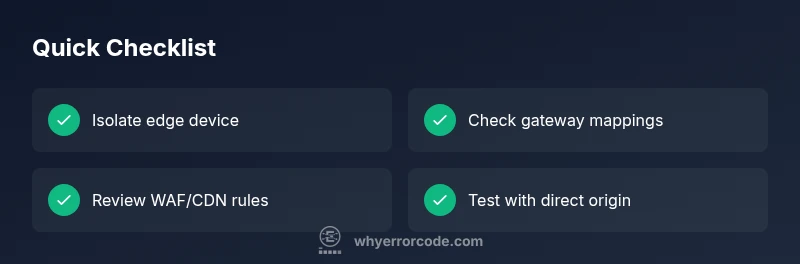
- Identify root cause quickly by isolating edge devices
- Check gateway and proxy mappings before digging into code
- Non-standard codes like 555 usually indicate edge-layer issues
- Document changes and monitor results after fixes