LG Range F7 Error Code: Urgent Troubleshooting Guide
Urgent guide to diagnose and fix LG range F7 error code. Learn meaning, symptoms, likely causes, quick fixes, step-by-step repairs, safety tips, and cost ranges.


LG Range F7 error code signals a fault in the oven's control system or temperature sensor, halting normal operation. The quickest path to safety is to power down the unit and perform a safe reset, then inspect cable connections and the door interlock. If the code returns after a reset, avoid risky DIY repairs and contact a qualified technician. According to Why Error Code, address persistent F7 faults promptly to prevent safety risks and further damage.
What the F7 error means for your LG range
An F7 error on an LG range indicates a fault in the oven's control logic or a faulty temperature sensor that prevents normal operation. This is more than a cosmetic glitch; it can affect safety interlocks and heat control. The Why Error Code team notes that F7 is typically not a random blink but a persistent fault that requires structured troubleshooting. Treat it as urgent: power down the unit at the wall, unplug if accessible, and wait a full minute before attempting any reset. When you reapply power, observe whether the code reappears immediately or after a specific action (like starting a bake cycle). If the code returns, do not bypass safety features. Gather model and serial numbers, firmware version, and a short symptom log to share with a service technician. A methodical approach reduces risk and accelerates repair.
Symptoms to watch for and how they map to urgency
Typical signs include the F7 code appearing on the display, the oven locking or ceasing to heat, erratic clock behavior, or the control panel becoming unresponsive. These symptoms point to a fault that could involve the control board, sensor circuitry, or interlock safety components. Because ovens involve high voltages and heating elements, it’s crucial to treat this as an urgent issue. If you notice burnt smells, melted connectors, or visible damage to wiring, stop using the range immediately and seek professional help.
Primary causes and their likelihood (ranked)
- High likelihood: Control board or temperature sensor fault — a fault in the main controller or a faulty temperature probe is the most common reason F7 appears. If the sensor reads out of spec or the controller misreads, the system can halt operation to protect itself. - Medium likelihood: Loose or damaged wiring harness or connectors — a loose plug behind the control panel or a damaged wire can trigger intermittent or persistent faults. - Low likelihood: Door interlock/safety switch fault — a faulty interlock can prevent the oven from starting, though this is less common than board or sensor issues.
Safety-first quick fixes you can try now
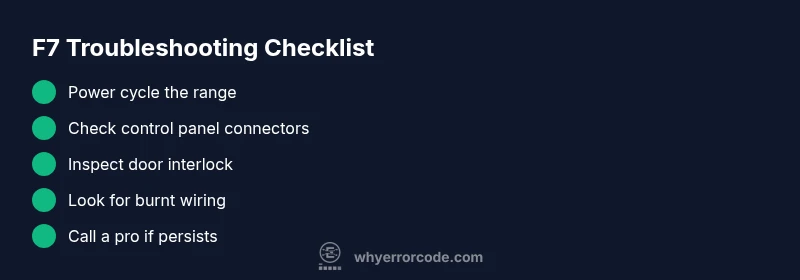
- Power down and unplug the range from the wall outlet (or switch off the dedicated circuit) and wait 60 seconds before reconnecting. - Check for any obvious signs of damage behind the control panel or at the back of the unit, including burnt-looking connectors or melted insulation. - Reseat visible connectors on the control board and door interlock. If you’re comfortable, you can gently unplug and re-seat the main harnesses, then power up to test. - Do not attempt to bypass safety interlocks or remove insulation around high-temperature components. If you smell burning or see arcing, stop immediately and call a technician.
A high-level repair flow for the most common cause (control board or sensor)
This section outlines the general sequence professionals use when the F7 fault points to the control board or sensor circuit. Start with a safe power-down, then inspect, reseat, and test connections. If the fault persists after reseating, the next step is to analyze sensor readings with model-specific diagnostic modes. Only proceed to component replacement if you have the right parts and follow the manufacturer’s service procedure. Remember, safety is non-negotiable when working with electrical appliances.
Other possible causes and how to address them
In some cases, F7 stems from a failing door interlock, a damaged wiring harness, or a faulty sensor that may not be easily reachable. A damaged interlock often requires panel access and careful testing to confirm, as replacement involves disassembly. Damaged wiring may be hidden behind panels; if you don’t see obvious signs, a professional inspection is recommended. For sensor-related faults, calibration or replacement may be necessary. Always check for updated firmware if your range supports it, since software glitches can mimic hardware faults.
Tips, warnings, and when to call a professional
- Prioritize safety: disconnect power before any inspection. - If you’re ever unsure, call a licensed technician; improper handling can expose you to electrical hazards. - Costs vary widely by region and parts needed; typical diagnostic fees range widely, with parts and labor potentially increasing the total. - Keep your receipt, model number, and a log of symptoms to speed up service.
Prevention: maintenance practices to reduce future F7 incidents
- Schedule regular professional maintenance and keep the control panel area clean and dust-free. - Inspect wiring and connectors periodically and replace any brittle or frayed wires before they fail. - Use the range within its recommended load and temperature ranges to minimize sensor stress. - Update firmware if your model supports it and follow LG’s service bulletin recommendations for known F7 issues.
Steps
Estimated time: 60-120 minutes
- 1
Power down and unplug the range
Switch off the unit at the wall outlet, then unplug the cord if accessible. Wait at least 60 seconds to allow residual energy to dissipate. This helps prevent electric shock during inspection.
Tip: Use a dry, non-conductive tool if you must handle connectors. - 2
Access the control area and inspect connectors
Remove the rear access panel or control panel cover as needed to reach the main wiring harnesses. Check for loose, corroded, or burnt connectors and reseat any that look suspect. Take a photo before unplugging anything so you can reconnect correctly.
Tip: Label cables if you disconnect multiple plugs. - 3
Check the door interlock and safety switches
With the door closed, test the interlock switch for smooth operation. If it feels stiff or is visibly damaged, do not bypass it—interlocks are safety-critical.
Tip: A shopping or service manual often has specific interlock testing steps. - 4
Inspect wires for damage
Look for melted insulation, discoloration, or frayed wires around the control board and sensor harness. If you see damage, replace the affected harness or connector rather than patching it.
Tip: Only perform electrical tests if you have proper training. - 5
Reset the control board and reassemble
Reconnect all plugs, restore power, and perform a soft reset following the model’s manual. Observe if the F7 code recurs during a short test cycle.
Tip: If your model requires a specific reset sequence, follow it exactly. - 6
Test operation and monitor
Run a non-heat diagnostic cycle if available, or a short bake/roast test under supervision. If F7 returns, document the symptom set and prepare for professional service.
Tip: Do not run full-power cycles if the fault persists.
Diagnosis: LG range displays F7 error code and won’t operate normally
Possible Causes
- highControl board or sensor circuit fault
- mediumLoose or damaged wiring harness or connectors
- lowDoor interlock or safety switch fault
Fixes
- easyPower cycle the range and perform a soft reset
- easyInspect and reseat wiring harnesses and connectors, looking for scorch marks
- hardReplace faulty control board or sensor assembly
Frequently Asked Questions
What does the LG range F7 error code mean?
F7 indicates a fault within the oven's control or temperature sensor circuit, which stops normal operation for safety. It often requires checking connections and possibly replacing components under professional guidance.
F7 means there’s a control or sensor fault in the oven, and it usually needs a careful check of connections or parts replaced by a technician.
Can I reset the F7 error code myself?
You can try a safe power cycle and soft reset, but do not bypass safety interlocks or perform invasive DIY repairs. If the code comes back, avoid further attempts and contact a technician.
A reset can clear transient faults, but if F7 returns, get professional help.
Is F7 dangerous or a fire risk?
F7 is a fault that can indicate potential safety risks. Do not operate the range aggressively or beyond safe limits; call a pro if you notice burning smells or damaged wiring.
Yes, treat it as a safety issue and contact a professional if you smell burning or see damaged wires.
How much does LG range repair cost for an F7 fault?
Costs vary by region and parts needed. Expect a diagnostic fee plus potential parts and labor; a basic service call often ranges from moderate to higher, depending on the exact fault.
Costs depend on the fault and region; a professional diagnostic and possible part replacement can vary widely.
When should I replace the control board rather than repair it?
If diagnostics indicate a faulty control board that cannot be repaired cost-effectively, or if multiple components fail after replacement, replacement is usually recommended for reliability.
If the control board is shot or repeatedly failing after multiple fixes, replacement is often the best long-term choice.
Watch Video
Top Takeaways
- Power cycle the range first to clear transient faults
- F7 usually points to control board or sensor issues
- If unsure, call a pro; safety comes first
- Document symptoms and model details for service