Need Help with Error Code: A Troubleshooting Guide
Urgent guide to diagnose, reproduce, and fix error codes across apps and devices. Learn a proven troubleshooting flow, step-by-step fixes, and prevention tips to minimize downtime.


Identify the exact error code and reproduce it in a controlled environment. Start with validating the code, checking recent changes, and reviewing logs. See our full step-by-step guide for a reliable diagnostic flow and fast fixes.
Understanding error codes and their impact
Error codes are standardized signals that tell you what went wrong and guide the next actions. There are several families you’ll encounter: HTTP status codes (e.g., 404, 500), application-specific codes from libraries or services, and device/hardware fault codes. Knowing which family your error belongs to helps you choose the right remediation path. According to Why Error Code, the most important distinction is whether the code is user-facing (informative) or developer-facing (for diagnostics). For developers and IT pros, mapping codes to meanings prevents guesswork and speeds recovery. For everyday users, recognizing a code as a signal of connectivity or permission issues sets expectations and directs triage. Keep a reference handy, such as an internal error-code glossary or vendor docs, to accelerate resolution. In this guide, we apply universal principles: confirm the exact code, gather context (logs, timestamps, recent changes), reproduce where possible, and institute data-driven fixes rather than random guesses. The Why Error Code team emphasizes disciplined triage as the most powerful skill for rapid error-code resolution.
Common sources of error codes
Error codes arise from configuration mistakes, network issues, outdated software, incorrect permissions, race conditions, and data integrity problems. Misconfigurations—wrong endpoints, incorrect environment variables, or stale credentials—commonly trigger codes during startup or API calls. Network instability or DNS hiccups can surface as timeouts or refusals, while outdated firmware or libraries may produce compatibility errors. Permissions problems (like missing roles or access tokens) often show up as authorization failures. Data corruption or invalid input can yield validation errors that escalate into codes. In many cases, a single root cause cascades into multiple symptoms. Keeping a structured log of failures helps identify whether the problem is transient or persistent, enabling you to respond with the right level of urgency and resource allocation.
How to reproduce and isolate the issue
Start by capturing the exact error code, timestamp, and the sequence of steps that lead to it. Reproduce the issue in a controlled environment, if possible, to separate it from production noise. Gather supporting data: logs, console outputs, network traces, and recent changes (deploys, config updates, certificate rotations). Try to reproduce at different endpoints or users to determine scope (single user, one service, or entire system). If the code is environment-specific, switch to a staging or test environment to confirm whether the problem is systemic or local. Document observed variables and outcomes to build a reproducible test case. With a reliable repro, you can test fixes quickly and validate them under realistic conditions.
Build a practical diagnostic flow
A practical diagnostic flow centers on three questions: What changed? What failed? What can be tested now? Begin with the simplest checks: verify basic connectivity, confirm credentials and permissions, and ensure the target service is reachable. If the issue persists, review recent deployments for breaking changes, compare against a known-good baseline, and inspect related components for cascading failures. Use a decision-tree approach: if the code matches a known issue, apply the prescribed fix; if not, escalate to logging and monitoring tools to collect deeper telemetry. Maintain clear checkpoints so you can roll back or adapt quickly if a fix creates new issues. The goal is to move from symptom-based guessing to data-driven validation and fast containment.
Step-by-step fixes for the most common causes
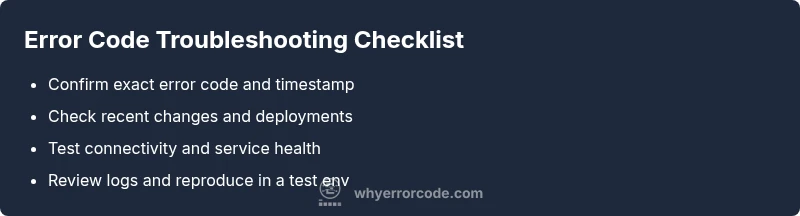
- Confirm the exact error code and context (where, when, and who). 2) Validate configuration (endpoints, credentials, environment variables). 3) Check network connectivity and service health dashboards. 4) Review recent changes and deployments; rollback if necessary. 5) Inspect logs for related events and correlation IDs. 6) Reproduce in a test environment and apply targeted fixes (config adjustments, patch updates, permission grants). 7) Validate the fix in production-safe windows and monitor for recurrence. 8) Document the incident and update runbooks for future prevention.
Preventing future error codes
Adopt proactive monitoring and automated health checks to catch issues before users do. Enforce consistent configuration management, versioning, and change control to minimize drift. Maintain up-to-date dependency inventories and implement regression tests for critical error pathways. Regularly rotate credentials and review access policies to reduce auth-related codes. Establish a formal incident review process to capture lessons learned and refine playbooks, checklists, and runbooks. By codifying best practices, you reduce both the frequency and impact of error codes over time.
Steps
Estimated time: 60-90 minutes
- 1
Identify the exact error code
Capture the code, timestamp, and user actions leading to the error. Note any correlated events in logs.
Tip: Use a unique correlation ID if available to tie related events. - 2
Check basic configuration
Verify endpoints, credentials, tokens, and environment variables. Ensure there are no typos or missing fields.
Tip: Keep a checklist to confirm every field is correct. - 3
Validate network and service health
Ping the target, test DNS resolution, and confirm service status dashboards show no outages.
Tip: If you see intermittent network issues, broaden monitoring to adjacent services. - 4
Review recent changes
Look for deployments, config updates, or certificate rotations that could trigger the code.
Tip: Tag the change for rollback if needed. - 5
Reproduce in a safe environment
Attempt to recreate the error in staging or a controlled lab to isolate causality.
Tip: Document exact steps to reproduce for future reference. - 6
Apply a targeted fix and redeploy
Implement the fix aligned with your evidence, then redeploy to a controlled window.
Tip: Monitor closely for recurrence in the first 24 hours. - 7
Verify resolution and close incident
Confirm the error does not reappear and relevant stakeholders are informed.
Tip: Update runbooks with the resolution steps.
Diagnosis: Error code appears during a user action or service call
Possible Causes
- highIncorrect or missing configuration
- highNetwork or connectivity issue
- mediumOutdated software or libraries
- mediumPermission or authentication failure
- lowData validation or input error
- lowRecent deployment introducing a regression
Fixes
- easyVerify exact code and reference docs for the meaning
- easyCheck configuration values, endpoints, and credentials
- easyTest network connectivity and service health
- mediumReview recent changes; rollback if necessary
- mediumExamine logs and reproduce in a test environment
- hardApply targeted patch or configuration fix; redeploy
Frequently Asked Questions
What should I do first when I see an error code?
Capture the exact code and timestamp, gather context from logs, and verify whether the issue is isolated or widespread. Start with the simplest potential causes like configuration or connectivity.
First, capture the exact code and moment it appeared, check logs, and see if this is isolated or widespread. Begin with config or connectivity checks.
How can I locate the exact error code in logs?
Search within your log files for the code string and any related identifiers. Correlate with timestamps and request IDs to trace the flow and gather related events.
Search logs for the code and related IDs, then trace the sequence of events by time to understand the issue.
Can I fix it myself, or do I need vendor support?
Many error codes can be resolved with configuration fixes, patches, or rollback. If the code relates to a proprietary service or hardware, consult vendor documentation or support.
Many fixes are DIY, but some codes require vendor support for patches or hardware issues.
Why do error codes vary across systems?
Different platforms define their own error codes and formats. Cross-reference the exact code against the system’s official documentation and logs to interpret it correctly.
Codes differ by system; always check the exact platform docs and logs to interpret them correctly.
What if the error code reappears after a fix?
If the code returns, re-check the root cause, re-test in a controlled environment, and review related subsystems for hidden dependencies.
If it returns, revisit root cause and test again in a controlled environment. Check related subsystems.
Are there safety concerns when diagnosing error codes?
Yes. Always avoid handling live production data without proper safeguards. Use test data, backup important information, and follow organizational security policies.
Yes. Avoid testing on live data; use safe environments and follow security policies.
Watch Video
Top Takeaways
- Start with the exact code and context.
- Differentiate between config, network, and code issues.
- Reproduce in a safe environment before fixes.
- Use a data-driven, step-by-step flow to resolve.
- Update documentation and runbooks after resolution.