Update Error Code 405: Quick Fixes and Diagnostics
Learn what update error code 405 means, how to diagnose its causes, and apply safe, practical fixes quickly. This urgent guide covers quick checks, diagnostic flow, and step-by-step repairs to get updates through again.


update error code 405 means the server understood the request method but refuses to allow that method for the requested resource (Method Not Allowed). Common causes include using an unsupported HTTP method on the endpoint, misrouted requests, or server configuration blocks. Quick fixes: check the API docs for allowed methods; switch to a supported method; verify the request URL.
What update error code 405 means and why it happens
The term update error code 405 describes an HTTP response status indicating the server understands your request method but refuses to authorize the specific method for the target resource. In plain terms, the endpoint you’re calling does not support the HTTP method you’re sending (for example, using PUT when the API expects PATCH). This is a reliability and security signal: the resource is accessible, but only via certain methods. In 2026 tech stacks, you’ll encounter 405 when API gateways enforce method restrictions, when proxies strip or re-route requests, or when a misconfigured router blocks updates. Quick checks: always confirm the endpoint’s allowed methods in the API docs and ensure your client uses one of them. Retrying the same blocked method will fail, while switching to an allowed method can succeed. This is an accessibility/method-compatibility problem, not a generic server outage.
Common scenarios you’ll encounter with 405
• RESTful APIs where an update requires PATCH or PUT but GET or POST is sent instead. • Proxied requests that get rewritten to an unsupported method by a gateway or reverse proxy. • Misrouted calls that target a non-update endpoint, triggering method restrictions. • API gateways enforcing per-endpoint rules, especially in microservices architectures. • CORS preflight configurations that block certain write methods on cross-origin calls.
In all cases, your goal is to align the client request with what the server explicitly allows. When in doubt, check the API documentation for the exact, permitted methods and any caveats about authentication or resource state.
When to suspect an update-method mismatch
If you’re seeing 405 only on specific endpoints or environments (QA vs production), the most likely culprit is a method mismatch or gateway rule. If every update attempt fails with 405, but read operations succeed, you’re likely hitting an endpoint that prohibits updates from that method. If you only see 405 after deploying a new gateway or a load balancer policy, an intermediate component is likely blocking the method. In such cases, verify with the API provider or infrastructure team which methods are allowed for that resource and whether any recent policy changes have been applied.
Quick checks you can run before diving in
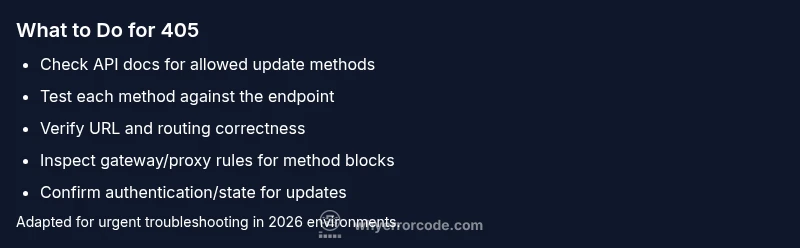
- Read the endpoint’s documentation to confirm supported methods for updates (PUT, PATCH, or POST).
- Ensure your client uses the exact method the API expects, including any required headers (Content-Type, Accept, X-Method-Override).
- Inspect the URL path to ensure you’re targeting the correct resource; a small path mismatch can trigger a method restriction.
- Test the endpoint with a tool like curl or Postman using each supported method to observe which ones are accepted.
- Check any API gateway or reverse proxy logs for method rewrite rules or blocked methods.
- If you control the server, review server and gateway configuration for allowed methods per route.
Diagnostic flow: Symptom → Causes → Fixes
When you see a 405 on an update request, start from the most common cause and work toward the less frequent ones. The diagnostic flow below mirrors how developers troubleshoot code-based HTTP errors in production.
- Symptom: Client sends an update request (PUT/PATCH/POST) to a resource, receives 405 Method Not Allowed.
- Causes (ordered by likelihood):
- cause: Endpoint does not support the HTTP method used for the update (high).
- cause: Request directed to the wrong resource or misconfigured route (medium).
- cause: Server configuration blocks the method due to security or policy rules (low).
- Fixes (ordered by impact):
- fix: Use the API-documented method for updates (easy).
- fix: Verify the endpoint URL and routing to ensure you’re addressing the correct resource (easy).
- fix: If you control the server, enable the required method for updates or create a dedicated update endpoint (medium).
Steps
Estimated time: 30-60 minutes
- 1
Confirm target resource and method
Open the API docs and verify which HTTP method is allowed for updates on the resource. Ensure your client requests that exact method, including required headers and payload format.
Tip: Cross-check method names (PUT vs PATCH) and payload shape against the docs. - 2
Test with a known-good method
Use a tool like curl or Postman to send a request using the allowed method to the same endpoint. Compare the response with your application’s request to identify discrepancies.
Tip: Start with the simplest payload; remove optional parts to isolate the issue. - 3
Check the URL and routing
Ensure the path you’re calling is the update endpoint, not a read or collection URL. Confirm route parameters and resource IDs are correct.
Tip: If you’re using path variables, log the final URL that your client sends. - 4
Review gateway/proxy rules
Inspect any API gateway, load balancer, or reverse proxy that could rewrite or block the method. Look for method-allow lists or per-route policies.
Tip: Ask the gateway operator for any recent policy changes affecting methods. - 5
Check authentication and state
Some servers deny updates if authentication or resource state does not permit modifications. Verify tokens, scopes, and resource state.
Tip: Re-authenticate and validate scope before reattempting. - 6
Implement a safe retry plan
After confirming the allowed method, implement a controlled retry with the correct method and a backoff strategy to avoid hammering the endpoint.
Tip: Limit retries to avoid rate-limiting or lockouts.
Diagnosis: Client receives 405 Method Not Allowed on update request to API endpoint
Possible Causes
- highEndpoint does not support the HTTP method used for the update (high)
- mediumRequest directed to the wrong resource or misconfigured route (medium)
- lowServer configuration blocks the method due to security/policy (low)
Fixes
- easyUse the API-documented method for updates (PUT/PATCH/POST) and correct headers
- easyVerify the endpoint URL and routing to ensure the correct resource is targeted
- mediumIf you manage the server, update configuration to allow the required method or add a dedicated update endpoint
Frequently Asked Questions
What does update error code 405 mean?
405 indicates the server understands the request, but the HTTP method used for the update is not allowed on that resource. It’s a sign of a method mismatch or a gateway rule.
405 means the update method isn’t allowed for this resource; check the API docs and use a supported method.
Is 405 the same as 404?
No. 404 means the resource could not be found, while 405 means the resource is found but the method used for the request is not allowed.
404 is not found; 405 means the method isn’t allowed on the resource.
How can I fix a 405 error on an API?
Consult the API docs to confirm the allowed update method, verify the endpoint URL, and adjust the client or server configuration to permit that method for updates.
Check the API docs, correct the method, and retry. If you manage the server, adjust permissions if needed.
Can CORS cause a 405?
CORS issues typically surface as preflight failures or 401/403. A 405 is distinct and usually results from endpoint method restrictions or gateway rules.
CORS problems often appear as preflight errors, but 405 is usually a method restriction.
Is 405 dangerous for my app?
Not inherently dangerous; it’s a configuration or usage issue. It prevents updates until the method and endpoint are aligned.
It isn’t dangerous—just misconfigured or misused endpoints awaiting the proper method.
Watch Video
Top Takeaways
- 405 means method not allowed for the target resource
- Verify API docs for permitted update methods
- Check URL routing and gateway rules first
- Test with supported methods using a tool like curl/Postman