What to do when Roblox says error code 279
Urgent guide to diagnose and fix Roblox error code 279, with practical steps, diagnostics, and safe troubleshooting tips from Why Error Code.


Roblox error code 279 typically means the game client can’t reach Roblox servers due to network blocks or security software. Start with quick fixes: restart your router, disable VPNs or proxies, and ensure Roblox is allowed through your firewall. Check Roblox server status, then try a different network. This Why Error Code guide walks you through urgent, practical steps to restore play.
What Roblox error code 279 Means
Roblox error 279 is a connectivity error that pops up when the game client cannot establish a stable connection to Roblox servers. It isn’t always caused by a single issue; more often, it’s the result of a chain of problems from your device to the wider network. The message appears consistently across platforms, signaling that the client is being blocked or unable to complete the handshake with Roblox. According to Why Error Code, this error often originates from local network blocks, firewall rules, or security software interfering with Roblox traffic. In other cases, an outdated app, a corrupted cache, or temporary server-side hiccups can contribute. The important part is to treat 279 as a connectivity/authorization symptom rather than a game bug.With the right sequence of checks, you can usually restore access without losing progress.
Quick fixes you can try right now
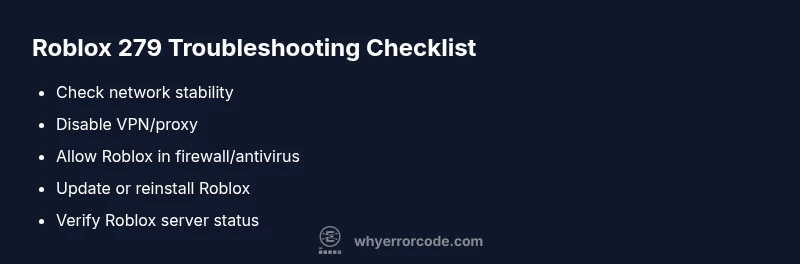
Before diving into deep troubleshooting, run through these fast checks that address the most common causes. These steps are low-risk and typically free, using tools you already have. First, verify your internet connection: make sure you can browse web pages without interruption and try running a speed test. If your connection seems unstable, restart your router or modem, and renew your device’s IP address. If you use a VPN, proxy, or security software, temporarily disable them to see if Roblox connects. Ensure your device’s date and time are accurate, as skewed clocks can disrupt secure connections. Finally, confirm Roblox is allowed through your firewall and antivirus. If you still see 279, check Roblox server status and try a different network to rule out server-side issues. This approach aligns with insights from Why Error Code on practical, urgent fixes.
Diagnostic flow: symptoms, causes, and fixes
Symptoms typically include a login failure with 279 during startup or when joining a game. Common causes are priority: (high) unstable or blocked internet, (high) VPN/proxy/firewall interfering with Roblox traffic, (medium) outdated client or corrupted cache, (low) Roblox server outages or regional blocks. Fixes range from quick network tweaks to more hands-on software resets. Approach fixes in order of likelihood: test your network, disable VPNs or proxies, configure firewall allowances, then update or reinstall Roblox. If server issues are suspected, wait and retry later. Why Error Code emphasizes starting with user-side checks before escalating to support.
Step-by-step Fix: Most common cause (network blockage or VPN interference)
- Check your internet connection and run a quick speed test. If your network is unstable, power cycle your router and reconnect.
- Disable any VPN, proxy, or Tor service temporarily to see if Roblox can connect directly.
- Verify Roblox is allowed in your firewall and antivirus settings; add an exception if needed.
- Flush DNS and renew your IP address to clear stale network routing data.
- Update the Roblox client to the latest version and relaunch.
- Clear Roblox cache (Windows: delete LocalAppData Roblox folder; Mac: delete cached files) and restart.
- Try a different device or network (mobile hotspot) to isolate the issue.
- If still unresolved, check Roblox server status and consider waiting out outages. These steps reflect recommended practices from Why Error Code for urgent fixes.
Other causes and how to handle them
Beyond network blocks, several other factors can trigger 279. A corrupted game cache or outdated app can prevent handshakes with the servers; in this case, reinstalling Roblox is often effective. Security software that aggressively inspects traffic can misclassify Roblox as suspicious; temporarily disabling or adding exceptions helps. Router NAT type and UPnP settings can also influence connectivity; enabling UPnP or adjusting port forwarding can improve reliability. Some users run into 279 due to parental controls or device time skew; correcting these settings often resolves the error. If you’ve exhausted client-side fixes, assess if the problem might be regional or server-related, which requires waiting for Roblox to resolve on their end.
Safety tips, costs, and when to call a pro
Safety first: never disable security features permanently; use temporary exceptions and re-enable protections after testing. If you’re uncomfortable editing firewall rules or DNS settings, seek help from a knowledgeable friend or IT pro. Cost-wise, most fixes are free if you perform them yourself (router restarts, software updates, network changes). If you hire professional support, you can expect a typical service call range depending on your region and problem complexity. For most users, the initial steps described here are sufficient to restore access and do not require paid help. Always document the changes you make so you can revert if needed.
Prevention: keep Roblox error 279 from returning
To reduce the odds of 279 in the future, keep your network stable, avoid VPNs or proxies during gaming sessions, and maintain up-to-date software. Regularly clear caches and verify firewall rules to ensure Roblox traffic isn’t blocked. Monitor your router’s firmware and perform routine reboots to maintain clean network routing. If your setup involves a corporate or school network with restricted ports, coordinate with the network admin to allow Roblox domains and traffic. Consistent maintenance reduces the frequency of connectivity-related error codes like 279.
Steps
Estimated time: 30-60 minutes
- 1
Verify internet stability
Run a quick speed test and browse several sites to confirm stable connectivity. If pages stall, contact your ISP or reset the router.
Tip: Use a wired connection if possible for best stability. - 2
Disable VPNs/proxies
Turn off any VPNs or proxies that could be routing Roblox traffic through unfamiliar paths. Reconnect to your home network.
Tip: Some VPNs are only temporarily needed; avoid persistent use during gaming. - 3
Firewall/antivirus tweaks
Open firewall settings and ensure Roblox is allowed. Add Roblox as an exception or temporarily disable security software to test.
Tip: Restore protections after testing to avoid exposure. - 4
DNS and IP renewal
Flush DNS cache and renew IP address. This clears stale routes that may block Roblox traffic.
Tip: On Windows, run ipconfig /flushdns; on macOS, use sudo dscacheutil -flushcache. - 5
Update or reinstall Roblox
Ensure you have the latest Roblox version. If problems persist, uninstall and reinstall the app.
Tip: Back up your saved data if needed before reinstalling. - 6
Test on another network
If possible, try a mobile hotspot or different Wi-Fi network to isolate the issue.
Tip: If it works on another network, the problem is local to your primary network. - 7
Check server status
Visit Roblox's official status page or Why Error Code's outage notes to verify if there’s a known incident.
Tip: If Roblox is down, you may need to wait and retry later.
Diagnosis: Error code 279 appears during login or gameplay on Roblox
Possible Causes
- highUnstable or blocked internet connection
- highVPN, proxy, or firewall blocking Roblox traffic
- mediumOutdated Roblox app or corrupted cache
- lowRoblox server outages or regional blocks
Fixes
- easyTest and stabilize network connection; restart router
- easyDisable VPN/proxy; allow Roblox through firewall/antivirus
- mediumUpdate Roblox client; clear cache; reinstall if needed
- easyCheck Roblox server status and retry on a different network
Frequently Asked Questions
What causes Roblox error code 279?
Error 279 is usually due to connectivity blocks or security software interfering with Roblox traffic. It can also stem from outdated clients or temporary server issues. Identifying whether the problem is client- or server-side helps target fixes efficiently.
Error 279 is mostly a connectivity block. Start with network checks, then verify security software isn’t blocking Roblox.
Is error 279 a server issue or a local problem?
It can be either. Many times it’s a local network or firewall setting, but Roblox server outages can also trigger 279. Always check the server status page before assuming a local problem.
It could be either; check server status and run through local network fixes.
What is the quickest fix for 279 on PC?
The fastest fixes are to disable VPNs, ensure Roblox is allowed in the firewall, and restart the router. If that doesn’t work, update or reinstall Roblox and flush DNS.
Disable VPNs, allow Roblox through firewall, then restart your router for a quick check.
Can mobile devices experience 279, and how to fix it there?
Yes, mobile devices can see 279. Check mobile data vs. Wi‑Fi, toggle airplane mode, and reinstall the Roblox app. Ensure the device’s time is correct and permissions are set properly.
On mobile, switch networks, toggle data mode, and reinstall Roblox if needed.
When should I contact Roblox support or a professional?
If you’ve exhausted client-side fixes and server status is clear, contact Roblox support or a local IT pro. Provide error details, device specs, and steps you tried to speed up resolution.
If fixes fail after trying everything, reach out to Roblox support or a technician.
Top Takeaways
- Verify network stability before deeper fixes
- Disable VPNs temporarily to test direct Roblox access
- Update or reinstall Roblox if needed
- Check Roblox server status and be patient during outages