Fixing 400 Bad Request Error Code 50035: Urgent Diagnostic Guide
An urgent, step-by-step guide to diagnosing and fixing the 400 bad request error code 50035, with practical checks, quick fixes, and prevention strategies from Why Error Code.


According to Why Error Code, a 400 bad request error code 50035 means the server rejected the request due to invalid syntax or parameters. Common causes include malformed URLs, invalid header values, or missing required fields in the payload. Quick fixes: validate and encode the request, strip extraneous data, and retry with a clean payload. Why Error Code team emphasizes checking client and server logs for precise details.
What the 400 bad request error code 50035 means
The 400 bad request error code 50035 indicates the server rejected the incoming request because the syntax or parameters were invalid. This is not a failure of authentication; it’s a client-side formatting issue that prevents the server from processing the request. In urgent troubleshooting, treat this as a signal to validate every piece of the request: the URL, headers, and body must all align with the API’s specification. Why Error Code's analysis shows that most users encounter this when payloads are malformed or the payload uses incorrect encoding. If the API returns additional detail in the response body, capture that for faster diagnosis. The moment you see 50035, switch from guessing to validating every field against the API contract.
Diagnostic clues and symptom mapping
Symptoms often include an HTTP 400 status with a specific message in the response body. Common causes map to client-side problems (malformed URL, bad query parameters) or server-side checks (incorrect content type, schema validation failures). Reproduce the issue with a minimal request to isolate the trigger. Logging traces, request IDs, and the exact field reported by the API are your fastest routes to pinpoint the offender. Remember, in fast-moving environments, reproducing the exact failing payload is worth ten speculative fixes.
Quick fixes you can try now
- Validate and URL-decode the request: ensure no stray characters and the query string is properly encoded.
- Remove optional parameters you don’t need, and re-check required fields.
- Confirm Content-Type matches the payload format (e.g., application/json) and that the payload encoding is UTF-8.
- Retry the request against a non-production environment to confirm if the issue is version-related or environment-specific.
- Review the response body for hints; it often contains the exact field causing rejection. If the server returns a pointer (path to the bad field), focus your debugging on that field first.
Step-by-step fix: validating and correcting the request
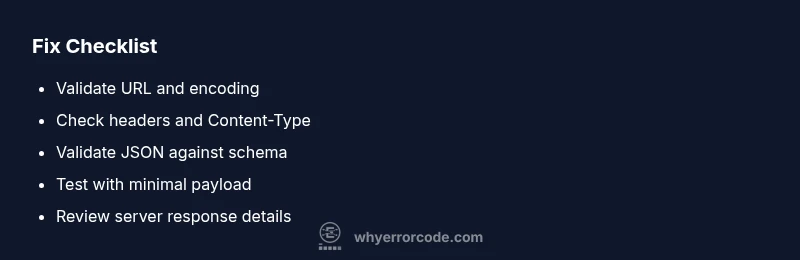
- Gather context and reproduce the error with a minimal, controlled payload. This establishes a baseline to compare against when you introduce changes. Tip: use a repeatable reproduction, and save the original request for auditing.
- Check the request URL and query parameters. Ensure there are no stray symbols, spaces, or double-encoded characters. Tip: decode and re-encode the URL components with the correct UTF-8 scheme.
- Validate headers for correctness. Confirm the Content-Type, Accept, and any custom headers match the API's specification. Tip: remove optional headers to see if the server accepts a lean request first.
- Validate the request body payload. If using JSON, run it through a schema validator and fix any field mismatches. Tip: use schema-based testing tools to automate this step.
- Test with a minimal valid payload. Rebuild complexity only after a successful baseline. Tip: incrementally add fields to identify the exact rejection point.
- Apply the fix and monitor the server response. Retest in a staging environment, and enable verbose logging to capture details. Tip: document every change and collect the new response for comparison.
difficultyHardLinkageNote shouldNotBeHere? false
Steps
Estimated time: 30-45 minutes
- 1
Reproduce the error consistently
Create a minimal, repeatable request that triggers the error. Document the exact endpoint, headers, and payload. This baseline ensures you can verify fixes later.
Tip: Use a controlled environment and save the exact request body. - 2
Validate the URL and query string
Check for malformed characters, improper encoding, and double-encoding in the URL. Correct any issues and re-test.
Tip: Use URL encoding utilities to normalize parameters. - 3
Verify headers and content type
Ensure all required headers exist and that Content-Type matches the payload format (e.g., application/json).
Tip: Remove optional headers to see if the request then succeeds. - 4
Validate the request body payload
Run the payload through a JSON validator or schema checker to fix syntax and field mismatches.
Tip: Prefer schema-driven tests over ad-hoc payload edits. - 5
Test with a minimal valid payload
Send a lean, valid payload to confirm the endpoint accepts something simple, then incrementally add fields.
Tip: If the minimal payload works, the issue lies in a specific field. - 6
Apply fix and monitor
Implement the confirmed fix in production or staging, then monitor logs and response times for anomalies.
Tip: Enable verbose logging around the fix window to capture failures.
Diagnosis: Error code E400/50035: 400 Bad Request on API call or web request
Possible Causes
- highMalformed URL or invalid query parameters
- mediumIncorrect Content-Type header or encoding
- highRequest body with invalid JSON or schema mismatch
- lowUsing an outdated API version or deprecated endpoint
Fixes
- easyValidate URL and decode/encode query params
- easyCheck Content-Type and payload encoding (UTF-8)
- mediumValidate JSON against API schema with a validator
- easyTest with a minimal, correct payload
- mediumReview server logs and error payloads for specifics
Frequently Asked Questions
What does 400 bad request error code 50035 mean?
It signals the server rejected a request due to invalid syntax or parameters. Usually caused by malformed URLs, bad headers, or a faulty payload. Review the API contract and inspect logs to identify the exact offending field.
A 400 bad request means the request wasn’t formed correctly. Check the URL, headers, and body against the API rules.
What are the most common causes of this error?
Malformed URLs or query parameters, incorrect Content-Type or encoding, and payloads that don’t match the API schema are the top triggers. Outdated endpoints can also cause this error.
Most often, it's a bad URL, bad headers, or a JSON that doesn't fit the schema.
How can I fix this quickly for a live API call?
Start with a minimal valid request, verify encoding and headers, and validate the payload against the API schema. If needed, test in a staging environment before deploying.
Try a small, valid request first, then expand it step by step.
Is this error client-side or server-side?
Mostly client-side formatting or payload issues trigger this error, but server-side validations can contribute if the server is mismatched with the contract.
Usually client-side formatting, but always check the server response for clues.
When should I contact the API provider or hosting service?
If logs show no obvious client-side issue and the error persists, escalate to the API provider or hosting service with reproduction details and error payloads.
If you’re stuck after checking the client, reach out with what you tested.
How can I prevent this error in the future?
Incorporate strict input validation, schema-based tests, and automated checks before sending requests. Maintain versioned endpoints and clear API documentation.
Add validation and version checks to avoid repeats.
Watch Video
Top Takeaways
- Identify root cause by examining logs and the API's error payload.
- Validate URL, headers, and body against the API contract.
- Use minimal payloads to isolate the faulty field or parameter.
- Apply fixes iteratively and monitor outcomes with detailed logs.
- Escalate to the API provider if server-side validation remains unclear.