Urgent Fix: Error Code WIN 1603 ESET Troubleshooting Guide
Urgent guide to resolve error code win 1603 eset during Windows install. Learn quick fixes, diagnostics, logs, and when to seek professional help with practical steps from Why Error Code.


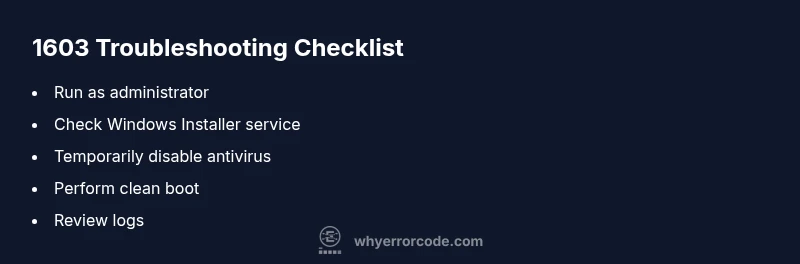
Error code WIN 1603 ESET signifies a fatal Windows Installer failure, typically caused by conflicting software, incomplete prior installs, or permission issues. The quickest path to relief is to run the installer as an administrator, verify the Windows Installer service is running, temporarily disable antivirus, and then re-run the setup. If problems persist, proceed with a clean boot and repair install steps.
What the error means and why it appears
The error code win 1603 eset points to a fatal failure during a Windows software installation or update. In practical terms, the installer could not complete the operation due to a blocking factor, a corrupted installer package, or an unsafe environment for changes to system files. The Why Error Code team notes that such failures are usually not caused by a single misstep but by a combination of conditions: conflicting software, an incomplete previous uninstall, insufficient permissions, or a Windows Installer service issue. Because this error halts the entire installation, a structured troubleshoot-and-fix approach is essential to minimize downtime and avoid data loss. Recognizing that this is an urgent issue helps you act decisively rather than retrying blindly.
What the error code WIN 1603 ESET means and why it appears in practice
The error indicates the installer cannot complete the operation and signals a fatal condition. In many cases, conflicts with security software (such as ESET) or residual registry entries from earlier failed attempts cause the failure. Understanding this helps you target the most probable causes first and reduces time spent on low-likelihood problems. According to Why Error Code analysis, addressing permissions, service status, and software conflicts often resolves the majority of 1603 errors without a full OS reinstall.
The role of security software and system state in 1603
Security tools can block installers from modifying protected system areas. If ESET or other antivirus software is actively guarding critical paths, the installer may be blocked. Likewise, an out-of-date system or a disabled Windows Installer service increases the risk of a fatal installation error. By isolating these factors, you can distinguish between a temporary block and a deeper, systemic issue that requires more advanced remediation.
How logs guide you toward the fix
Collecting installer logs, Windows Event Viewer entries, and application-specific logs is essential. Look for events labeled MsiInstaller, MsiWithdrawal, or code 1603 in the System and Application logs. These entries often point to the exact file or registry key involved. With log data, you can confirm whether the problem is a corrupted MSI package, a permission issue, or a service malfunction, and then apply the appropriate fix with confidence.
Step-by-step approach to a safe fix
A methodical path reduces risk and accelerates resolution. Start by ensuring you have admin rights, then temporarily disable real-time protection. If the error persists, check that the Windows Installer service is running and set to Manual or Automatic, then attempt a clean install using the latest MSI. If necessary, perform a clean boot to rule out third-party interference and consider a repair install if the OS integrity is in doubt.
When to escalate to professional help
If the error persists after all basic and mid-level fixes, it signals a more complex environment issue—such as a damaged Windows image, registry corruption, or hardware-related constraints. In these cases, a professional IT service can run deeper diagnostics (DISM, SFC, registry repair) and perform advanced reinstall scenarios. Costs typically range from moderate to higher depending on the scope, region, and service level.
Steps
Estimated time: 20-45 minutes
- 1
Prepare the environment
Back up important data and close unrelated applications. Ensure you have administrative rights on the target machine. If using ESET or another security product, consider temporarily disabling real-time protection for the install window.
Tip: Never leave antivirus off for long; re-enable after the install completes. - 2
Check Windows Installer service
Open services.msc, locate Windows Installer, and ensure it is set to Manual or Automatic. Start it if it isn’t running, and re-run the installer after a quick reboot.
Tip: If the service won’t start, run a quick DISM/SFC scan to repair system files. - 3
Perform a clean boot and retry
Disable startup apps and services not required by Windows using msconfig. Reboot and attempt installation again with the latest MSI from the vendor.
Tip: Record which services you disable to revert later.
Diagnosis: Error code WIN 1603 ESET appears during Windows installer run, halting the installation.
Possible Causes
- highConflicting software or previous partial uninstall blocks the new install
- mediumWindows Installer service not running or corrupted
- mediumAntivirus/EDR software (e.g., ESET) blocking installer access
Fixes
- easyRun the installer as Administrator and temporarily disable antivirus
- mediumVerify Windows Installer service is running; repair or re-register MSI
- hardPerform a clean boot and attempt a fresh install with the latest MSI package
Frequently Asked Questions
What does error code WIN 1603 ESET mean in Windows Installer?
WIN 1603 is a fatal install failure indicating the installer could not complete the operation due to conflicts, permissions, or service issues. It often involves third-party software like ESET blocking the process.
WIN 1603 is a fatal install failure usually caused by software conflicts, permissions, or service issues.
Can I fix error 1603 quickly without reimaging Windows?
Yes, start with admin rights, disable real-time protection briefly, ensure Windows Installer is running, and retry with the latest MSI. If it persists, try a clean boot and reinstall.
You can usually fix it by running as admin, checking the Windows Installer service, and retrying with a clean boot if needed.
Is ESET directly causing the 1603 error?
Antivirus and endpoint protection like ESET can block installers. Temporarily disabling real-time protection during install is a common step, but remember to re-enable afterward.
Antivirus like ESET can block installers; temporarily disable protection during install, then re-enable.
When should I seek professional help for 1603?
If multiple repair attempts fail, you likely have a deeper OS issue. A professional can perform advanced diagnostics and OS repairs safely.
If fixes fail after trying the steps, consider professional help for deeper OS diagnostics.
Are there risks to fixing 1603 myself?
There are minimal risks with guided steps, but disabling security tools and registry edits can cause issues if done incorrectly. Always back up first.
DIY fixes are doable with care, but back up first and don’t make registry changes unless you know what you’re doing.
Does system integrity impact 1603?
Yes. A damaged Windows image or corrupted system files can trigger 1603. Running SFC and DISM can repair such issues.
Corrupted system files can trigger 1603; use SFC and DISM to repair them.
Watch Video
Top Takeaways
- Identify if the issue is a blocker by checking the installer logs.
- Start with admin rights and service checks before deeper repairs.
- Antivirus can be a frequent culprit; test with protection temporarily disabled.
- If unresolved, a professional repair may be required to fix Windows image issues.