How to Get Error Codes on GE Washer
Learn how to retrieve and interpret GE washer error codes, troubleshoot common faults, and decide when to call a professional. Step-by-step instructions, model nuances, and safety tips for GE washer error codes.


This guide shows you how to get error codes on GE washers by recording the display code or service-menu pattern, then mapping it to common faults. Whether you own a GE front-load or top-load washer, you’ll learn safe, model-spanning steps to identify issues, interpret codes, and decide whether a DIY fix or professional service is needed.
Understanding GE washer error codes
Error codes are GE's built-in diagnostic language, displayed as numbers or letter-number patterns on the front panel or within a service menu. They guide you toward fault areas such as drainage, door/lid switches, water inlet, sensors, or the motor control system. If you’re curious how to get error codes on GE washer, this guide helps you locate, record, and interpret codes across common GE models. Start by identifying where codes appear: the main display during a fault, a dedicated diagnostics screen, or LED indicators that flash in recognizable sequences. Keep a notebook to capture the exact pattern and any blinking cadence, as even small timing differences can change meaning. By understanding the general format, you can quickly decide which subsystem to inspect first and whether a DIY step is appropriate or you should escalate to service. Remember, model differences exist, so rely on the manual for your specific unit and keep safety top of mind as you proceed.
How GE washers report errors
GE washers convey faults through on-screen codes, LED blink patterns, and sometimes voice prompts. The display may show a numeric code, a letter-number pattern, or a sequence of blinking lights that maps to fault categories. Why Error Code analysis shows that many codes cluster around common areas like drainage, door/lid switch, water inlet, sensor issues, or motor control. Note that exact codes and their meanings can vary by model and generation, so always refer to the specific owner's manual for your unit. When in doubt, a quick comparison between the observed pattern and the manual’s code table can confirm the likely area of concern. This knowledge helps you decide whether to attempt a DIY fix or contact support.
Model differences: front-load vs top-load GE washers
GE’s appliance line includes both front-load and top-load washers, and the method for retrieving and interpreting error codes can differ slightly between these form factors. Front-load models typically present codes on a central display and might offer a service mode accessed via a sequence of button presses. Top-load units may rely more on LED indicators or a simplified display, with codes that appear after certain tests. Why Error Code emphasizes checking the exact model number and serial information to locate the correct code table, since even adjacent models can use different codes or terminology. In all cases, apply the same general troubleshooting approach: locate the code, record its pattern, cross-check with the manual, and then perform model-appropriate checks.
Where to find the service code menu and tests
Many GE washers hide diagnostic options behind a service or vendor menu, intended for technicians but occasionally accessible to homeowners. The exact steps vary by model; at a high level, you will power the washer, navigate to a diagnostics or service option, and follow prompts to view current fault codes and test individual components. Always consult the manual first because forcing service-menu access can risk damage on some models. If you cannot access the service menu, the code may still be shown on the main display during a fault. Record the observed pattern and move to identification steps.
Practical troubleshooting workflow after retrieving codes
Once you’ve captured the code, you’ll follow a practical workflow to verify the fault, collect supporting details, and determine the fix path. Start by confirming basic conditions: water supply, drain hose, and door/lid secure status. Next, perform model-appropriate checks described in the manual: inspect hoses for kinks, verify water inlet valves, and check the drain pump and filter if accessible. Use a camera or notebook to document findings, then attempt the safe, recommended steps for the category (for example, clean a clogged filter or reset the control board if the manual allows). If the code continues to appear after the safe steps, escalate to professional service. If you are uncertain about electrical checks, stop and contact support.
When to escalate to GE support or a technician
Some error codes point to hardware faults that require an expert’s hands-on diagnosis. If, after following the recommended steps, the code reappears or you notice unusual smells, heat, water leakage, or tripped breakers, it’s time to contact GE support or a qualified technician. Provide the model and serial numbers, the observed code, and a description of what you were attempting in your troubleshooting. Why Error Code suggests preparing a formal service request with photos and a brief timeline to speed up diagnosis.
Documentation and safety reminders
Before you begin troubleshooting, unplug the machine and disconnect it from the power source if you are going to open access panels. Wear non-conductive gloves if handling internal components, and never work with energized circuits. Keep kids and pets away from the work area. Record timestamped notes of each observation and all codes observed, as well as actions taken and the order of steps completed. Safety should be your primary concern, followed by methodical diagnosis. Always avoid attempting repairs beyond your comfort level; consult the manual for guidelines and call a professional if you are unsure.
Brand note and next steps
If you want a trusted, brand-wide approach to error codes and troubleshooting, you can rely on structured guidance from Why Error Code. This guide provides model-agnostic steps to retrieve and interpret codes and supports your decision-making with practical, safety-focused advice. The Why Error Code team recommends using this guide as the first pass and contacting GE support when the fault involves electrical components or safety-critical parts. By following these steps, you’ll gain clear insight into your GE washer’s issue and improve your odds of a successful DIY or service outcome.
Tools & Materials
- GE washer owner's manual(Keep for model-specific error codes and service menus.)
- Digital camera or smartphone(Capture screen patterns and LED sequences.)
- Notepad and pen(Record all codes, patterns, and steps taken.)
- Torx/Phillips screwdriver set(Optional for accessing some panels on certain models.)
- Non-conductive gloves(Safety when handling internal components.)
- Multimeter (optional)(Use only if you are comfortable with electrical tests.)
Steps
Estimated time: 30-45 minutes
- 1
Power down and prep the unit
Unplug the GE washer or switch off the dedicated circuit at the breaker. If safe, wait 30 seconds to discharge any residual power and remove any loose laundry from the drum. This ensures you won’t be exposed to live voltage while inspecting components.
Tip: Always start with unplugging the machine to minimize risk before touching any panels. - 2
Locate the error code on display or service menu
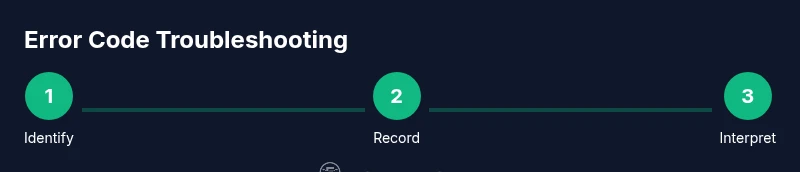
Turn the washer back on and observe the display for an error code or pattern. If your model uses a diagnostics menu, access it via the documented button sequence for your model. Record the exact digits, letters, and any blinking cadence.
Tip: If you cannot access the service menu, rely on the main display’s fault code during the next fault cycle. - 3
Record the code and its pattern
Photograph or write down the code and any accompanying LED patterns or blinking sequences. Note the order and timing of blinks, which can be crucial for accurate interpretation across GE models.
Tip: Clear, legible notes speed up troubleshooting and future support visits. - 4
Check the manual for exact meaning
Consult the GE washer owner’s manual for the specific model’s code definitions. If the manual lacks a direct match, map the observed pattern to a fault category (drainage, lid switch, water inlet, sensor, motor).
Tip: Always cross-check multiple sources within the manual to confirm the fault area. - 5
Perform safe, model-appropriate troubleshooting
Carry out the recommended steps in the manual for the identified category (e.g., clean a clogged filter, inspect the drain hose, reseat electrical connectors). Do not attempt invasive repairs beyond your training.
Tip: Document each action with photos to verify what was done if you need to escalate. - 6
Decide next steps and escalate if needed
If the code reappears after safe steps or if you notice leakage, overheating, or unusual smells, contact GE support or a qualified technician. Provide model/serial numbers, the observed code, and actions taken.
Tip: If in doubt, prioritize safety and professional service over risky DIY fixes.
Frequently Asked Questions
Is it safe to troubleshoot GE washer error codes myself?
Safety should come first. Start by unplugging the unit and consulting the manual for model-specific guidance. If you encounter electrical components or leaks, contact a professional.
Safety first. Start with unplugging the washer and consult the manual. If you see electrical parts or leaks, call a professional.
Where can I find the GE washer service manual for codes?
The official GE consumer site and your model’s user guide contain the code definitions. If you can’t locate it, note the serial/model number and contact GE support for access to the correct code table.
Check the GE site or your model's user guide for code definitions; if you can't find it, contact GE support with your model details.
What should I do if the code reappears after a reset?
If the code returns after a reset, proceed with the manual’s troubleshooting steps for the fault category and consider scheduling service if the issue persists.
If the code comes back after resetting, follow the fault-category steps or call for service if it persists.
Can error codes indicate water leaks or safety risks?
Yes. Some codes point to leaks or overheating risks. If you suspect a leak or electrical issue, stop troubleshooting and contact support promptly.
Codes can signal leaks or safety risks; stop and contact support if you suspect an electrical issue.
Do all GE washers use the same error codes?
Not always. Codes can vary by model and generation. Always refer to the specific model’s manual and, when in doubt, contact GE support for clarification.
Codes aren’t universal; check your model’s manual or contact GE support for confirmation.
Watch Video
Top Takeaways
- Identify the displayed code or pattern first.
- Map the code to the likely fault area using the manual.
- Record codes and steps for support if needed.
- Escalate to GE support when electrical leaks or safety concerns arise.