Windows 10 Activation Error 0xc004c003: Quick Fixes and Step-by-Step Guide
Urgent, practical guidance to diagnose and fix Windows 10 activation error 0xc004c003. Learn proven steps, common causes, and when to contact Microsoft support for a clean activation.


Windows 10 activation error code 0xc004c003 means your license is invalid or not activated for the installed edition. Quick fixes include entering a valid product key, running the Activation Troubleshooter, or reactivating by phone. If these steps fail, you may need a new license or official Microsoft support to resolve licensing data.
What the error means in practical terms
The Windows 10 activation error code 0xc004c003 appears when the system cannot verify your license against the edition you have installed. In simple terms, Windows can’t confirm that your current key matches the version (Home, Pro, etc.) and the hardware it's running on. According to Why Error Code, this error often stems from a mismatch between the product key and the installed edition, or from activation data that has become corrupted after a hardware change or major software update. Understanding the root cause helps you pick the right fix quickly, avoiding endless trial-and-error attempts. In many cases, the remedy is straightforward: re-enter a valid key, run the built-in Activation Troubleshooter, or contact Microsoft for a phone-based activation if online activation fails. The goal is to restore a genuine license state so Windows stays activated without interruption.
Quick fixes you can try now
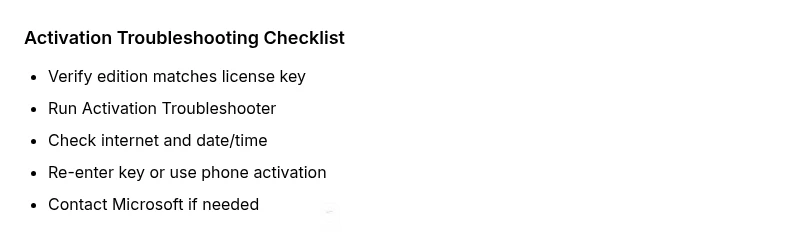
- Verify you are using the correct product key for the exact Windows 10 edition installed (Home vs Pro).
- Run Settings > Update & Security > Activation > Troubleshoot to let Windows diagnose licensing problems and re-link your digital license.
- Ensure a stable internet connection, disable VPNs, and confirm the system clock is accurate; activation depends on synchronized time.
- Re-enter or Change the product key in Settings to refresh the activation status; if you have a digital license, sign in with your Microsoft account to re-link it.
- If the PC was upgraded or migrated from OEM, check whether the license is transferable and compatible with the current hardware.
- If online methods fail, try Activation by Phone: follow the prompts to speak with a Microsoft agent for manual reactivation.
Typical quick fixes are free or low-cost, but a fresh license or professional help may be required in some cases.
Why activation failures happen: common causes
Activation error 0xc004c003 is usually caused by license-key edition mismatch, hardware changes, or corrupt activation data. The most frequent scenario is using a key that does not match the installed edition (for example, a Windows 10 Pro key on a Home edition). Hardware changes such as motherboard replacement can break the activation tie to a previous hardware fingerprint. Additionally, a failed upgrade path or a tampered activation data store can prevent the system from validating online. Understanding these causes helps you pick a targeted fix instead of performing generic repairs.
Step-by-step fix: re-activate Windows 10 (0xc004c003)
- Confirm your Windows 10 edition matches your license key. If not, obtain the correct key or purchase a new license for the edition you’re activating.
- Open an elevated Command Prompt (Run as administrator) and run: slmgr.vbs /upk to uninstall the current key, then slmgr.vbs /ipk <your-key> to install the correct key.
- Execute slmgr.vbs /ato to attempt online activation. If it fails, run slmgr.vbs /dli and slmgr.vbs /xpr to check license status and expiration.
- If online activation is blocked, use the Activation Troubleshooter again and ensure your internet is stable. If needed, switch to Phone Activation via the Activation wizard.
- If activation still does not complete, sign in with a Microsoft account linked to a digital license or contact Microsoft Support for reassignment of the license to your device.
- After successful activation, reboot and verify Activation status under Settings > Update & Security > Activation. If you’re buying a new license, expect a typical consumer price range and verify the source before purchasing.
Other causes and their fixes
- Edition mismatch lingering after reinstallation: double-check the product key aligns with the installed edition and consider reinstalling with the correct edition.
- Activation server issues: these are temporary; retry after some time or switch to phone activation if the online service is down.
- OEM licenses on new hardware: OEM licenses may be non-transferable; consult Microsoft licensing terms and consider purchasing a retail license for the new hardware.
- Digital license not linked to account: sign in to the Microsoft account that originally activated Windows, then retry activation to rebind the license to your device.
Steps
Estimated time: 60-90 minutes
- 1
Verify edition vs key
Confirm the Windows 10 edition installed matches the license key you have (Home, Pro, specific SKUs). If not, obtain the correct key or a compatible edition before proceeding.
Tip: Keep your original purchase receipt or license documentation handy. - 2
Open admin CMD and refresh key
Run Command Prompt as Administrator. Use slmgr.vbs /upk to uninstall the current key, then slmgr.vbs /ipk <your-key> to install the correct key.
Tip: Copy-paste the key carefully; a stray character will fail activation. - 3
Attempt online activation
Run slmgr.vbs /ato to try online activation. If it fails, run slmgr.vbs /dli and slmgr.vbs /xpr to inspect license status and expiration.
Tip: If you see expiration, renew or re-license accordingly. - 4
Troubleshooter & network check
Use Settings > Update & Security > Activation > Troubleshoot. Ensure stable internet, disable VPNs, and correct date/time settings.
Tip: Temporary network blocks can mimic license errors. - 5
Phone activation if needed
If online activation remains blocked, choose Activation by Phone and follow the prompts to contact a Microsoft agent for manual reactivation.
Tip: Have your device ID and license details ready. - 6
Verify activation and close
Reboot the PC and verify Activation status under Settings. If still unresolved, consider a licensed purchase or professional support.
Tip: Document the steps taken for future reference.
Diagnosis: PC shows activation error 0xc004c003 during Windows 10 activation
Possible Causes
- highInvalid or mismatched product key
- mediumHardware changes or motherboard replacement
- lowDigital license not tied to Microsoft account or corrupted activation data
Fixes
- easyEnter a valid, matching product key for the edition
- easyRun Activation Troubleshooter; ensure internet connection
- mediumRe-enter key or change key; sign in to Microsoft account to re-link license
- hardIf hardware changed, re-activate by phone or contact Microsoft Support
Frequently Asked Questions
What does error code 0xc004c003 indicate in Windows 10?
0xc004c003 usually means the current product key doesn’t match the Windows 10 edition, or activation data is corrupted. It prevents Windows from validating your license and keeping the system activated.
That code means your license doesn’t match the edition or activation data is corrupted, so Windows can’t activate.
What is the fastest way to fix 0xc004c003?
The fastest path is to verify the edition and key, run the Activation Troubleshooter, and re-enter a valid key or reactivate by phone if online activation fails.
Check the edition, run the troubleshooter, re-enter the key, or try phone activation if online activation is blocked.
Can hardware changes cause this error?
Yes. Replacing major hardware like the motherboard can break the activation fingerprint. You may need to reactivate or obtain a new license tied to the new hardware.
Major hardware changes can break activation; you might need to reactivate or get a new license.
Is activation by phone reliable?
Phone activation is a valid path when online activation fails. It may require interaction with a Microsoft agent to verify your license.
Phone activation works when online methods fail and may involve verifying your license with a Microsoft agent.
Should I buy a new Windows license?
If your license is non-transferable or hardware compatibility is compromised, purchasing a retail license can be a reliable path to full activation.
If transfer is not possible, buying a valid license can fix activation long-term.
What if activation still fails after following steps?
If problems persist, contact Microsoft Support for direct assistance or consider a clean reinstall with a matching edition and license.
If it still fails, contact Microsoft Support or reinstall with the correct edition and license.
Watch Video
Top Takeaways
- Identify if the issue is key, edition, or hardware related
- Use the Activation Troubleshooter before deeper fixes
- Match your license to the installed Windows edition
- Phone activation is a reliable fallback when online fails