Windows key error code 0xc004f213: Urgent fixes and troubleshooting
Urgent guide to Windows activation error 0xc004f213: causes, quick fixes, and step-by-step instructions to regain activation and stay compliant. Learn from Why Error Code team how to diagnose, repair, and prevent this activation failure.


Windows key error code 0xc004f213 means a blocked or invalid activation license prevents Windows from activating. Start with a quick check of your date/time, network, and product key; try re-entering a valid key and run the Activation Troubleshooter. If the issue persists, contact Microsoft support for a licensed key or renewal today immediately.
What the error means and who it impacts
Windows key error code 0xc004f213 is an activation block that stops Windows from finalizing activation. In plain terms, your copy of Windows is not currently licensed to run on this device. This error is most common after a clean reinstall, a major hardware change, or when a license key has been flagged by Microsoft’s activation servers. According to Why Error Code, 0xc004f213 often signals a licensing or key problem rather than a hardware fault, though hardware changes can trigger server checks that lead to this outcome. End users—developers, IT pros, and everyday PC users—feel the impact as Windows will operate with limited personalization features and may display persistent activation reminders. If you’re trying to activate Windows on a new device, or after replacing the motherboard or disk, expect this code to appear until the license status is reconciled. The urgency comes from the fact that prolonged activation issues can block access to critical features and receive compliance warnings.
Windows licensing 101: keys, MAK, KMS, and activation servers
Windows licensing works behind the scenes through different activation models. Retail and OEM keys activate a single device, while MAK (Multiple Activation Key) and KMS (Key Management Service) are designed for organizations. Activation servers verify key legitimacy and binding to hardware and online services. With 0xc004f213, the problem is often a license conflict or a key flagged by Microsoft, rather than a generic software error. Knowing the right model helps you choose the correct remediation path: consumer keys usually resolve with re-activation, while business licenses may require server-based reactivation or admin intervention. If you recently changed hardware, expect server re-checks that can trigger this code until the license status is reconciled across your device and Microsoft’s licensing database.
Quick fixes you can try right now (fast path)
Some fixes are immediate and low-effort, and they can restore activation without a full reinstall. First, ensure your date, time, and time zone are correct and that you’re connected to the internet with a stable network. Then, re-enter a valid product key in Settings > Update & Security > Activation, and run the Activation Troubleshooter. If your license type permits, you can also attempt a reactivation via command line tools (for example, slmgr.vbs) under an elevated Command Prompt. If the troubleshooter flags specific issues, apply the recommended fixes. If nothing works, proceed to more advanced steps or contact Microsoft support for a licensed key renewal today immediately.
Diagnostic flow: symptoms, likely causes, and practical remedies
When 0xc004f213 appears, the first clue is the activation status in Settings. Common causes include an invalid or blocked product key, license server blocks after hardware changes, and time/region mismatches. Practical remedies start with re-entering a valid key, ensuring your system time aligns with your region, and confirming a stable network connection. If these steps don’t resolve activation, the issue may involve the activation service side or a licensing policy flag. In such cases, consult Microsoft support for license reissue or verification, especially for enterprise licenses. Throughout, document any hardware changes and keep purchase receipts to streamline reactivation requests.
Step-by-step repair: the most common path
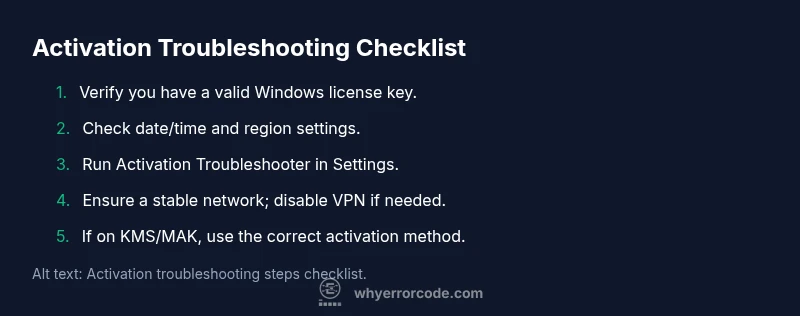
- Verify edition and license status in Settings > Update & Security > Activation; ensure it matches your license type. 2) Correct date/time and region, preferably with time synchronization enabled. 3) Re-enter a valid product key or switch to the appropriate activation method (MAK/KMS) if in a business context. 4) Run Activation Troubleshooter and apply any recommended fixes. 5) Test network connectivity to Microsoft activation servers; disable VPN if it interferes. 6) For MAK/KMS setups, validate server reachability and DNS resolution. 7) If activation still fails, contact Microsoft support for license renewal or reissue. 8) Keep a record of all license information and troubleshooting steps for future reference.
Other causes and advanced troubleshooting for complex setups
In some cases, 0xc004f213 arises from deeper licensing configurations, such as corrupted software profiles, stale license caches, or domain-joined machines with conflicting licenses. Advanced steps include refreshing the license cache, re-installing activation components, or performing a clean reactivation sequence using slmgr.vbs commands with administrative rights. Enterprise environments may require coordination with IT admins to renew volume licenses, rebind keys, or reissue MAKs. Always verify the exact edition and license terms before making changes to avoid compliance issues.
Safety, licensing compliance, and when to escalate
Activation issues can affect compliance status and feature availability. Do not attempt to bypass activation with counterfeit keys or unofficial tools. Always use legitimate keys or subscriptions. If you rely on enterprise licensing, coordinate with your IT department and Microsoft support for license reissue or escalation. In urgent corporate scenarios, plan for possible downtime while licenses are reconciled, and communicate with stakeholders about activation timelines.
Steps
Estimated time: 60-90 minutes
- 1
Verify system readiness
Open Settings > Update & Security > Activation to confirm current status and edition; verify that the license type matches how Windows is licensed for your device.
Tip: Document edition and license type before making changes. - 2
Check date/time and region
Set time automatically and ensure the correct time zone. Mismatched time can break activation servers and trigger 0xc004f213.
Tip: If you travel across time zones, re-check after any change. - 3
Re-enter product key
Enter a valid product key or switch to the correct activation method (MAK or KMS) if you’re in a business environment.
Tip: Keep keys secure and avoid sharing openly. - 4
Run Activation Troubleshooter
Navigate to Settings > Update & Security > Activation and run the Troubleshooter; apply any suggested fixes exactly as shown.
Tip: If the troubleshooter reports issues, follow their recommended steps. - 5
Test network and DNS
Ensure Windows can reach activation servers; disable VPN or firewall rules that might block access to activation endpoints.
Tip: Try a wired connection if Wi‑Fi is unstable. - 6
For enterprise keys, verify activation path
If using MAK or KMS, confirm you’re connected to the correct activation server and that DNS resolves activation endpoints.
Tip: Coordinate with IT if you’re in a managed environment. - 7
Escalate to Microsoft if unresolved
If activation still fails, contact Microsoft Activation Support and prepare proof of purchase and license details for faster resolution.
Tip: Budget time for potential phone-based validation.
Diagnosis: Windows activation fails with error 0xc004f213 during activation after reinstall or hardware changes.
Possible Causes
- highInvalid or blocked product key
- mediumLicense server blocked due to hardware changes
- lowDate/time or region mismatch
Fixes
- easyRe-enter a valid product key and run Activation Troubleshooter
- easyEnsure date/time settings are correct and timezone matches region
- easyCheck internet connection and firewall/proxy settings
- hardUse slmgr.vbs commands to rearm or reset activation, or contact Microsoft for a license reissue
Frequently Asked Questions
What does Windows activation error 0xc004f213 mean?
It indicates the activation license is blocked or invalid, preventing Windows from finishing activation. This often follows license key problems or server checks after hardware changes.
It means your Windows license isn’t accepted by Microsoft’s activation servers, typically due to key or licensing issues.
How can I fix it quickly?
Try re-entering a valid product key, check date/time, ensure network access, and run the Activation Troubleshooter. If unresolved, contact Microsoft for a license renewal.
Re-enter the key, verify your time and network, and run Activation Troubleshooter; if it still fails, contact Microsoft for license help.
Is this error common after hardware changes?
Yes. Hardware changes can trigger license re-checks by activation servers, leading to 0xc004f213 until the license status is reconciled.
It often shows up after hardware changes, when activation must be traced to your license.
Can I use third-party keys to bypass this?
No. Using untrusted keys can violate licensing terms and expose you to security risks. Always use legitimate licenses from Microsoft or authorized resellers.
No—stick to legitimate keys to avoid legal and security risks.
When should I contact Microsoft support?
If quick fixes fail, contact Microsoft Activation Support with purchase proof and license details to verify or renew your license.
If the steps don’t work, reach out to Microsoft for license verification and renewal.
Watch Video
Top Takeaways
- Verify your license status and re-enter key.
- Run Activation Troubleshooter and check network.
- If unresolved, contact Microsoft for license renewal.
- Ensure system time and DNS are correct.
- Document license details for future activations.